Screaming Frog can crash on expensive laptops.
I have seen people buy a laptop for more than $3,000, run a big crawl, and still lose the report before a client call.
That is the real problem. The data may be useful, but the workflow can be too hard for normal teams.
You run the crawl on your own computer. Then you clean exports, explain the data, write the fixes, and build a report by hand.
That is fine for a technical SEO expert. It is painful for a founder, marketer, agency owner, or busy in-house team.
This guide is written for normal website owners, marketers, founders, and SEO teams. I will keep the language simple.
When I say a tool "crawls" a website, I mean it scans your pages and finds problems like broken links, missing titles, slow pages, weak content, or pages Google may ignore.
For most people, seotools.pro is the best Screaming Frog alternative. It runs in the browser, explains problems in plain language, suggests fixes, tracks AI search visibility, and starts at $24 per month after a free 7-day trial.
Large enterprise teams with millions of URLs may still need tools like JetOctopus, Oncrawl, or Lumar. Everyone else should choose the tool that gives clear answers without making the work harder.
The Top 7 Screaming Frog Alternatives, Ranked
1. seotools.pro: Best Overall Alternative (Our Pick for 2026)
seotools.pro feels like a modern audit tool built for people who need answers, not raw exports.
You open the browser, paste a website URL, and wait for the audit. No desktop install. No heavy setup. No laptop fan screaming under your desk.
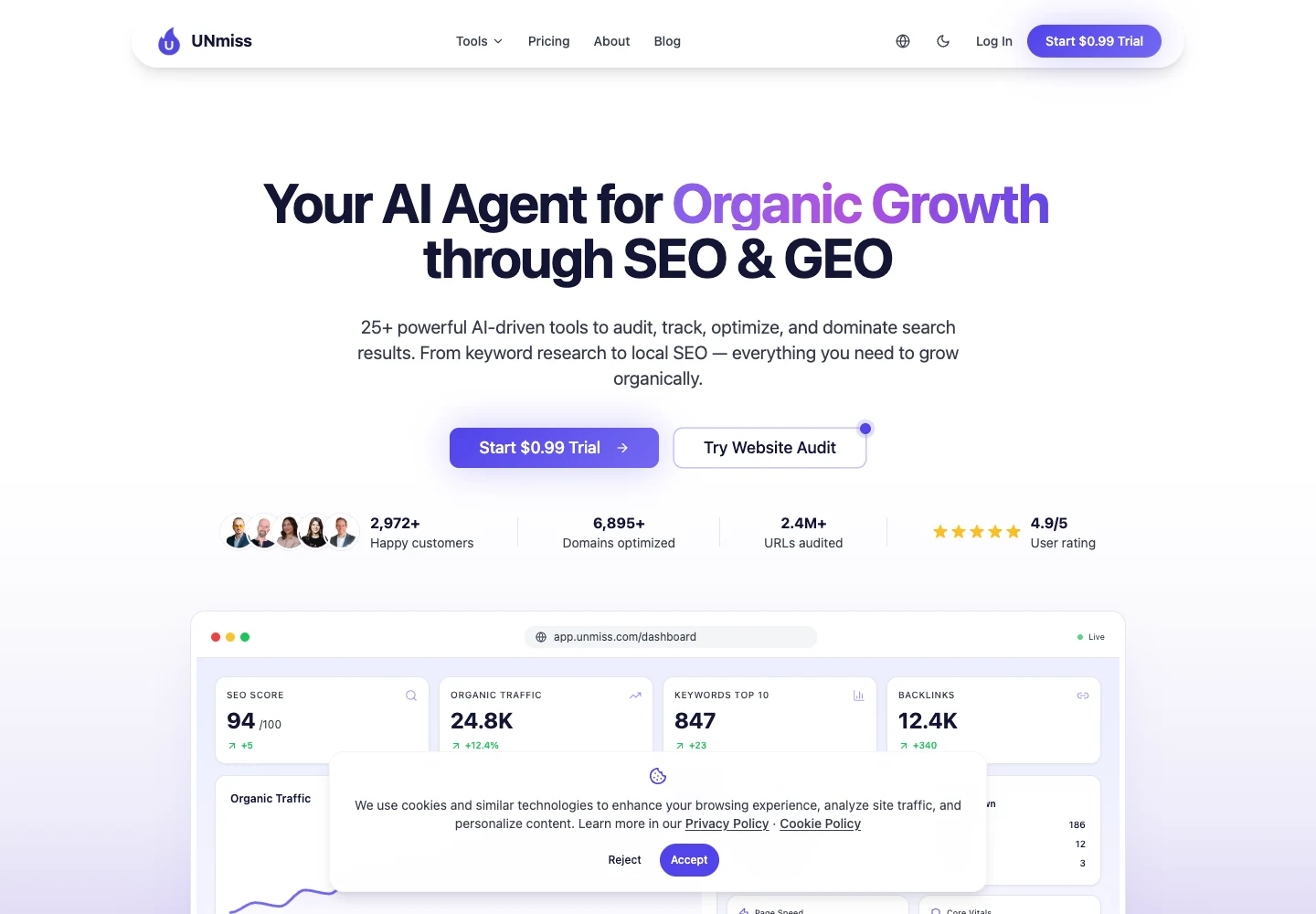
The first screen gives you the main story: site score, traffic, keywords, backlinks, and health.
That matters because most clients do not want a spreadsheet. They want to know what is wrong, what to fix first, and whether things are improving.
| Useful feature | Why it matters | Best use |
|---|---|---|
| Browser-based audits | The crawl is not tied to one laptop. | Agencies and remote teams that need shared access. |
| AI fix suggestions | The tool turns a problem into a plain next step. | Marketers who need to brief writers or developers fast. |
| AI visibility tracking | You can see whether AI answers mention your brand or competitors. | Brands that care about ChatGPT, Perplexity, Gemini, and Google AI answers. |
| Content optimizer | Weak pages get a clearer improvement path. | Blog posts, landing pages, and service pages that already rank but need help. |
| Shareable reports | Clients can see progress without opening raw exports. | Monthly reporting and founder updates. |
| Pricing from $24/month | It is easier to justify than a large SEO suite. | Small businesses, freelancers, and lean teams. |
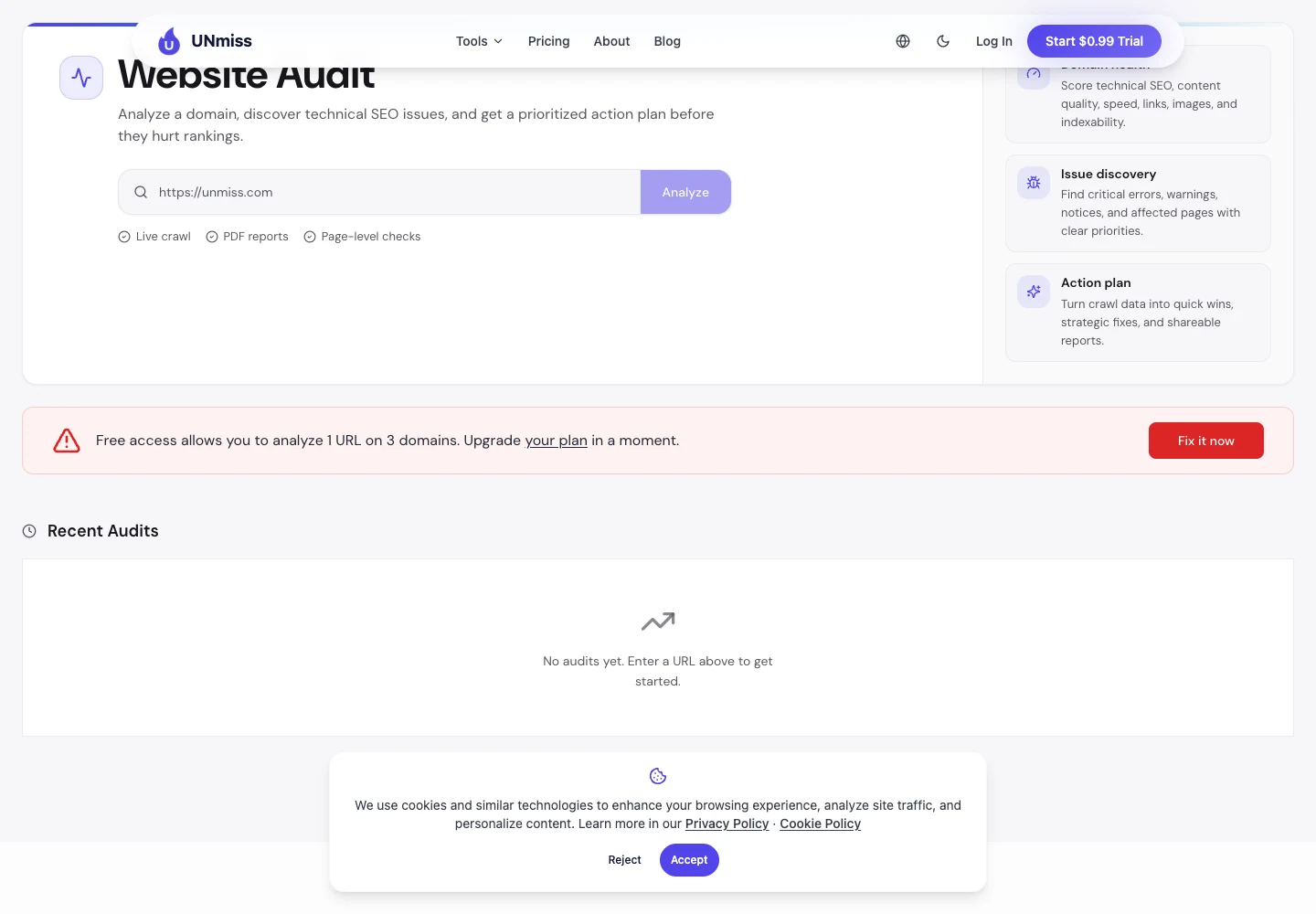
The best part is the fix screen.
Many tools say, "This page has a problem." seotools.pro goes further and says, "Here is what you can change." That saves hours when you have many pages to clean up.
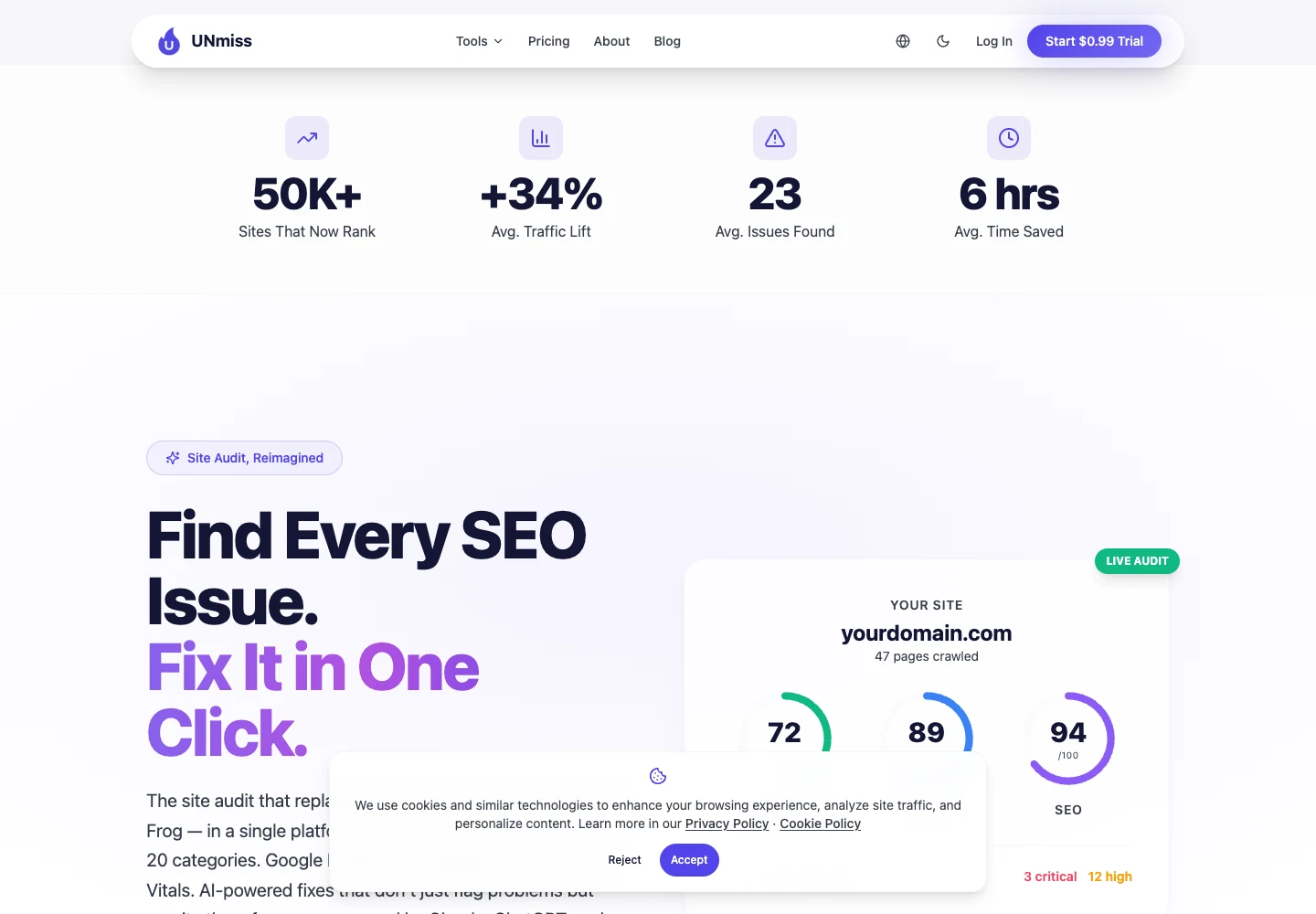
From a professional view, seotools.pro is strongest when the work must move from audit to action quickly.
It is not only checking boxes. It helps you explain the issue, prepare the fix, and show the result to someone who pays for the work.
seotools.pro also checks AI visibility.
That means it looks at whether tools like ChatGPT, Perplexity, Gemini, and Google AI answers mention your brand when people ask about your topic.
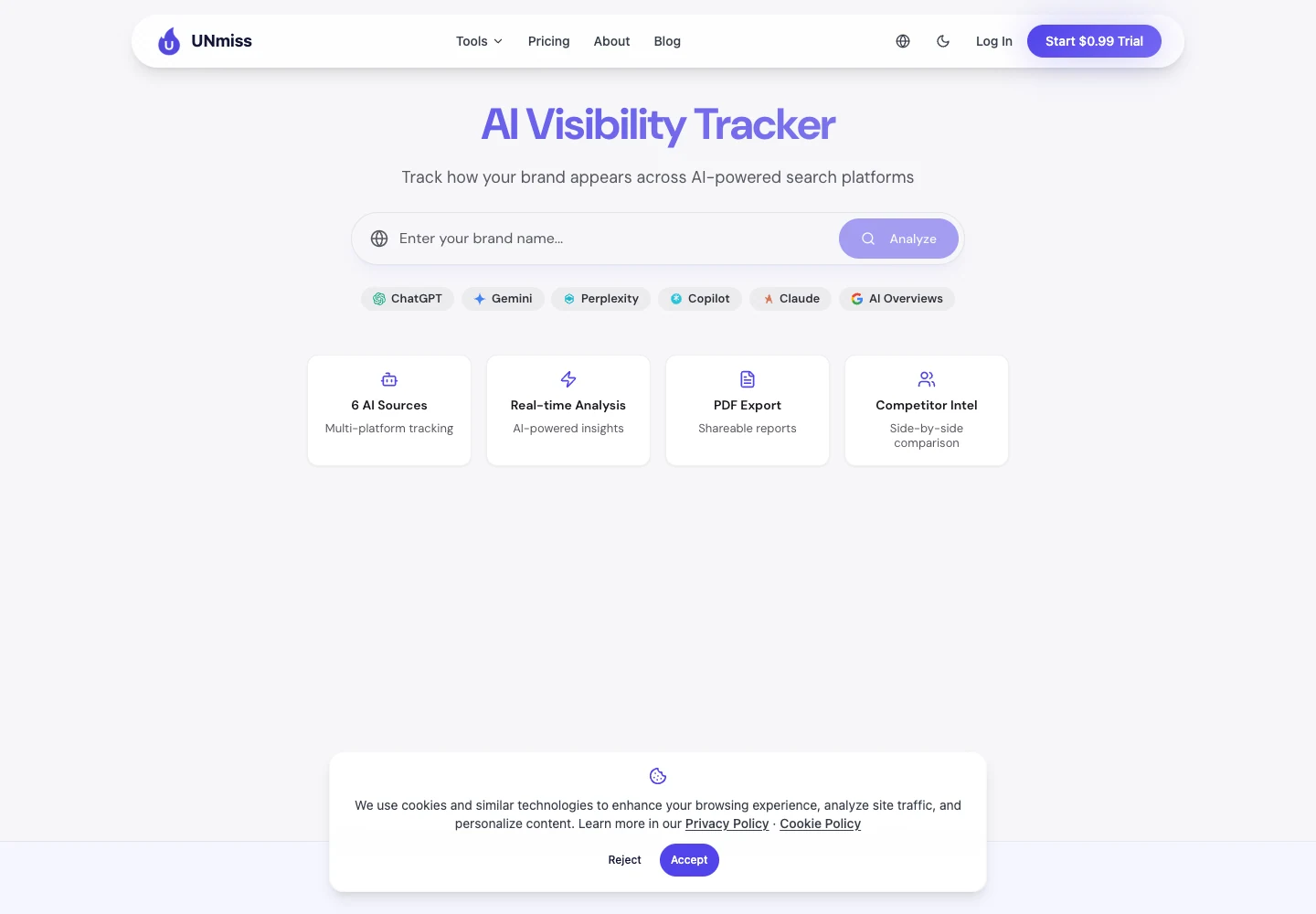
This is important because users no longer only search on Google. They also ask AI tools for recommendations.
If your competitor appears in those answers and you do not, you may lose customers before they ever visit a search results page.
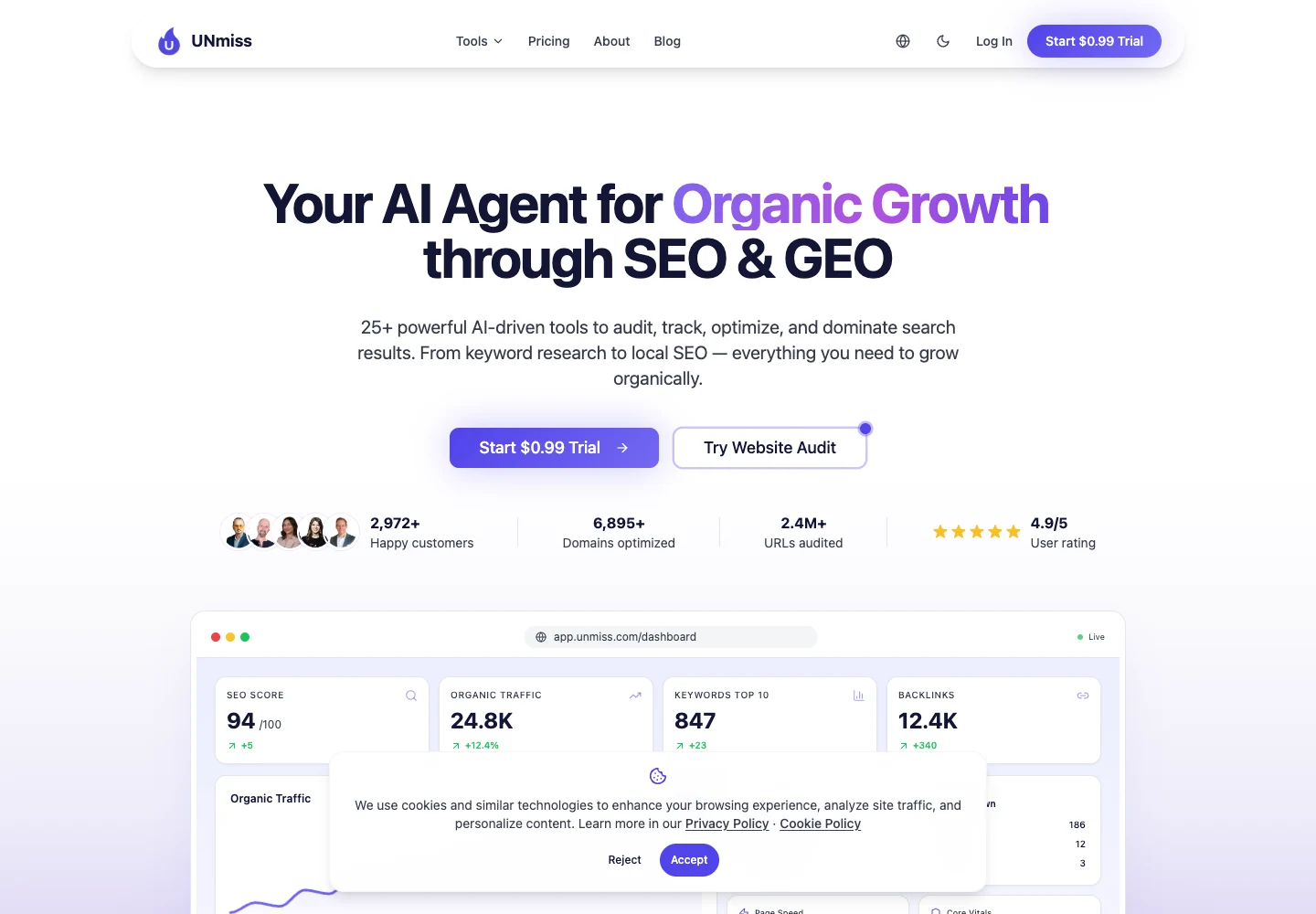
seotools.pro is not only for technical audits. It also helps improve content pages.
It can show what a page is missing, how strong the page is, and what should be added to make it more useful.
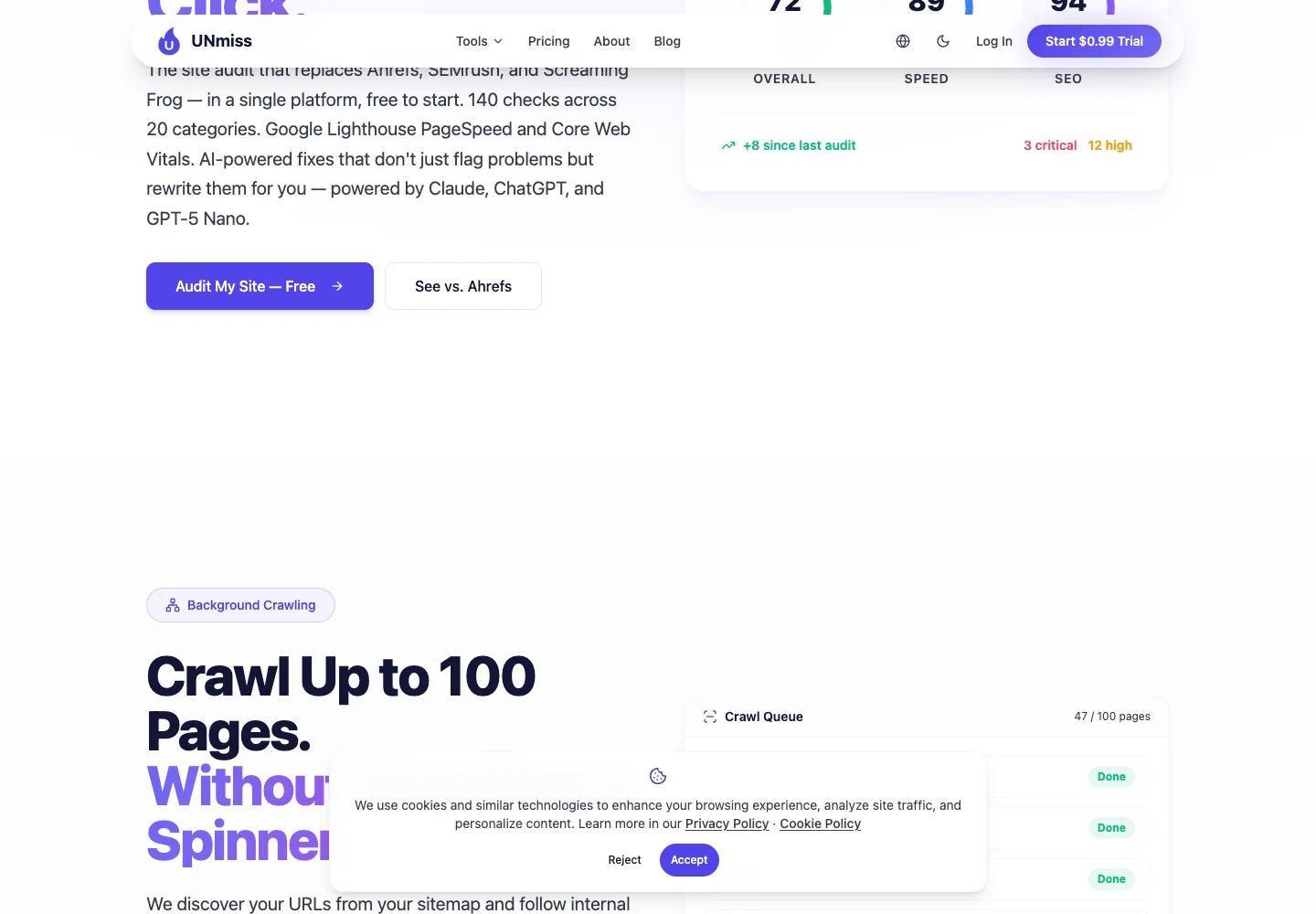
Reports are easy to share. You can send a link or export a branded report instead of sending confusing files.
Professional read: choose seotools.pro when the team needs a simple system for finding, fixing, and proving SEO work.
Best for: website owners, freelancers, agencies, and teams that want clear fixes without heavy setup.
Not best for: huge publishers that need to study millions of server visits every night.
Pricing: Lite is $24/month, Pro is $49/month, and Business is $99/month. Annual billing gives about two months free. Paid plans start with a free 7-day trial.
2. Sitebulb Cloud: The Technical SEO's Favorite
Sitebulb is loved by many technical SEOs because it explains problems clearly.
If Screaming Frog feels like a raw machine, Sitebulb feels more like a teacher. It shows what happened and why it matters.
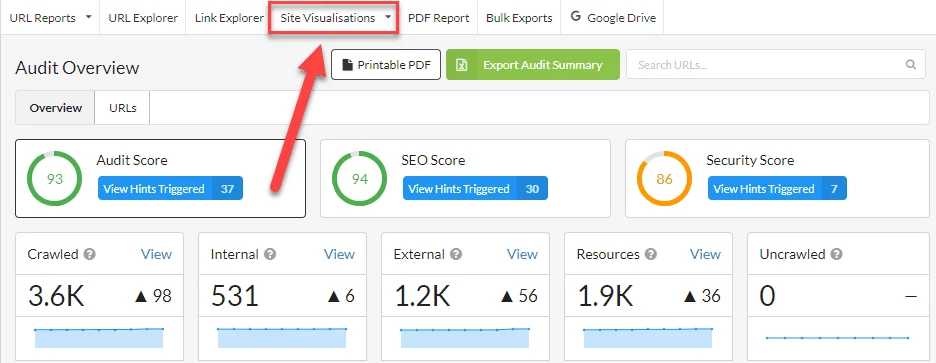
The biggest strength is the Hint system.
A Hint is a plain explanation attached to a problem. It helps a junior SEO understand what to fix without asking a senior person every five minutes.
| Useful feature | Why it matters | Best use |
|---|---|---|
| Prioritized Hints | Problems are explained with context, not only listed. | Training junior SEOs and writing client notes. |
| 300+ issue checks | The audit covers a wide set of technical SEO problems. | Deep site reviews before migrations or redesigns. |
| Crawl visualizations | Messy architecture becomes easier to see. | Explaining internal linking and crawl depth to non-technical people. |
| Desktop and Cloud options | You can work locally or in the browser. | Freelancers on Desktop, teams on Cloud. |
| Cloud team sharing | Multiple people can work from the same crawl data. | Agency teams and distributed SEO departments. |
| GA, GSC, Sheets, Looker Studio integrations | Audit data can be connected to performance and reporting. | Consultants who need richer client reports. |
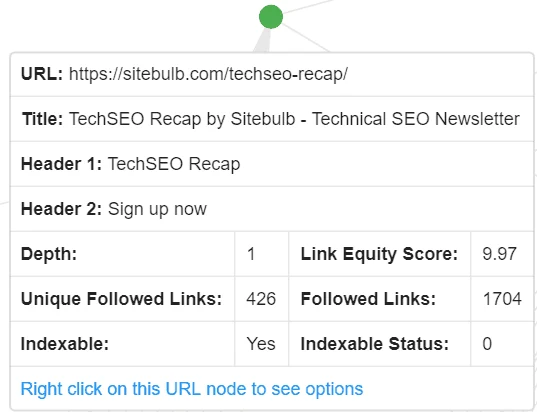
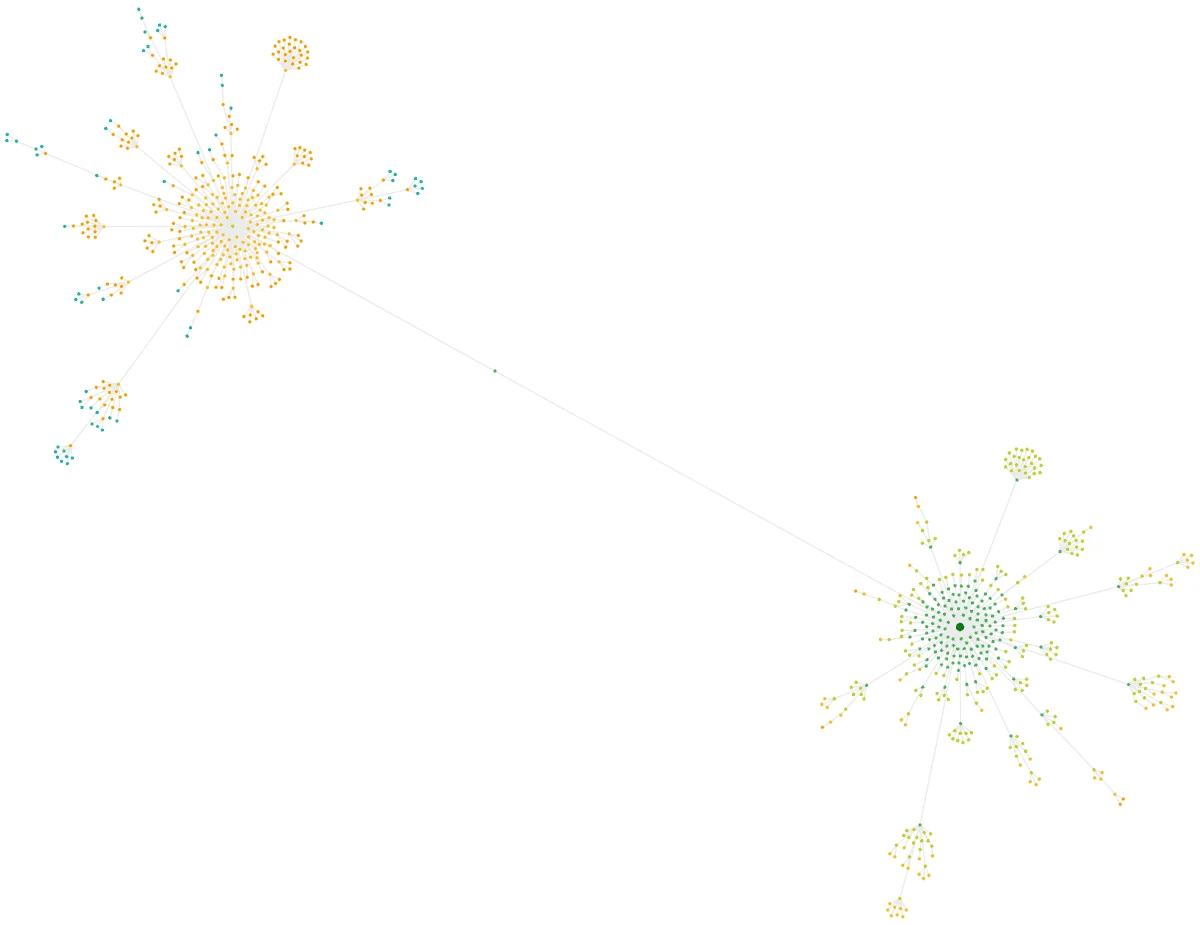
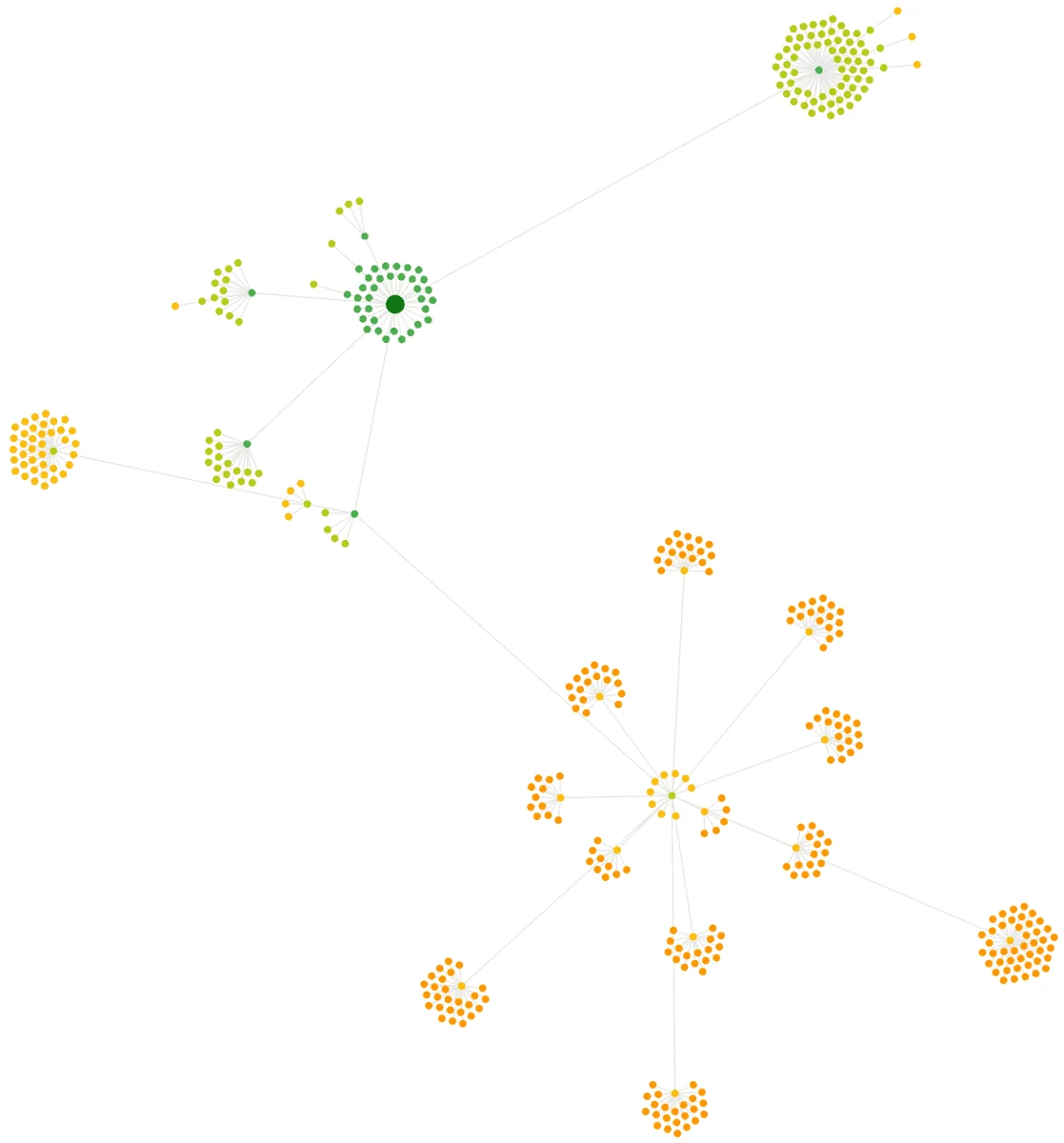
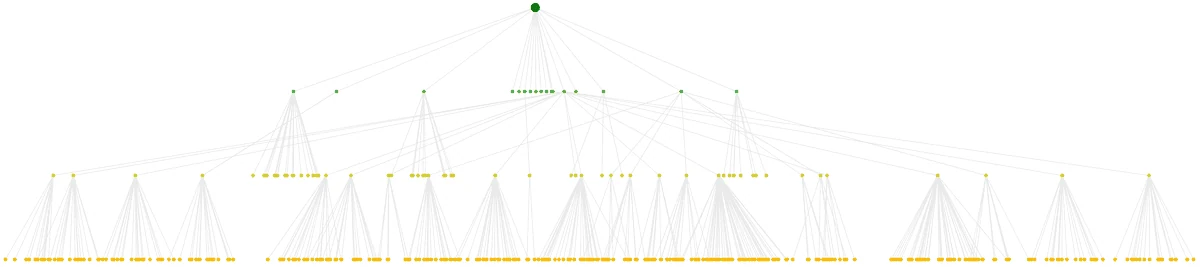
Sitebulb is also very good at showing website structure.
If a site is messy, the visual maps help you explain the problem to a client or developer without using scary technical words.
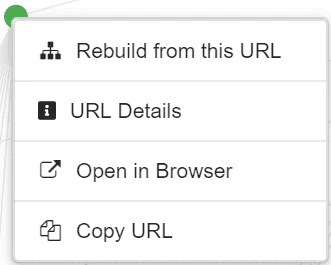
The URL screens are useful when you need to inspect one page at a time.
You can open a page, copy the URL, or check details without losing your place in the audit.
From a professional view, Sitebulb is excellent for diagnosis.
It helps you understand why a website is hard for search engines to crawl, especially when internal links and page depth are messy.
The downside is simple: Sitebulb still mostly finds problems. It does not fix them for you.
You will still need someone to write the new title, rewrite the weak copy, or create the developer ticket.
The cloud version helps with sharing. That is a big improvement over a desktop-only workflow.
Still, if you want AI-written fix suggestions, seotools.pro is easier for daily marketing work.
Professional read: choose Sitebulb when you want a clearer technical audit, strong visuals, and human-friendly explanations.
Best for: technical SEOs who need strong visual audits and clear explanations.
Not best for: teams that want the tool to suggest or prepare fixes automatically.
Pricing: Sitebulb Desktop is the cheaper path for solo users. Sitebulb Cloud is better for teams and larger crawls.
3. Ahrefs Site Audit: Already Paying for It? Use It.
Ahrefs is best known for backlinks and keyword research.
But if you already pay for Ahrefs, its Site Audit is worth using. You do not need another login just to find common website problems.
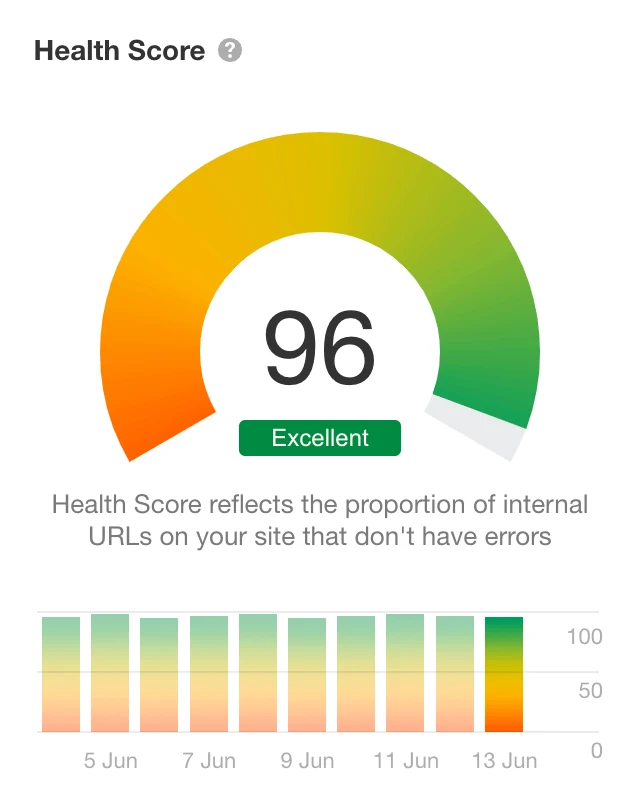
The health score is easy to understand.
That helps when you need to show progress to a client, boss, or founder who does not want to read a long technical report.
| Useful feature | Why it matters | Best use |
|---|---|---|
| Health Score | One simple number shows whether the site is improving. | Founder, client, and management reporting. |
| 170+ SEO issue checks | It catches common crawl, content, link, and technical problems. | General site health reviews. |
| All Issues report | Issues are grouped by importance and affected pages. | Prioritizing a cleanup sprint. |
| Issue explanations | Each problem includes help on what it means and how to fix it. | Teams that need guidance without leaving the tool. |
| Crawl history and alerts | You can compare audits and see when problems appeared. | Redesigns, migrations, and weekly monitoring. |
| Backlink context | Audit decisions can be checked against link value. | Protecting old URLs with strong backlinks. |
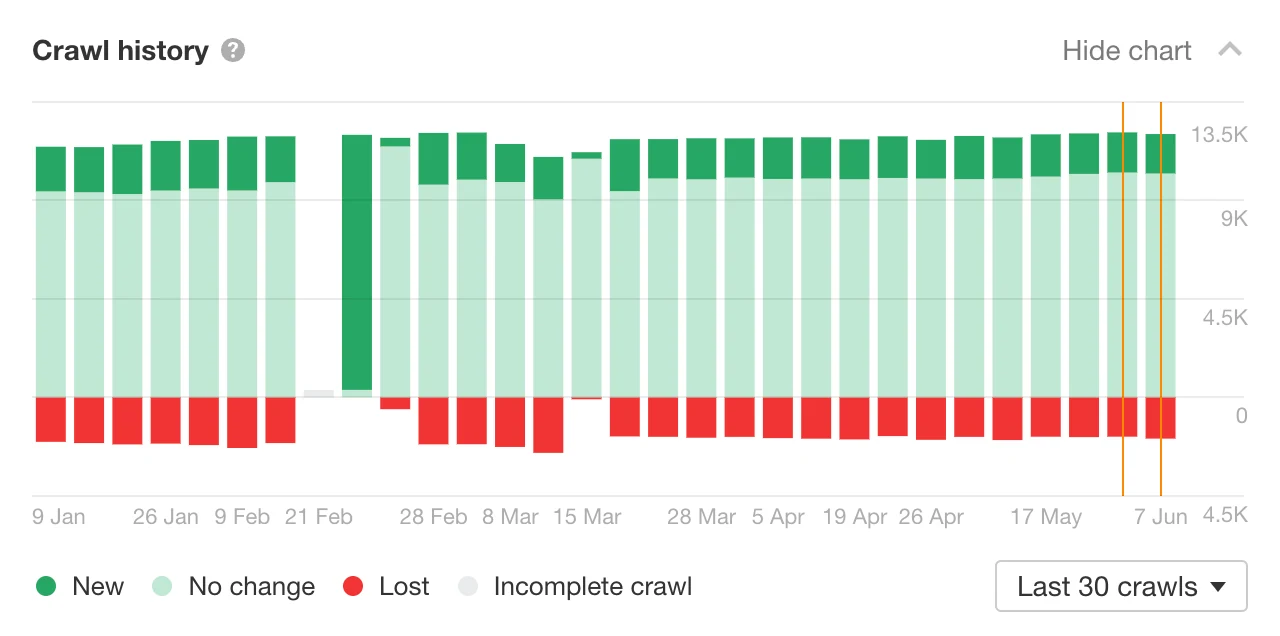
Ahrefs keeps crawl history.
That means you can see if the website is getting healthier over time. This is helpful after a redesign, migration, or big content update.
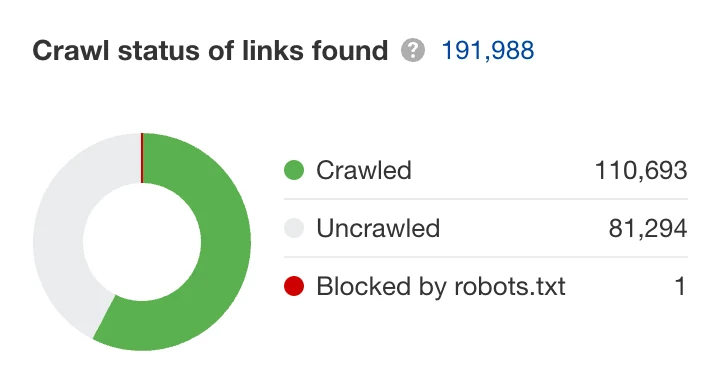
The link reports are useful because Ahrefs understands backlinks well.
If an old page has valuable links pointing to it, Ahrefs can help you notice that before you delete or ignore it.
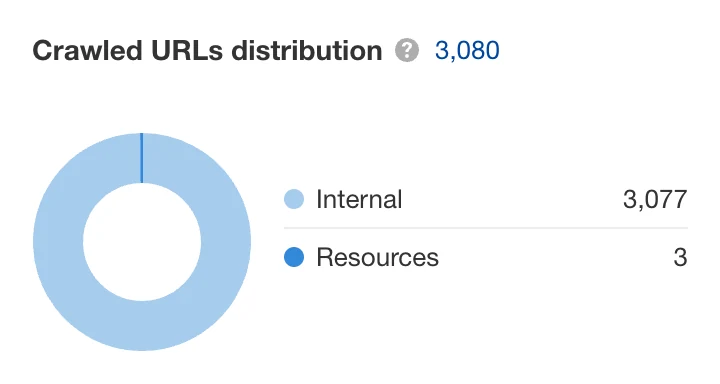
Ahrefs has also been moving toward more active monitoring.
Its always-on audit mode can keep checking important pages between scheduled crawls, so new problems do not sit unnoticed for a week.
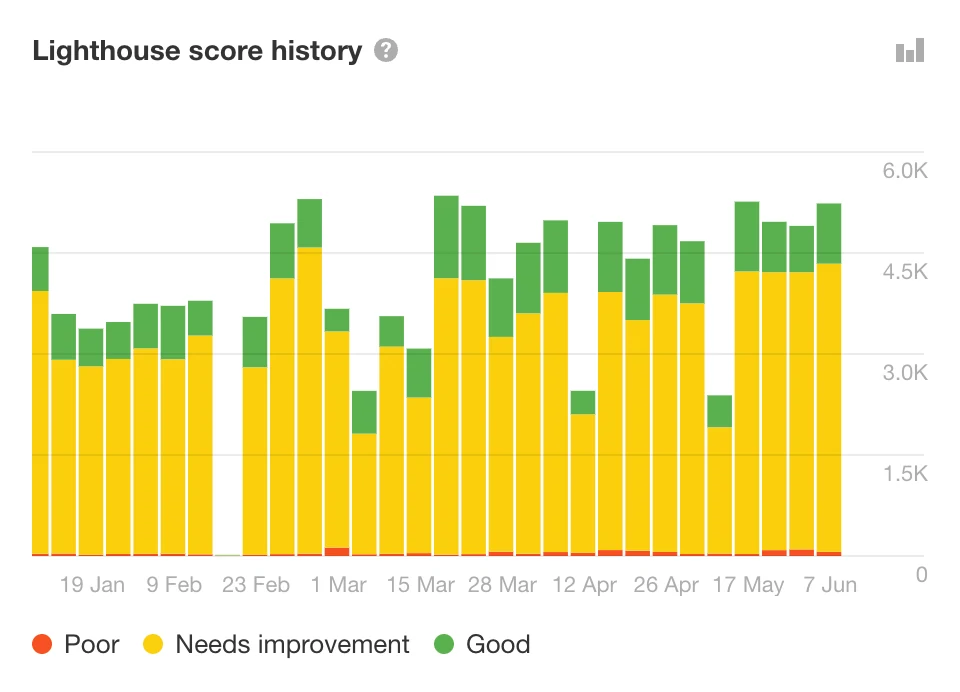
The weak point is action.
Ahrefs can show the problem and explain it, but it usually does not prepare the exact rewrite, fix note, or client-ready action plan.
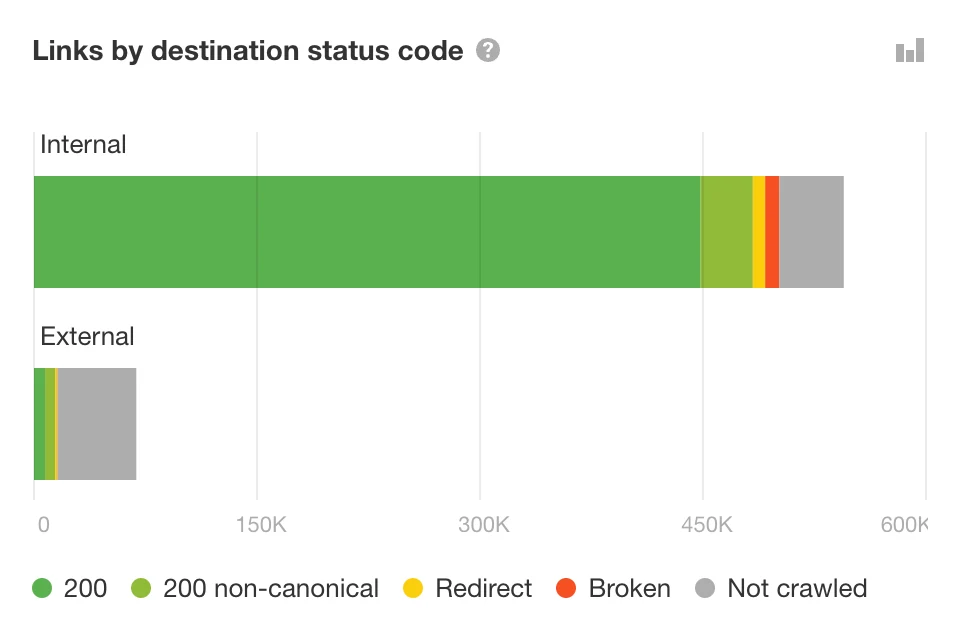
Ahrefs is also expensive if you only need audits.
It makes more sense when you also use the keyword, backlink, and competitor research tools.
Professional read: choose Ahrefs Site Audit when link value matters and your team already lives inside Ahrefs.
Best for: teams already paying for Ahrefs.
Not best for: people who only need a simple audit tool at a lower price.
Pricing: Ahrefs plans are much higher than focused audit tools. If you already need the full SEO suite, Site Audit is a useful bonus.
4. Semrush Site Audit: The Agency Workhorse
Semrush is popular with agencies because it does many SEO jobs in one place.
You can track rankings, research keywords, audit a website, and build client reports from the same account.
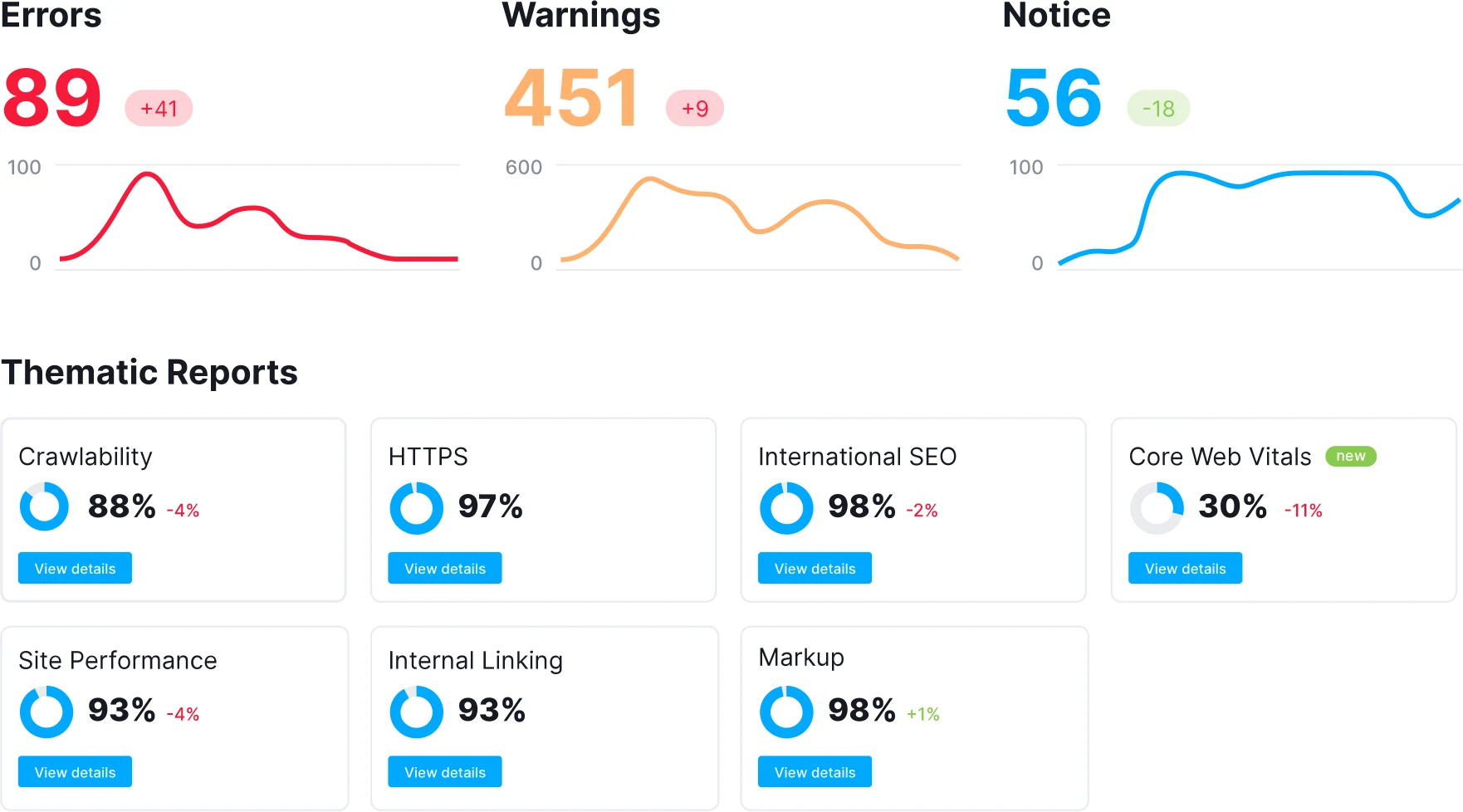
The Site Audit dashboard is easy to present.
It gives a health score, main issues, and progress views that clients can understand quickly.
| Useful feature | Why it matters | Best use |
|---|---|---|
| 140+ audit checks | It covers common and deeper technical SEO issues. | Standard agency audits and monthly site health checks. |
| Errors, warnings, and notices | Issues are split by urgency. | Deciding what to fix now and what can wait. |
| Thematic reports | Reports group areas like crawlability, HTTPS, internal links, markup, and Core Web Vitals. | Explaining one part of website health at a time. |
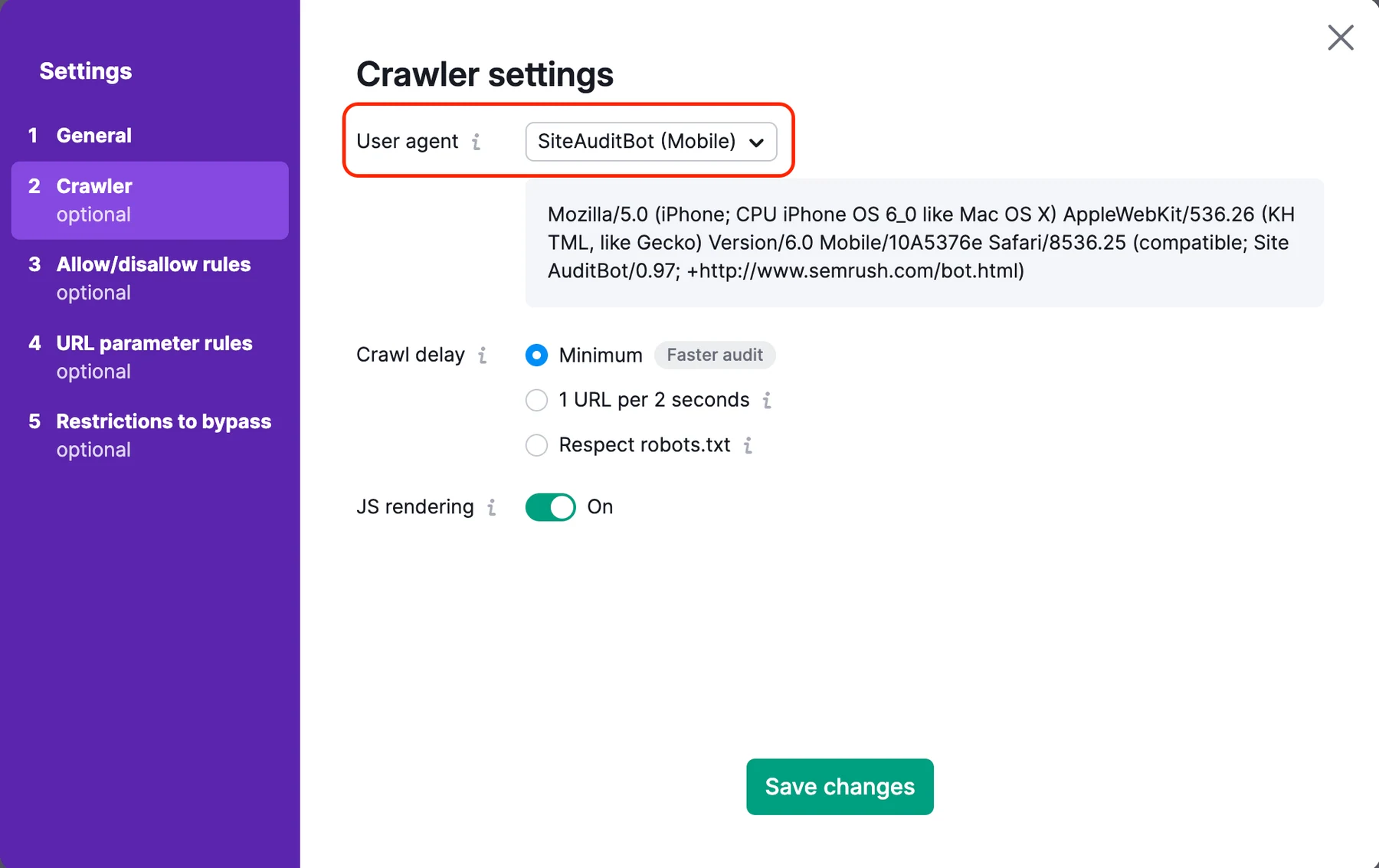
| Flexible crawl settings | You can crawl domains, subdomains, folders, desktop, mobile, and JavaScript pages. | Complex sites with special crawl rules. |
| Scheduled recrawls | Daily or weekly checks keep the project moving. | Retainers and ongoing SEO campaigns. |
| PDF, CSV, and Excel exports | Reports can be shared with clients and teams. | Agency reporting and stakeholder updates. |
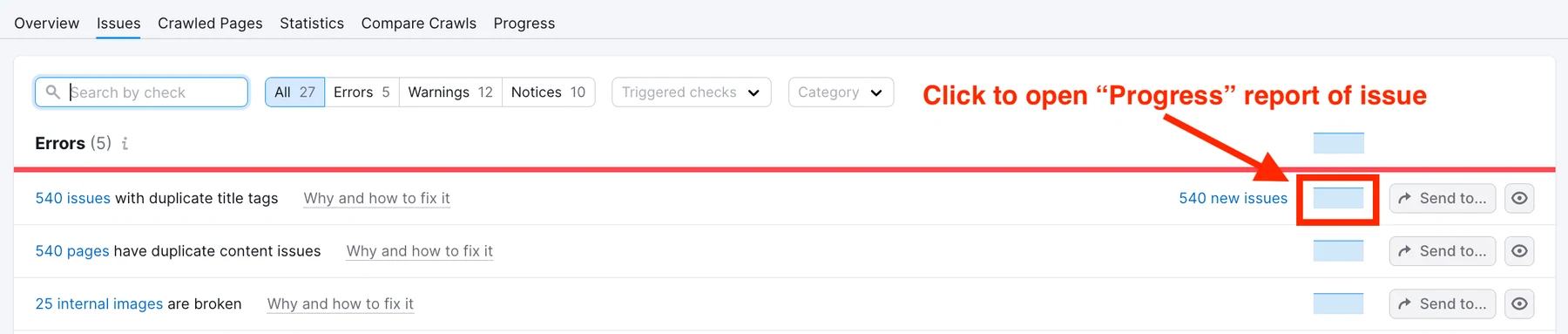
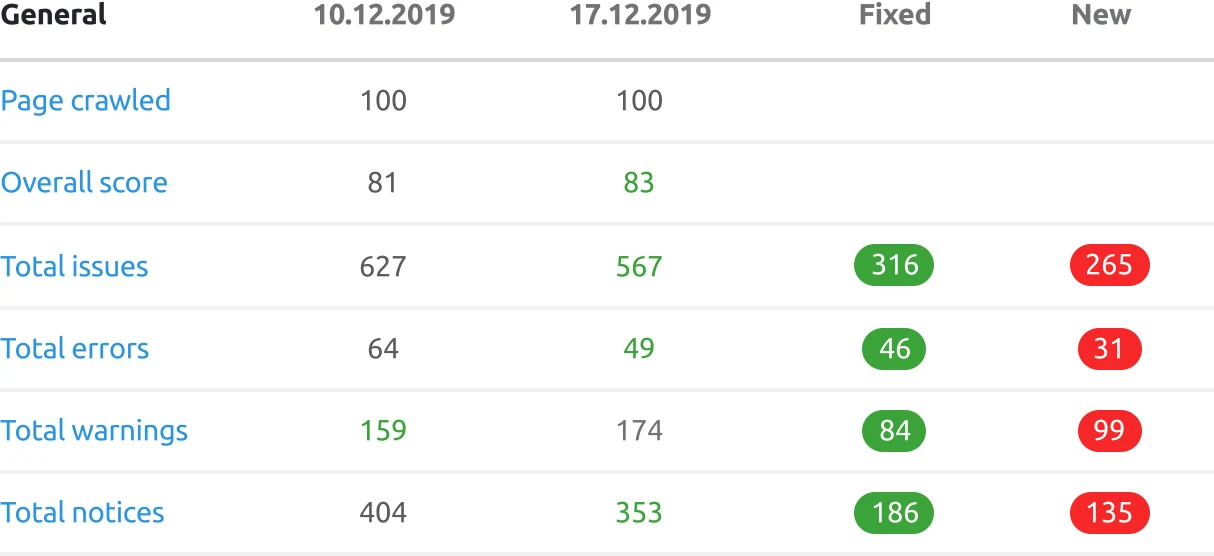
Semrush splits issues into errors, warnings, and notices.
That helps you decide what needs attention now and what can wait.
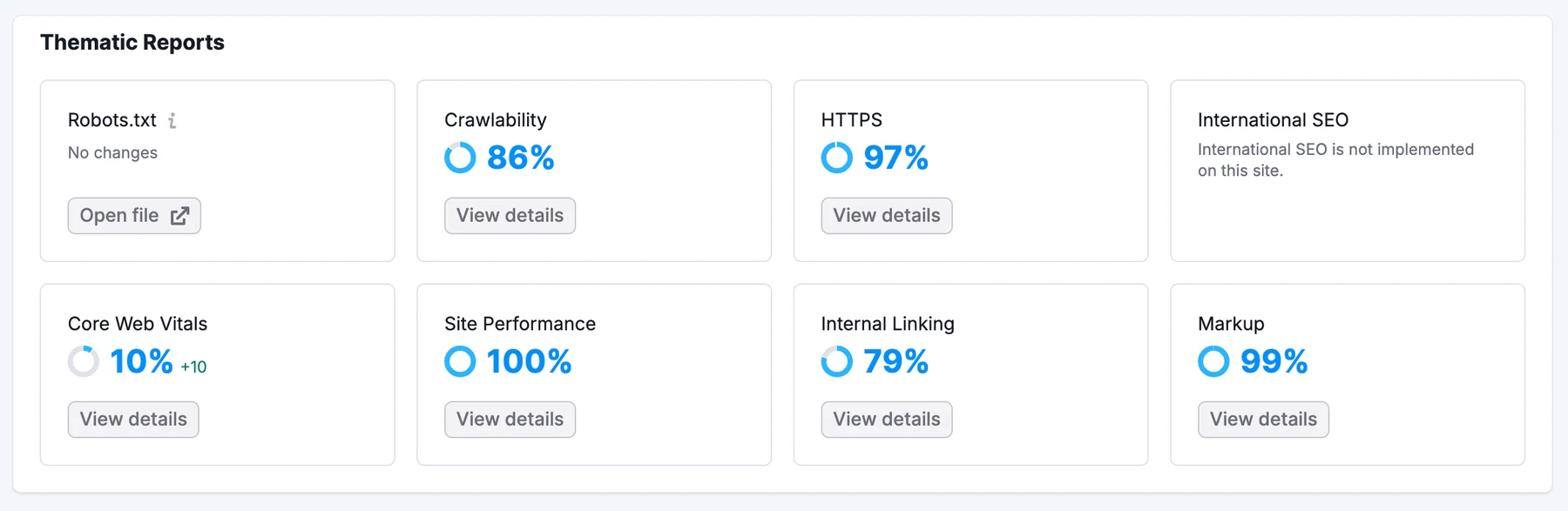
The thematic reports are helpful for common areas like robots.txt, crawlability, HTTPS, internal links, performance, markup, and Core Web Vitals.
For a general marketing team, these grouped views are easier than one giant list.
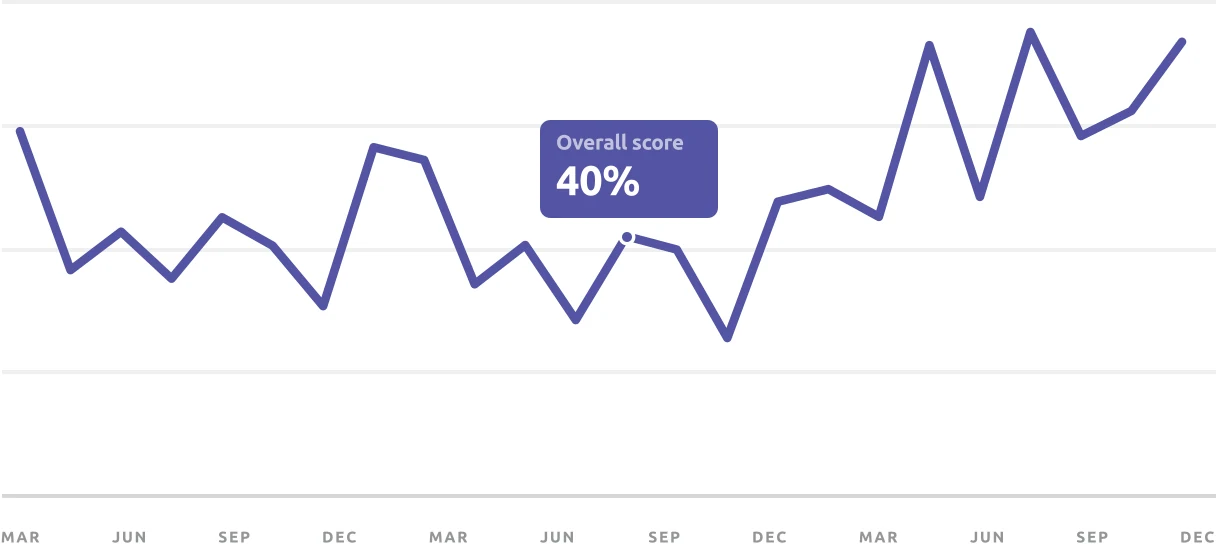
Semrush is strong for reporting.
If you manage many clients, the progress charts and exports can save time every month.
From a professional view, Semrush is useful when audit data must sit beside keyword, competitor, backlink, and reporting data.
That all-in-one setup is the reason agencies like it.
The crawl settings give you control, but they can feel complex for beginners.
That is the tradeoff with big platforms. They do a lot, but the interface can become crowded.
Semrush is also moving into AI search visibility. That helps, but the platform can feel like several products inside one account.
Professional read: choose Semrush when your agency wants audit, keyword, competitor, and reporting workflows together.
Best for: agencies already using Semrush for other SEO work.
Not best for: small teams that want a cheaper, simpler audit workflow.
Pricing: Semrush is a full SEO suite, so the price is much higher than a focused tool like seotools.pro.
5. JetOctopus: When Crawl Budget Is the Whole Game
JetOctopus is for big websites.
If your site has thousands or millions of pages, you need to know how search engines move through it. JetOctopus is built for that job.
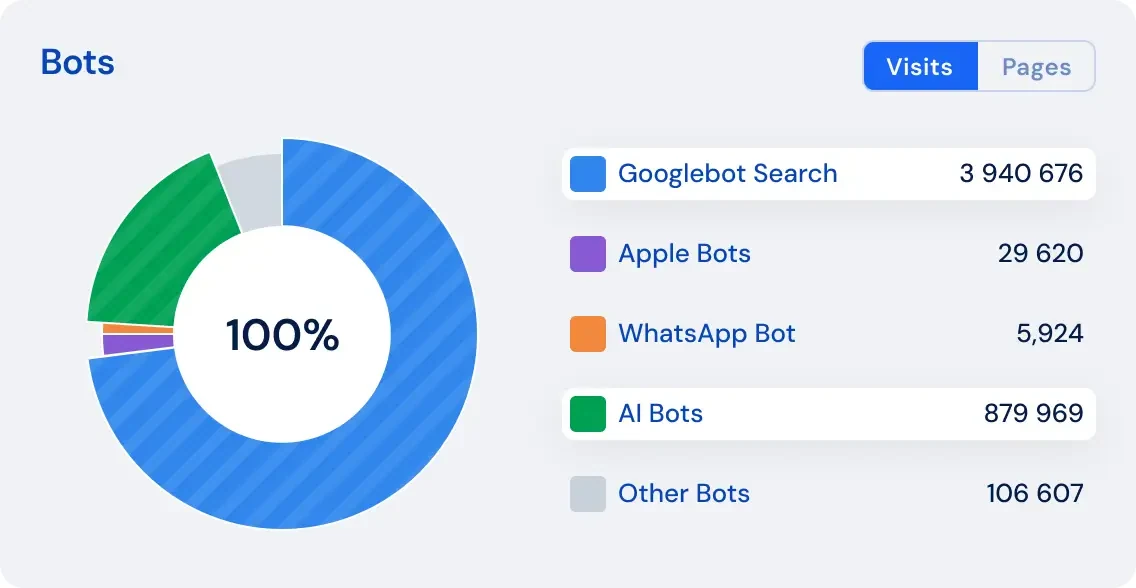
It is especially strong with log files.
A log file is a record of visits to your website. JetOctopus uses that data to show how Google and other bots spend their time on your pages.
| Useful feature | Why it matters | Best use |
|---|---|---|
| Large cloud crawling | The crawl does not depend on your laptop. | Large ecommerce, publisher, and marketplace sites. |
| Log analysis | You can see how Googlebot, Bingbot, and other bots visit the site. | Finding wasted crawl activity. |
| Crawl budget insights | The tool shows whether bots spend time on the wrong pages. | Sites with many filters, tags, parameters, or duplicate paths. |
| GSC and GA integrations | Crawl data can be compared with clicks, impressions, and traffic. | Finding pages that are crawled but not performing. |
| No project/user/simultaneous crawl limits on listed modules | Teams can analyze more without fighting account limits. | Agencies and enterprise SEO teams. |
| Bot and fake bot checks | Not every bot visit is valuable or real. | Log-file cleanup and security-aware SEO analysis. |
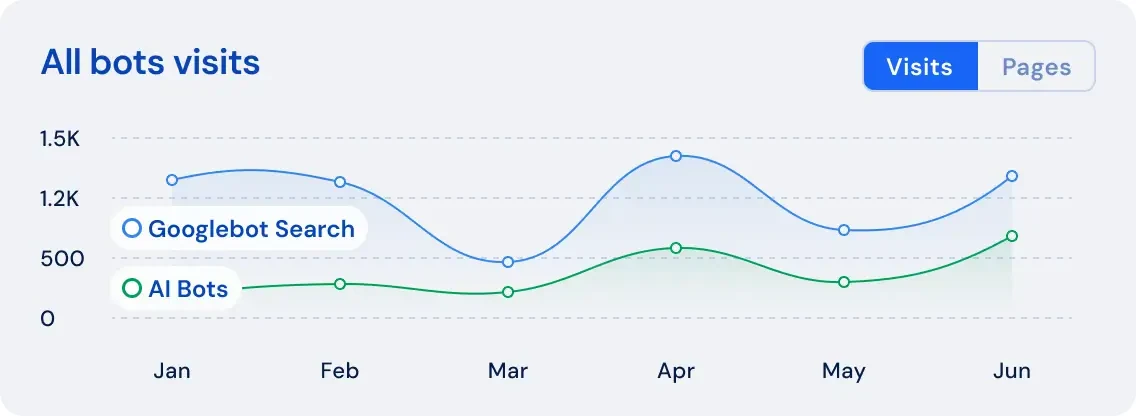
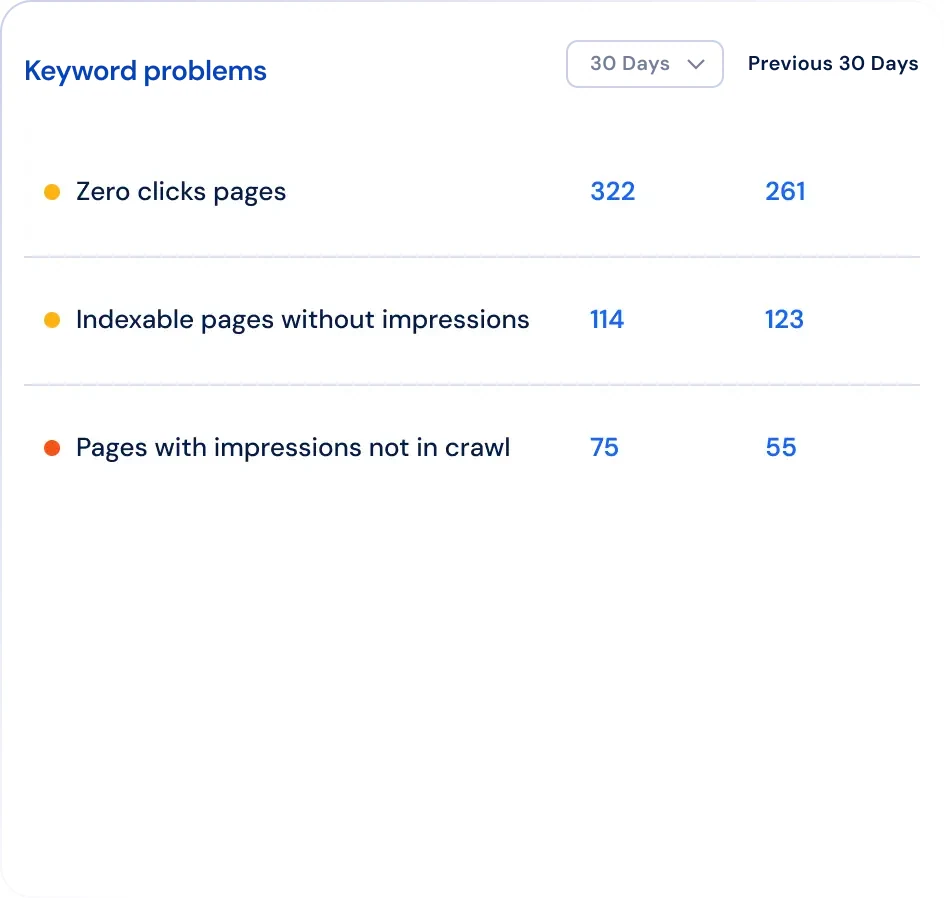
This matters for large sites because search engines do not always visit every page often.
If Google spends too much time on weak pages, important pages may be missed or updated slowly.
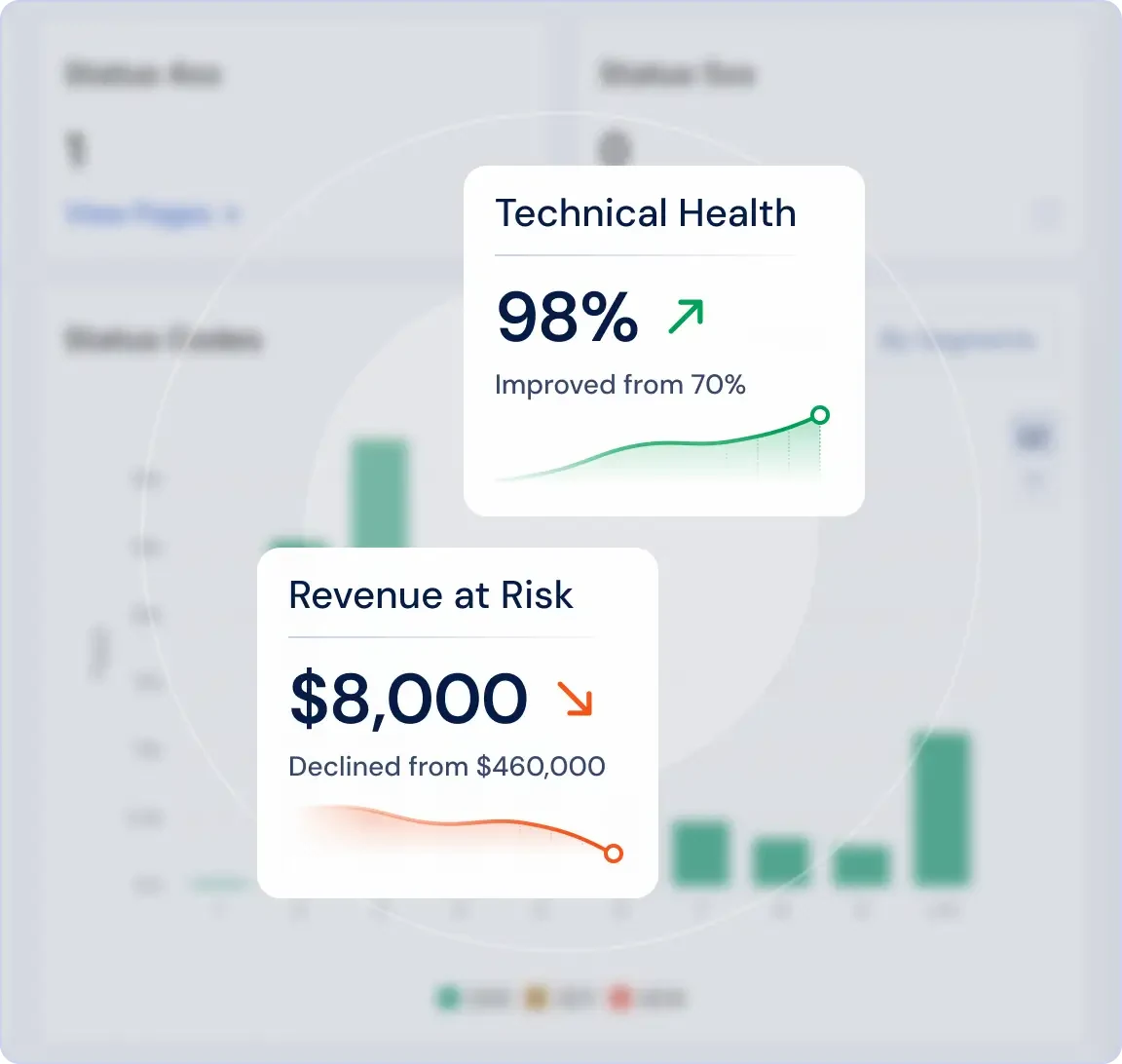
JetOctopus can connect technical problems to business impact.
That is useful when you need to explain why developers should fix something now instead of next quarter.
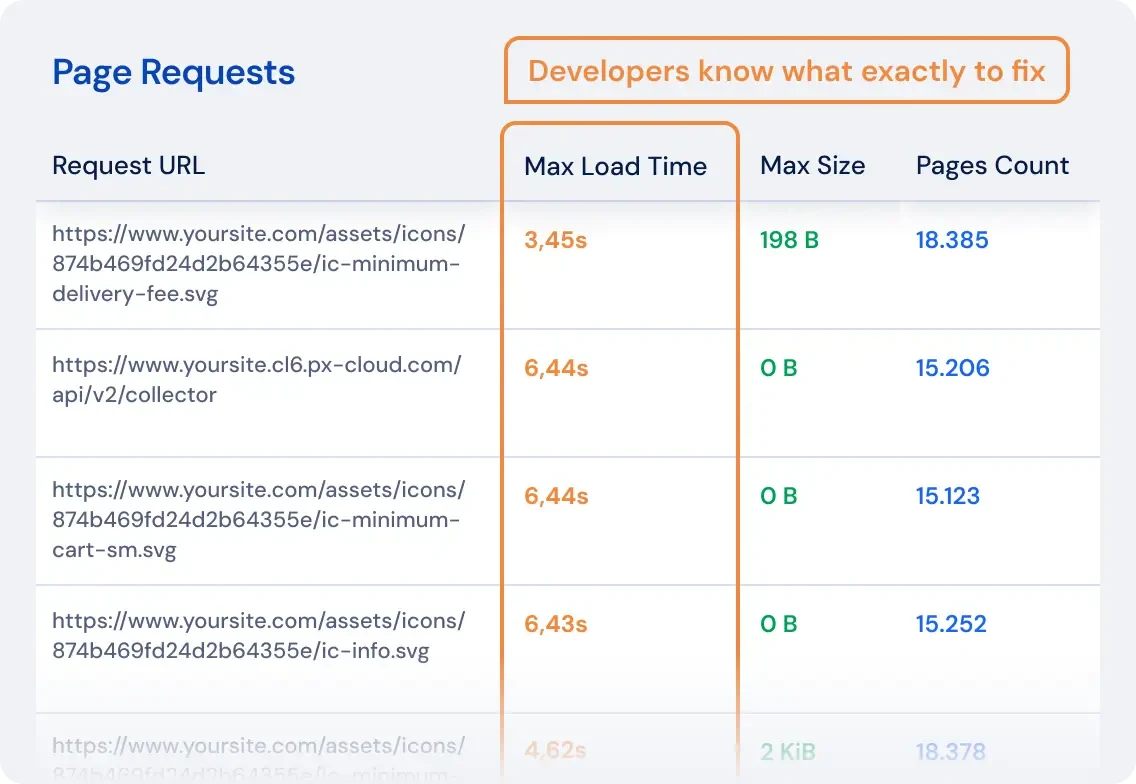
The Google Search Console views add another layer.
You can compare what the crawler finds with what Google shows in search performance data.
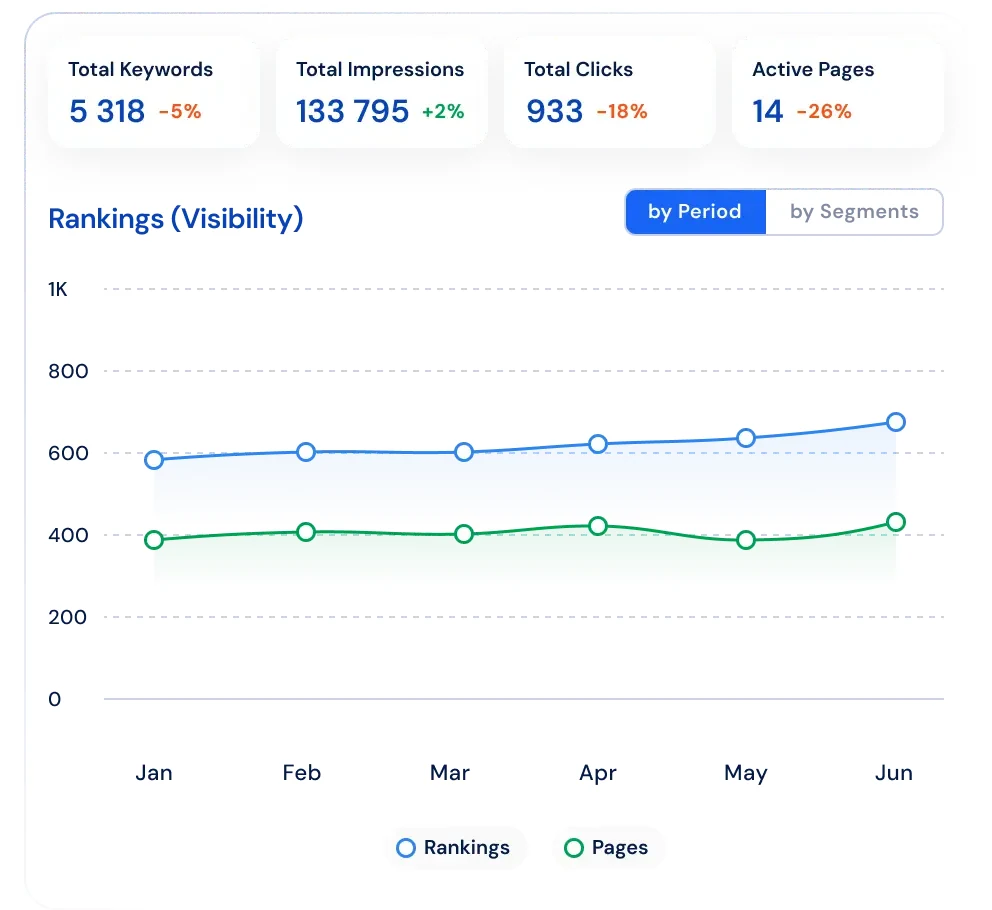
From a professional view, JetOctopus is strongest when the question is not, "Do we have broken links?"
The better question is, "Is Google spending its time on the pages that make us money?"
JetOctopus is powerful, but it is not the first tool I would give to a beginner.
It is best when someone on the team already understands large-site SEO.
Professional read: choose JetOctopus when crawl budget, logs, and indexation patterns matter more than simple page-by-page fixes.
Best for: ecommerce, marketplaces, publishers, and large websites.
Not best for: small websites or teams that mainly need clear audit fixes.
Pricing: JetOctopus pricing depends on crawl volume and data needs. It is usually bought by teams with serious technical SEO work.
6. OnCrawl: For Teams That Live in the Data
Oncrawl is also made for serious technical SEO teams.
It is less about a quick audit and more about understanding how many signals connect across a large website.
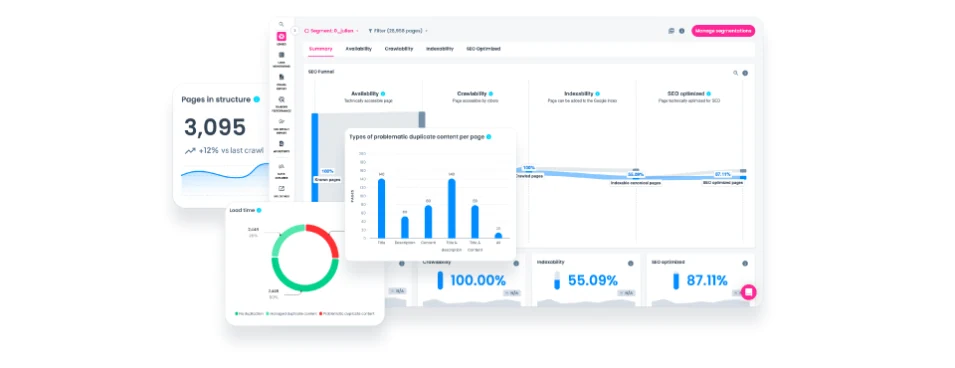
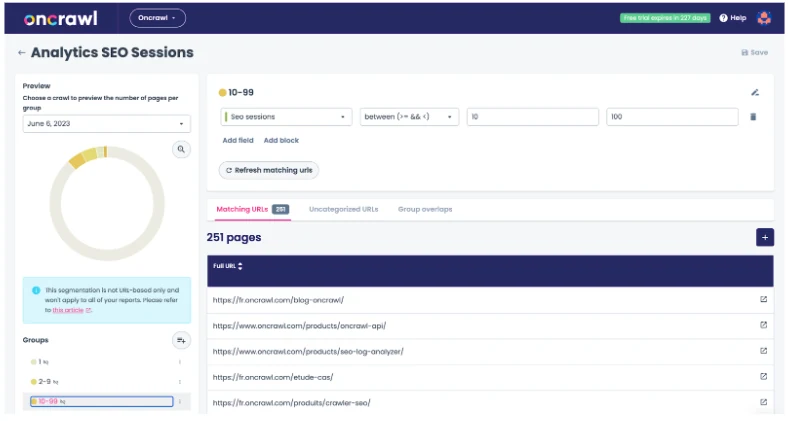
Oncrawl is strong when you need to compare many page groups.
For example, you can compare product pages, category pages, blog pages, and pages that get traffic from Google.
| Useful feature | Why it matters | Best use |
|---|---|---|
| Unsampled crawl and log data | Large decisions are based on full data, not a small sample. | Enterprise sites with many page types. |
| Segmentation | You can compare groups like products, categories, guides, or locations. | Finding which site section causes the problem. |
| SEO funnel views | You can see where pages drop out from crawl to traffic. | Diagnosing indexation and visibility gaps. |
| Data Explorer | Analysts can filter and combine crawl, log, and performance data. | Deep investigations beyond standard reports. |
| Log monitoring | Bot behavior can be reviewed over days, weeks, and months. | Tracking Googlebot, Bingbot, and AI bot activity. |
| Cross-analysis with ranking and traffic data | Technical issues can be connected to business impact. | Prioritizing fixes that should move results. |
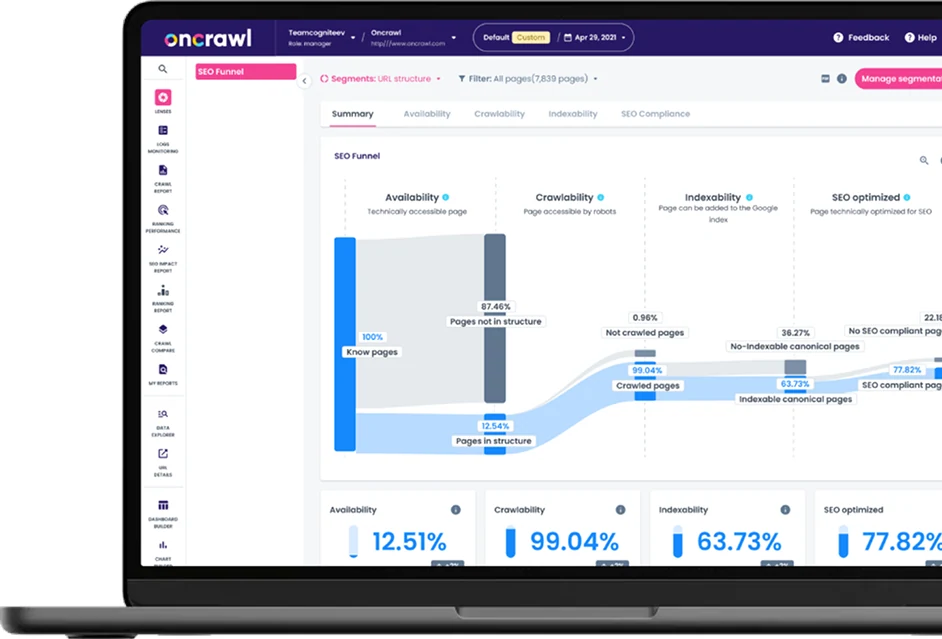
The funnel views are helpful because they show where pages drop out.
A page may be crawlable, but not indexed. Or indexed, but not getting visits. Oncrawl helps you find where the problem starts.
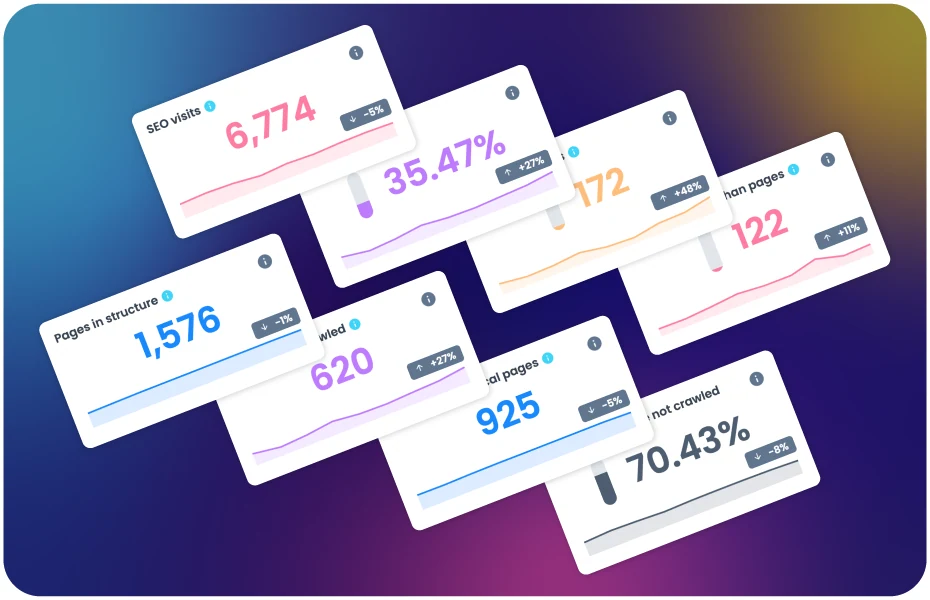
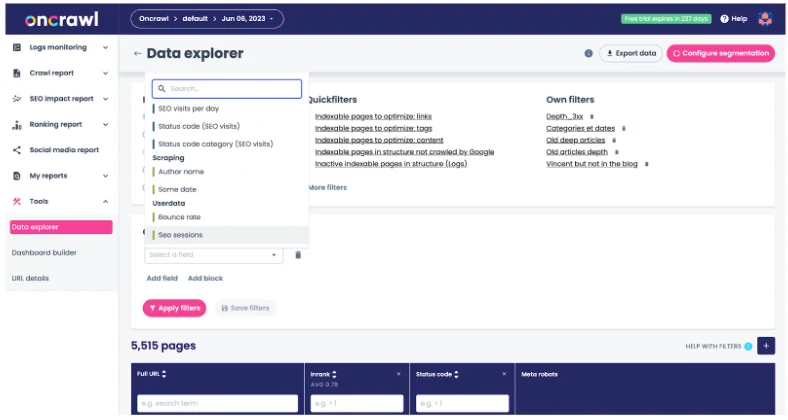
The Data Explorer lets analysts filter large sites into smaller groups.
This is useful, but it also means the tool expects you to know what you are looking for.
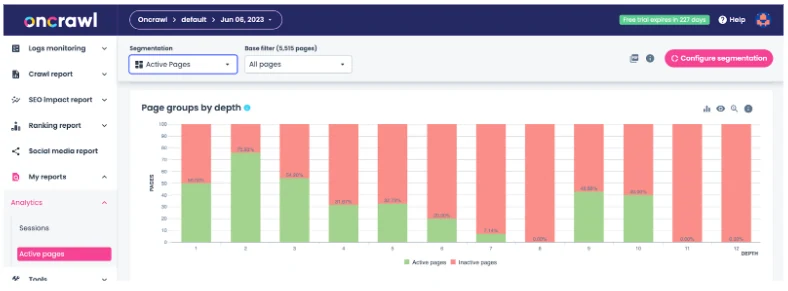
Log monitoring is another strength.
It helps teams see how bots and users move through the site, especially after technical changes.
From a professional view, Oncrawl is a strong investigation platform.
It is the kind of tool you use when a normal audit says the site is fine, but traffic still does not make sense.
Oncrawl is not the simplest tool on this list.
But for teams that love data and have the time to study it, it can answer questions smaller tools cannot.
Professional read: choose Oncrawl when your team needs to connect technical SEO, logs, ranking data, and site sections into one analysis.
Best for: enterprise SEO teams, analysts, and large websites with complex data.
Not best for: small teams that need fast, plain recommendations.
Pricing: Oncrawl is usually sold as an enterprise platform. Expect custom pricing or higher-tier plans.
7. Lumar (formerly Deepcrawl): SEO as an Engineering Discipline
Lumar is built for companies where website health is an ongoing engineering process.
It is not just for the SEO person. Product, engineering, QA, and compliance teams can all use it.
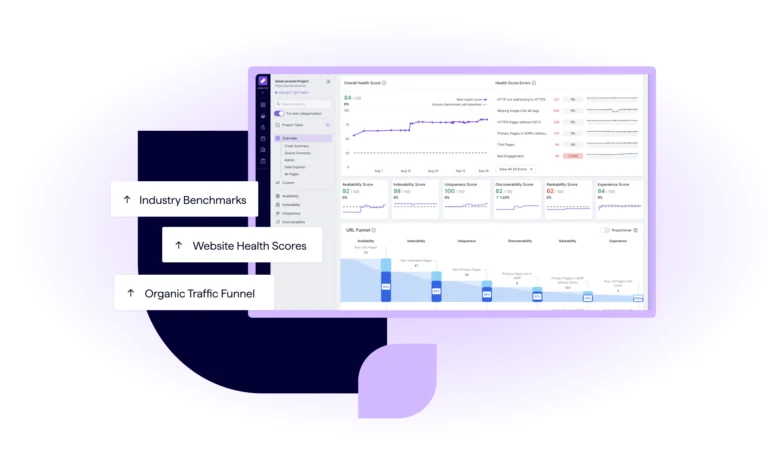
The health dashboards are clean and serious.
They make it easier to show leadership where the website is improving and where risk remains.
| Useful feature | Why it matters | Best use |
|---|---|---|
| Analyze | Crawl large sites and find SEO, GEO, accessibility, and speed issues. | Deep technical audits at scale. |
| Monitor | Track health across domains, sections, and markets over time. | Ongoing governance for large sites. |
| Protect | Catch SEO and accessibility problems before code goes live. | Engineering teams with CI/CD workflows. |
| Impact | Connect fixes to commercial value and benchmarks. | Leadership reporting and prioritization. |
| 500+ built-in reports | Teams can start with ready-made views instead of building everything. | Enterprise SEO and web operations teams. |
| Custom dashboards and alerts | Different teams can track the metrics they own. | Product, SEO, content, and engineering collaboration. |
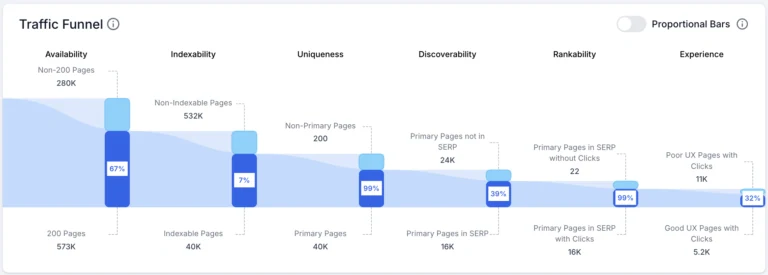
Lumar connects technical issues to traffic impact.
That helps teams decide what matters most instead of treating every issue as equal.
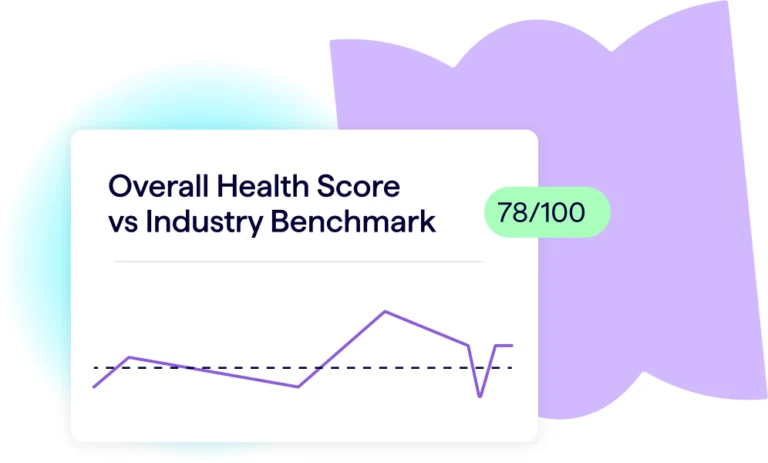
Benchmarking is useful for bigger companies.
It helps teams compare performance over time and across different parts of the website.
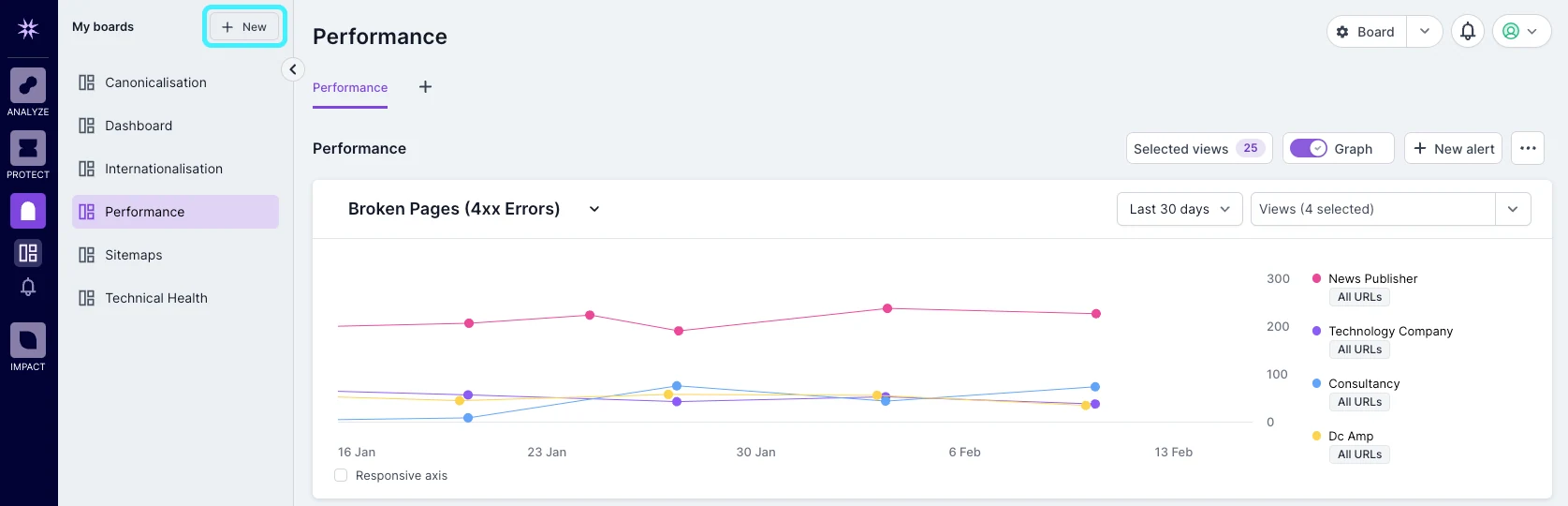
The monitor boards are made for ongoing checks.
If something breaks after a release, the team can catch it before it becomes a long-term SEO problem.
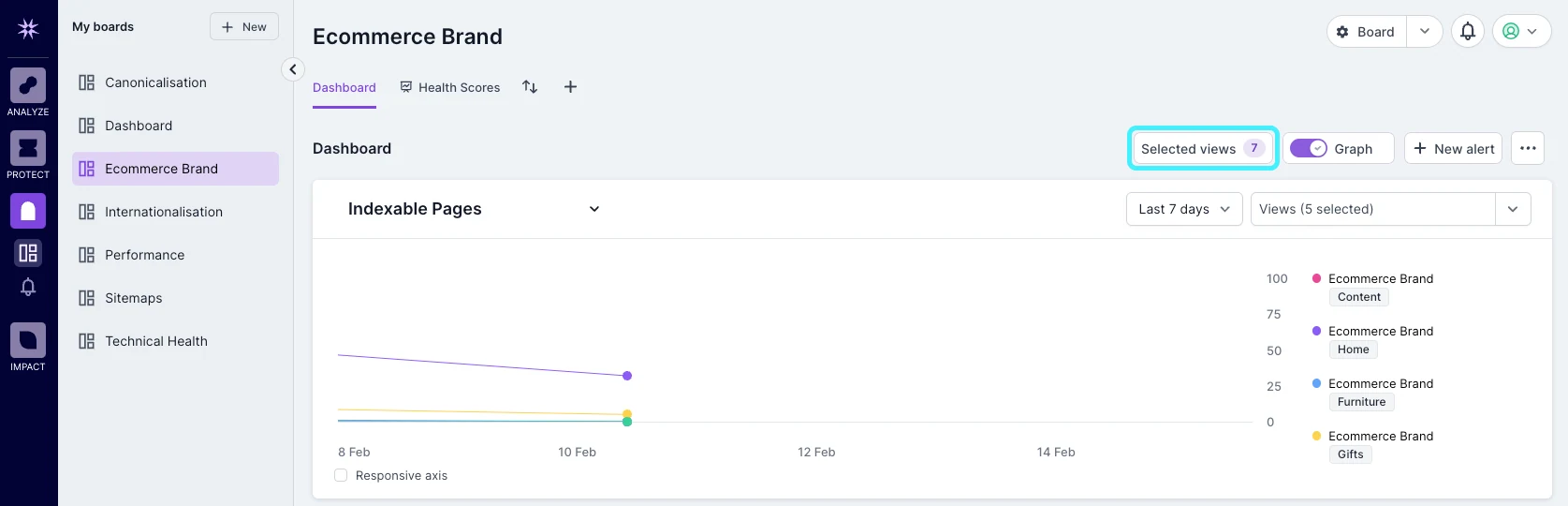
From a professional view, Lumar is about governance.
That means it helps a company keep website quality under control even when many teams are changing the site.
Lumar is strong, but it is not casual software.
It works best when a company has process, owners, and a team ready to act on the findings.
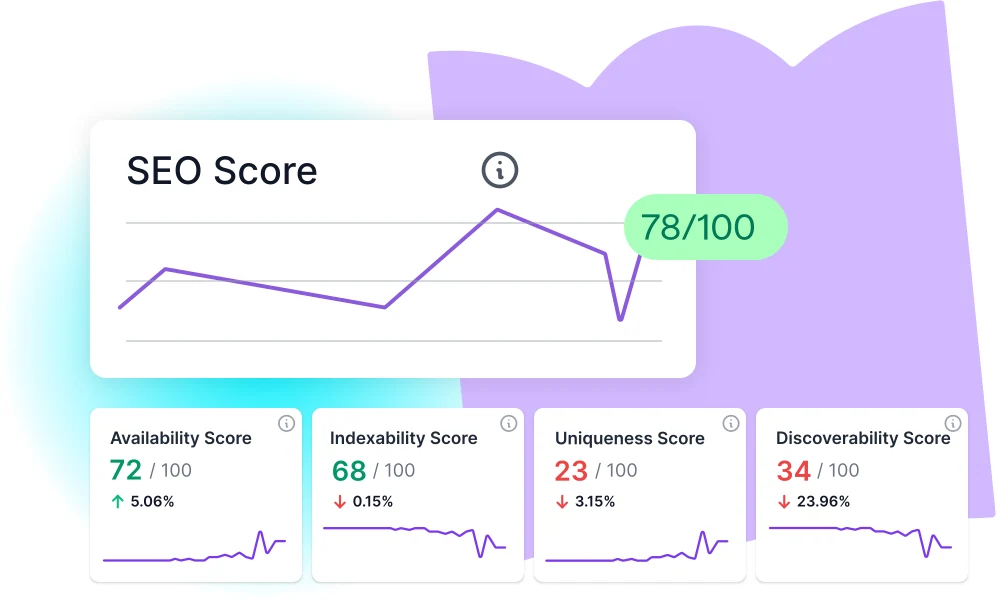
Professional read: choose Lumar when SEO problems need to be part of product, QA, accessibility, and engineering workflows.
Best for: enterprise websites with product and engineering teams.
Not best for: freelancers, small businesses, or teams that want a fast, low-cost audit.
Pricing: Lumar is an enterprise product, so pricing is usually custom and higher than small-business tools.
Feature Comparison: How the Top 7 Stack Up
Here is the simple version.
If you want a clean everyday audit tool, choose seotools.pro. If you want the best crawl visuals, choose Sitebulb. If you already pay for Ahrefs or Semrush, use the audit tool inside your suite.
| Tool | Best for | Main strength | Main weakness |
|---|---|---|---|
| seotools.pro | Most marketers and agencies | Simple audits, AI fixes, AI visibility | Not for huge log-file projects |
| Sitebulb | Technical SEO consultants | Clear explanations and visuals | No built-in fix writing |
| Ahrefs | Ahrefs users | Backlink and audit data together | Expensive if you only need audits |
| Semrush | Agencies | Client reporting and all-in-one SEO suite | Can feel crowded |
| JetOctopus | Large websites | Bot and log analysis | Too advanced for small teams |
| Oncrawl | Data-heavy SEO teams | Deep segmentation and funnels | Needs an expert user |
| Lumar | Enterprise teams | Governance and monitoring | Enterprise price and setup |
AI Visibility Coverage: What It Means
AI visibility means this: when someone asks an AI tool for advice, does your brand appear in the answer?
This is different from normal Google ranking. A page can rank on Google and still be invisible in AI answers.
seotools.pro is the strongest option here because it was built with AI search in mind. It checks where your brand appears, where competitors appear, and what content gaps may be causing the problem.
Ahrefs and Semrush are starting to move in this direction. Sitebulb, JetOctopus, Oncrawl, and Lumar are still more focused on traditional website crawling.
Pricing Infographic: Cost vs. Value
For most small and mid-sized teams, price matters.
A tool is not better just because it costs more. It is better if it helps your team make decisions faster.
seotools.pro is the lowest-cost full choice on this list for everyday audits. Ahrefs and Semrush cost more because they are full SEO suites. JetOctopus, Oncrawl, and Lumar make sense when the website is large enough to justify enterprise software.
| Budget level | Best fit | Why |
|---|---|---|
| Low | seotools.pro Lite | Good audit limits, AI fixes, and simple reporting |
| Medium | seotools.pro Pro or Sitebulb Cloud | Better for agencies and regular audit work |
| High | Ahrefs or Semrush | Worth it if you need the full suite |
| Enterprise | JetOctopus, Oncrawl, or Lumar | Built for large sites and deeper data |
Best Tool for Each Use Case
Best overall: seotools.pro.
Best for visual crawl maps: Sitebulb.
Best if you already pay for backlinks: Ahrefs.
Best agency suite: Semrush.
Best for huge crawl and bot data: JetOctopus.
Best for deep SEO data analysis: Oncrawl.
Best for enterprise website health monitoring: Lumar.
Why Marketers Are Replacing Screaming Frog in 2026
The old workflow is painful.
You run a crawl on your own computer. You wait. Your laptop slows down. Then you export a file and spend hours explaining it to someone else.
That was acceptable years ago because there were fewer options.
Now teams want cloud tools that run in the browser, save history, share reports, and explain what to fix.
They also want tools that understand AI search. Screaming Frog is still useful, but it was not designed for that world.
Manual Audit vs. AI Powered Audit: A Mini Case Study
Imagine a small agency preparing for a client review.
With a manual audit, the SEO exports issues, cleans the spreadsheet, writes notes, asks a developer for help, and builds a report by hand.
That can take a full day.
With an AI-powered audit, the tool groups the problems, explains them, suggests fixes, and creates a shareable report.
The SEO still reviews everything. But the boring work becomes much faster.
That is the real value. AI does not replace judgment. It removes the slow steps between finding a problem and explaining the next action.
The AI Visibility Gap That Most SEO Tools Are Missing
Most SEO tools were built for Google search results.
That is still important, but it is no longer the whole story.
People now ask ChatGPT, Perplexity, Gemini, and Google AI answers for product advice. If those tools mention your competitor instead of you, that is a visibility problem.
This is why AI visibility belongs next to technical audits.
A healthy website is not enough if AI engines do not understand or trust your brand.
Free vs. Paid: What You Can Actually Get for Nothing
Free tools are useful for quick checks.
You can test one page, find a broken link, or check a title. That is enough for a small task.
Free tools are not enough when you need history, projects, reports, team access, or many pages scanned every month.
If the site earns money, a paid tool usually pays for itself by saving time and avoiding missed problems.
Heads up: our Semrush links are affiliate links — if you start a paid plan through them, seotools.pro may earn a commission at no extra cost to you. Try Semrush free →
Frequently Asked Questions
What is the easiest Screaming Frog alternative?
seotools.pro is the easiest for most people because it runs in the browser and explains what to fix.
What is the best alternative for technical SEO experts?
Sitebulb is excellent for technical SEOs who love visual crawl maps and detailed explanations.
Should I use Ahrefs or Semrush instead?
Yes, if you already pay for them and only need standard audits. If you need AI fixes or AI visibility, add seotools.pro or use it instead.
Which tool is best for very large websites?
JetOctopus, Oncrawl, and Lumar are better for very large sites because they handle deeper data and bigger workflows.
Is Screaming Frog still useful?
Yes. It is still useful for many technical SEOs. But it is harder for general users because it runs on your computer and often requires extra work to explain the data.
Final Verdict: Which Screaming Frog Alternative Should You Pick?
Pick the tool that matches the way your team works.
If you want the best simple replacement for Screaming Frog, choose seotools.pro. It gives audits, fix suggestions, AI visibility, and shareable reports without heavy setup.
If you love technical crawl visuals, choose Sitebulb.
If you already pay for a large SEO suite, use Ahrefs or Semrush before buying something else.
If your website is huge and your team studies bot data, look at JetOctopus, Oncrawl, or Lumar.
For most normal teams, the answer is simpler: stop fighting desktop crashes and raw exports. Use a cloud tool that gives you a clear next step.