Screaming Frog puede fallar en laptops costosas.
He visto a gente comprar una laptop por más de $3,000, ejecutar un gran rastreo y aun así perder el informe antes de una llamada con el cliente.
Ese es el verdadero problema. Los datos pueden ser útiles, pero el flujo de trabajo puede ser demasiado difícil para equipos normales.
Ejecutas el rastreo en tu propio ordenador. Luego limpias las exportaciones, explicas los datos, escribes las correcciones y elaboras un informe a mano.
Eso está bien para un experto técnico en SEO. Es doloroso para un fundador, comercializador, dueño de agencia o un equipo interno ocupado.
Esta guía está escrita para propietarios de sitios normales, mercadólogos, fundadores y equipos de SEO. Mantendré el lenguaje simple.
Cuando digo que una herramienta "rastrear" un sitio, quiero decir que escanea tus páginas y encuentra problemas como enlaces rotos, títulos ausentes, páginas lentas, contenido débil, o páginas que Google puede ignorar.
Para la mayoría de las personas, UNmiss es la mejor alternativa a Screaming Frog. Funciona en el navegador, explica los problemas en lenguaje claro, sugiere correcciones, rastrea la visibilidad de búsqueda con IA y empieza desde $24 al mes tras una prueba gratuita de 7 días.
Los grandes equipos empresariales con millones de URL pueden seguir necesitando herramientas como JetOctopus, Oncrawl o Lumar. Todos los demás deberían elegir la herramienta que dé respuestas claras sin hacer el trabajo más difícil.
Las 7 mejores alternativas a Screaming Frog, clasificadas
1. UNmiss: Mejor alternativa general (Nuestra elección para 2026)
UNmiss se siente como una herramienta de auditoría moderna creada para gente que necesita respuestas, no exports en bruto.
Abres el navegador, pegas la URL de un sitio y esperas la auditoría. No hay instalación de escritorio. No hay configuraciones pesadas. No hay ventilador de portátil aullando bajo tu escritorio.
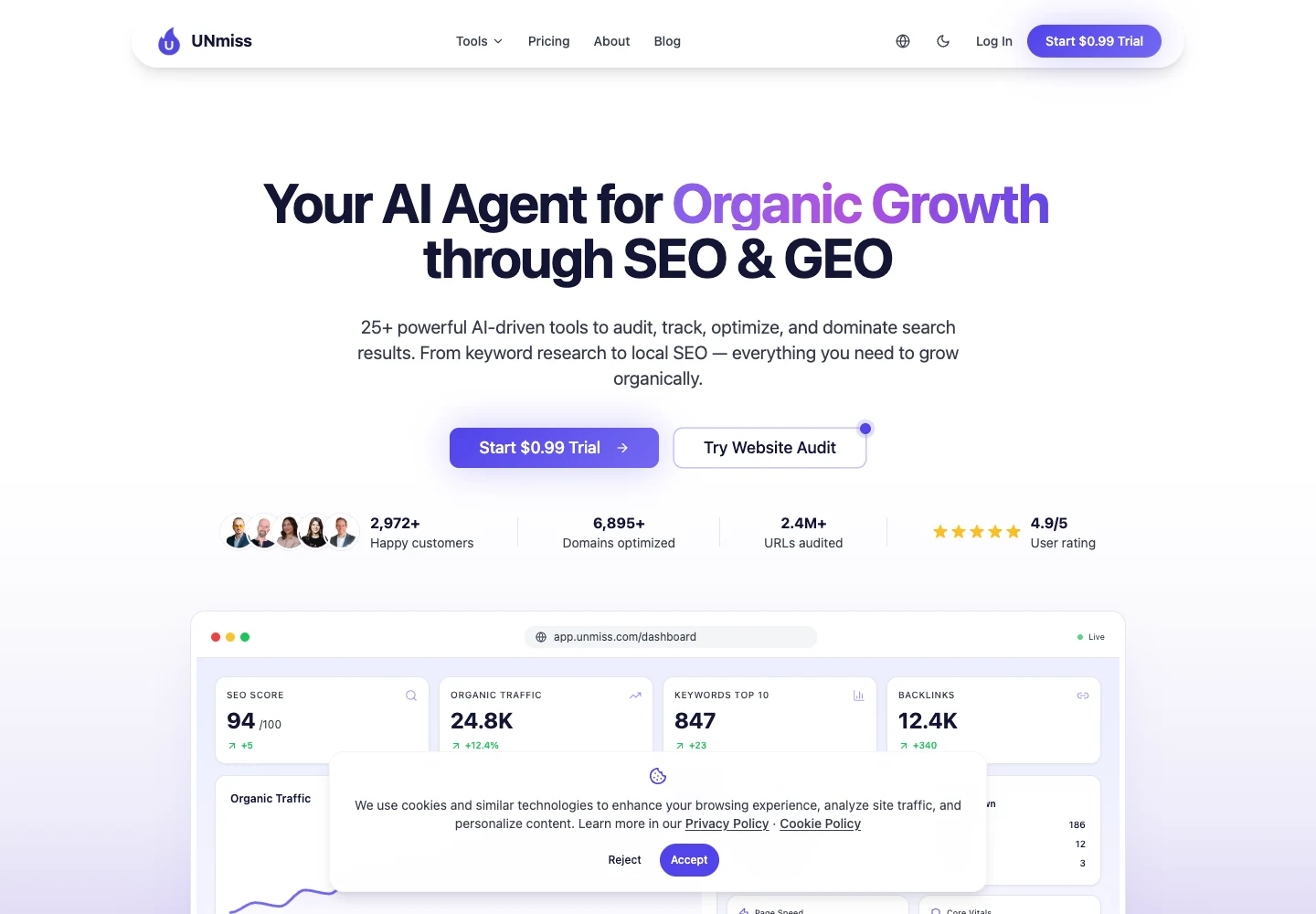
La primera pantalla te da la historia principal: puntuación del sitio, tráfico, palabras clave, backlinks y salud.
Eso importa porque la mayoría de los clientes no quieren una hoja de cálculo. Quieren saber qué está mal, qué arreglar primero y si las cosas están mejorando.
| Funcionalidad útil | Por qué importa | Mejor uso |
|---|---|---|
| Auditorías basadas en navegador | La exploración no está ligada a un solo portátil. | Agencias y equipos remotos que necesitan acceso compartido. |
| Sugerencias de corrección con IA | La herramienta convierte un problema en un paso siguiente claro. | Mercadólogos que necesitan informar rápidamente a redactores o desarrolladores. |
| Seguimiento de visibilidad con IA | Puedes ver si las respuestas de IA mencionan tu marca o competidores. | Marcas que se preocupan por ChatGPT, Perplexity, Gemini y respuestas de Google AI. |
| Optimizador de contenido | Páginas débiles obtienen una ruta de mejora más clara. | Publicaciones de blog, páginas de aterrizaje y páginas de servicios que ya están en rankings pero necesitan ayuda. |
| Informes para compartir | Los clientes pueden ver el progreso sin abrir exportaciones en bruto. | Informes mensuales y actualizaciones para fundadores. |
| Precios desde $24/mes | Es más fácil justificar que un gran conjunto de SEO. | Pequeñas empresas, freelancers y equipos ágiles. |
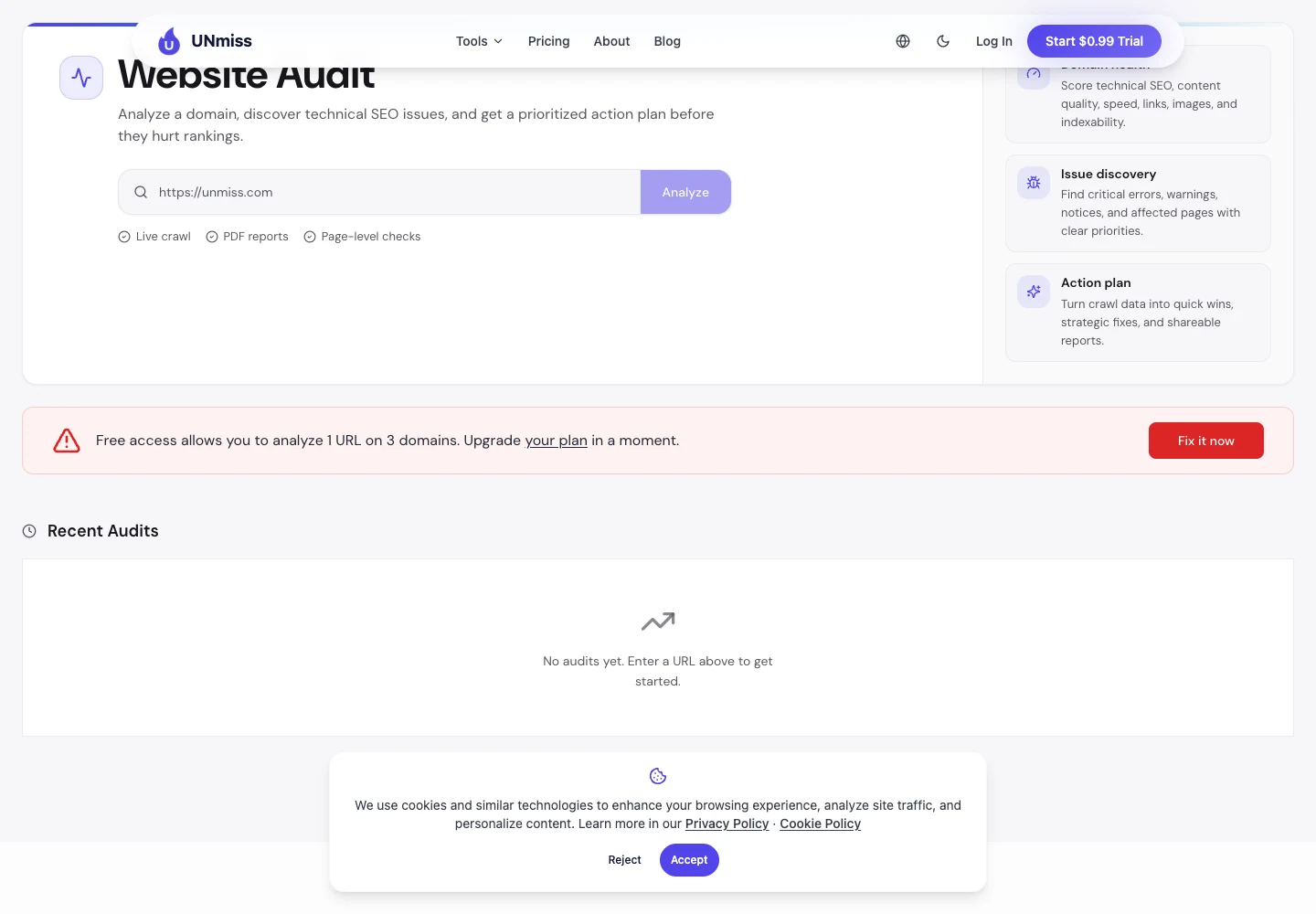
Lo mejor es la pantalla de corrección.
Muchas herramientas dicen: "Esta página tiene un problema." UNmiss va más allá y dice: "Aquí está lo que puedes cambiar." Eso ahorra horas cuando tienes muchas páginas por limpiar.
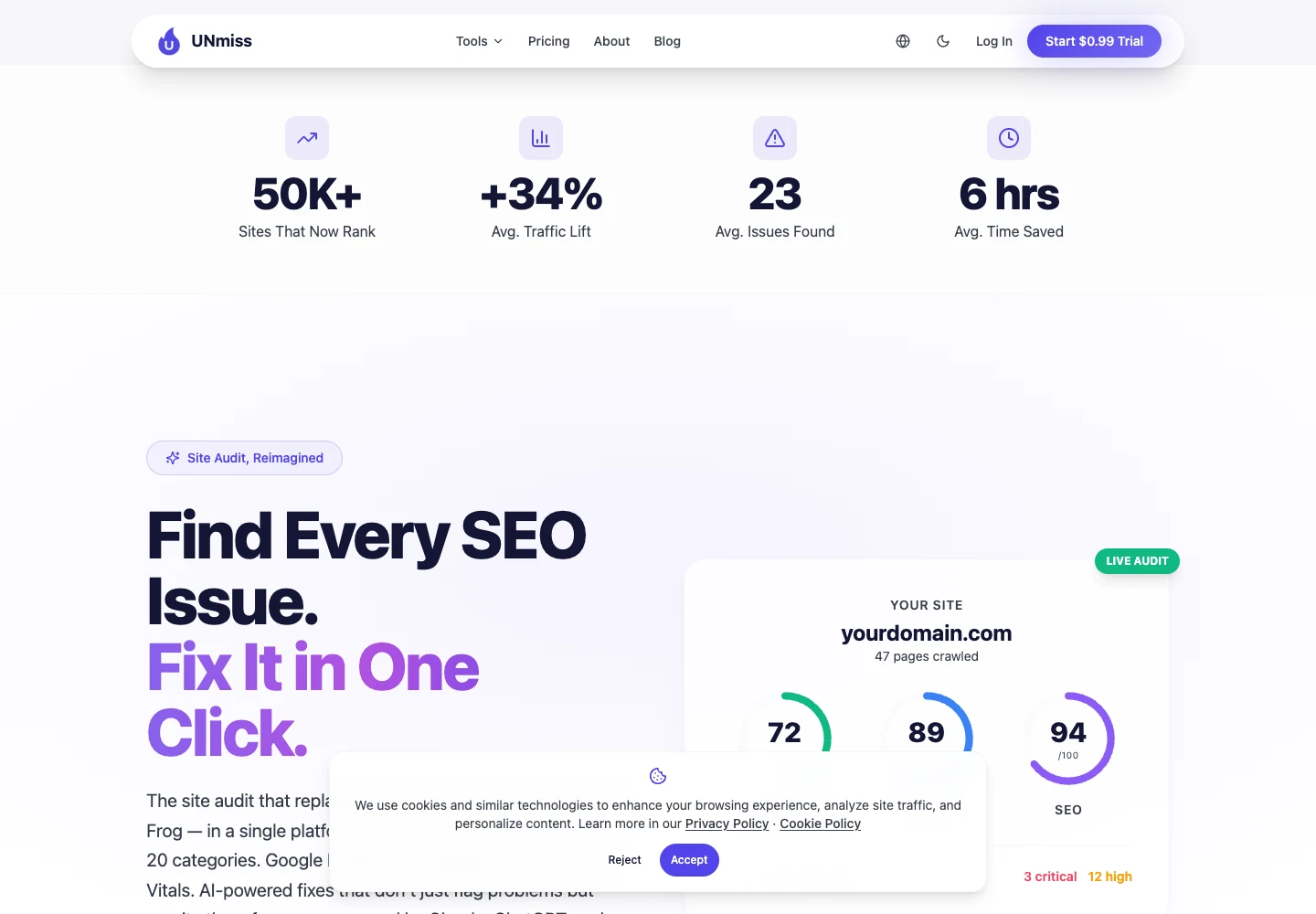
Desde un punto de vista profesional, UNmiss es más fuerte cuando el trabajo debe pasar rápidamente de auditoría a acción.
No solo verifica casillas. Te ayuda a explicar el problema, preparar la corrección y mostrar el resultado a alguien que paga por el trabajo.
UNmiss también verifica la visibilidad de IA.
Eso significa que mira si herramientas como ChatGPT, Perplexity, Gemini y respuestas de Google AI mencionan tu marca cuando la gente pregunta sobre tu tema.
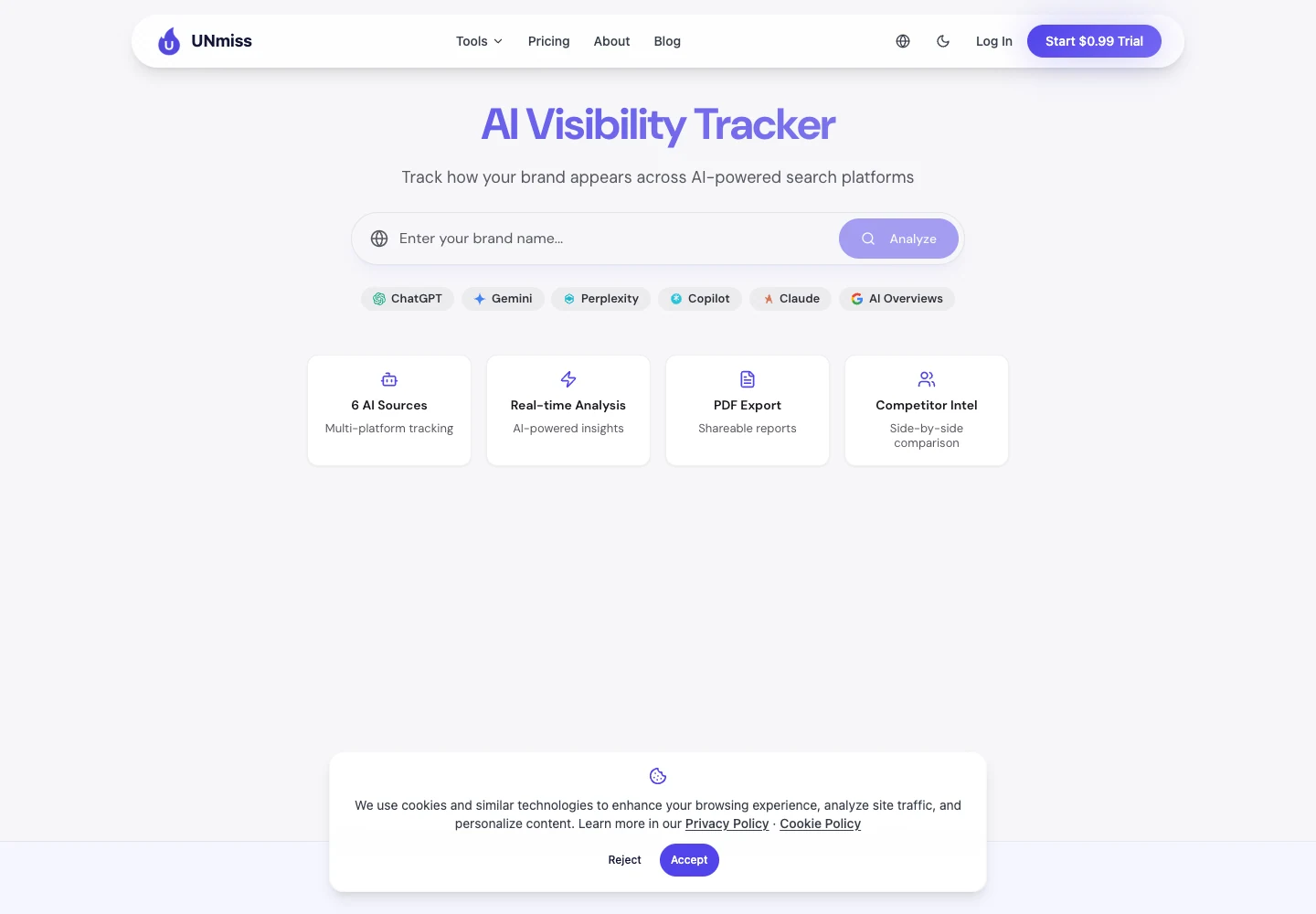
Esto es importante porque los usuarios ya no solo buscan en Google. También piden recomendaciones a herramientas de IA.
Si tu competidor aparece en esas respuestas y tú no, podrías perder clientes antes de que visiten una página de resultados de búsqueda.
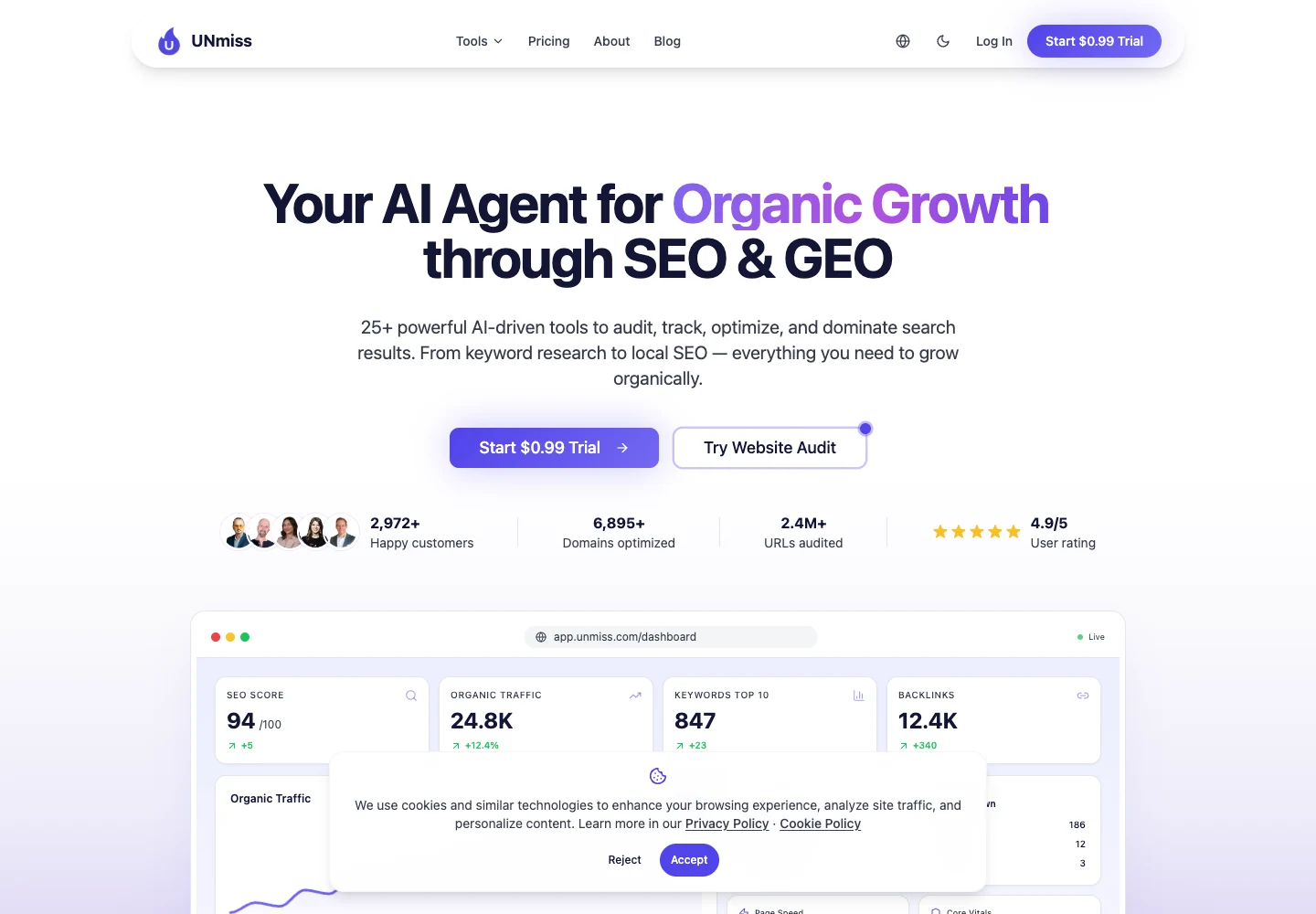
UNmiss is not only for technical audits. It also helps improve content pages.
It can show what a page is missing, how strong the page is, and what should be added to make it more useful.
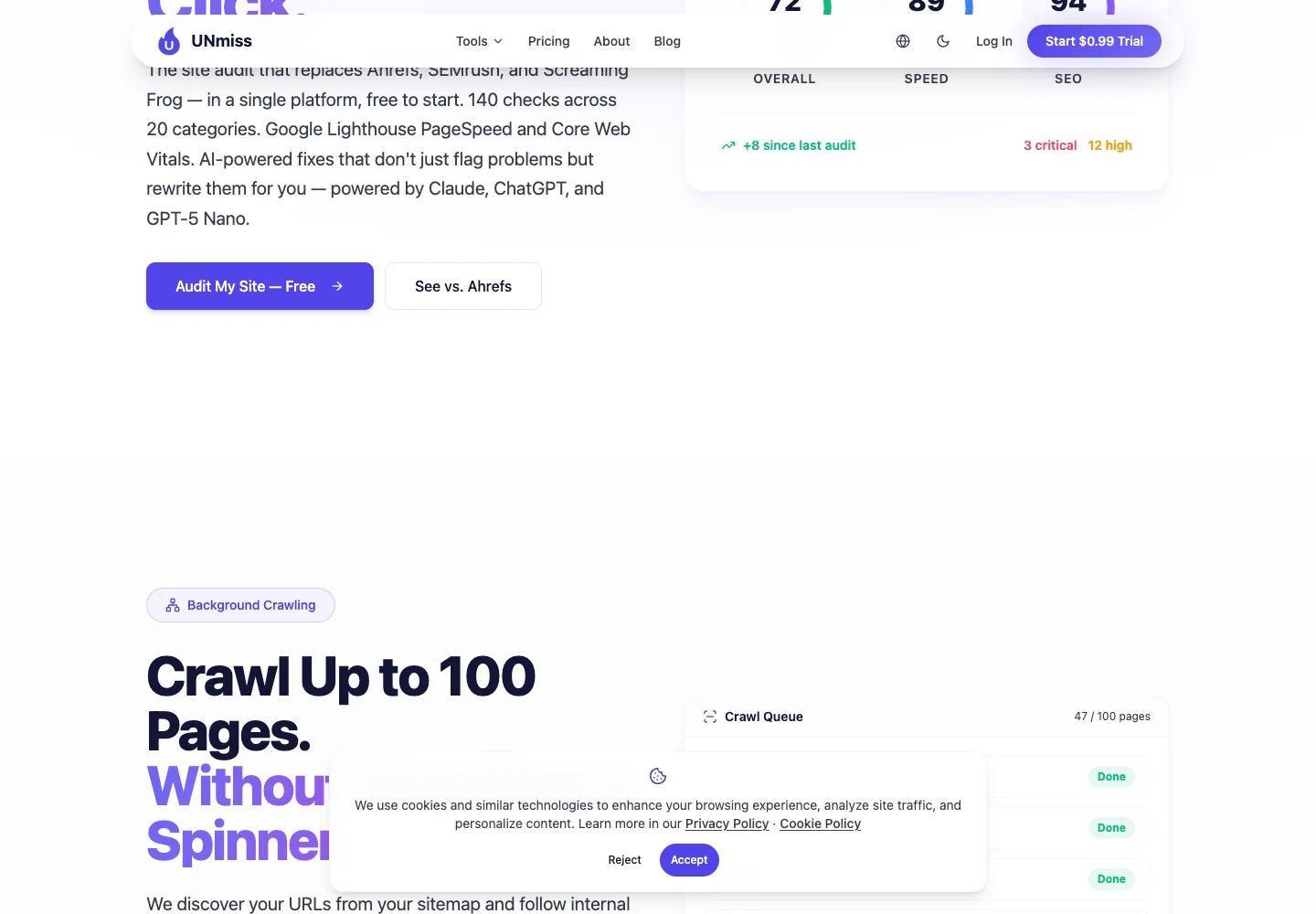
Reports are easy to share. You can send a link or export a branded report instead of sending confusing files.
Professional read: elegir UNmiss cuando el equipo necesita un sistema simple para encontrar, arreglar y demostrar trabajo de SEO.
Best for: propietarios de sitios web, freelancers, agencias y equipos que quieren correcciones claras sin una configuración pesada.
Not best for: grandes editores que necesitan estudiar millones de visitas al servidor cada noche.
Pricing: Lite es 24$/mes, Pro es 49$/mes, y Business es 99$/mes. La facturación anual ofrece aproximadamente dos meses gratis. Los planes pagos comienzan con una prueba gratuita de 7 días.
2. Sitebulb Cloud: The Technical SEO's Favorite
Sitebulb es querido por muchos SEOs técnicos porque explica los problemas con claridad.
If Screaming Frog feels like a raw machine, Sitebulb feels more like a teacher. It shows what happened and why it matters.
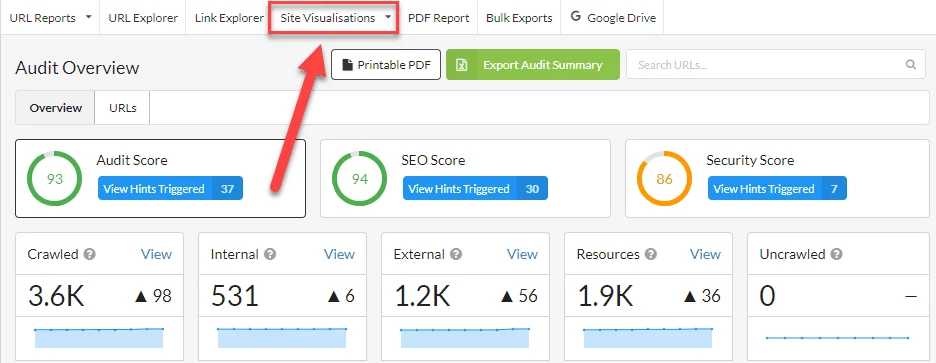
The biggest strength is the Hint system.
A Hint is a plain explanation attached to a problem. It helps a junior SEO understand what to fix without asking a senior person every five minutes.
| Useful feature | Why it matters | Best use |
|---|---|---|
| Prioritized Hints | Problems are explained with context, not only listed. | Training junior SEOs and writing client notes. |
| 300+ issue checks | The audit covers a wide set of technical SEO problems. | Deep site reviews before migrations or redesigns. |
| Crawl visualizations | Messy architecture becomes easier to see. | Explaining internal linking and crawl depth to non-technical people. |
| Desktop and Cloud options | You can work locally or in the browser. | Freelancers on Desktop, teams on Cloud. |
| Cloud team sharing | Multiple people can work from the same crawl data. | Agency teams and distributed SEO departments. |
| GA, GSC, Sheets, Looker Studio integrations | Audit data can be connected to performance and reporting. | Consultants who need richer client reports. |
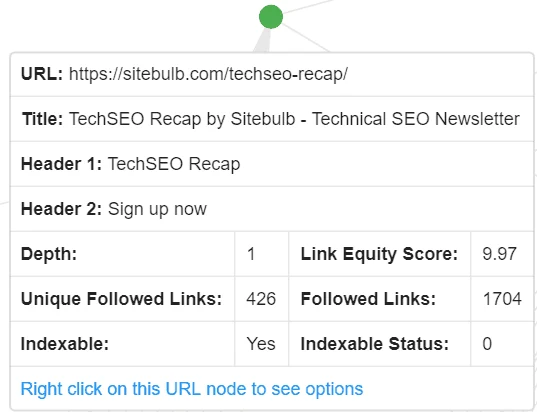
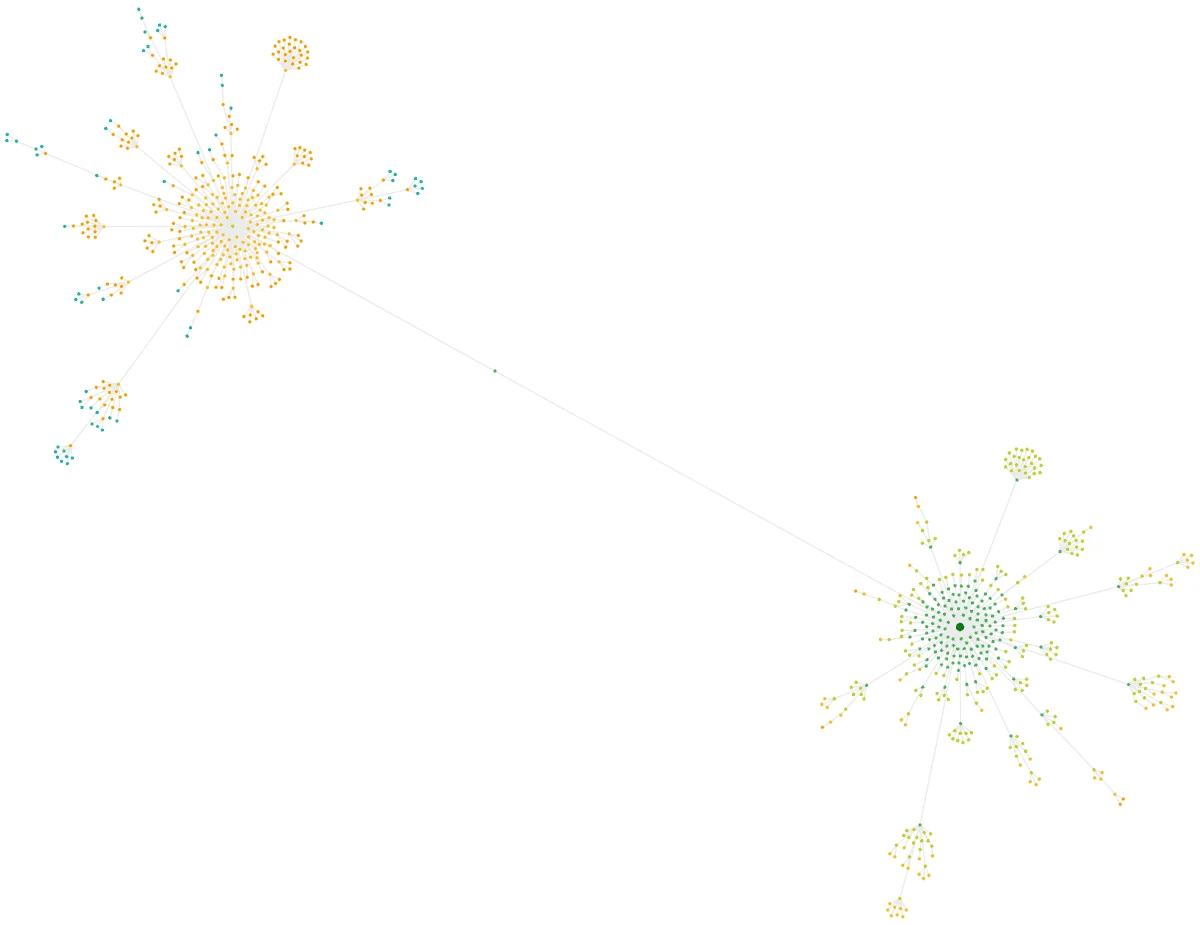
Sitebulb is also very good at showing website structure.
If a site is messy, the visual maps help you explain the problem to a client or developer without using scary technical words.
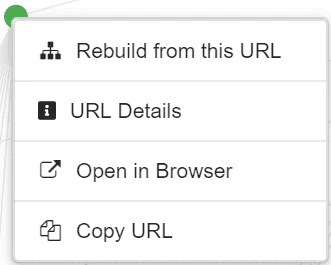
The URL screens are useful when you need to inspect one page at a time.
You can open a page, copy the URL, or check details without losing your place in the audit.
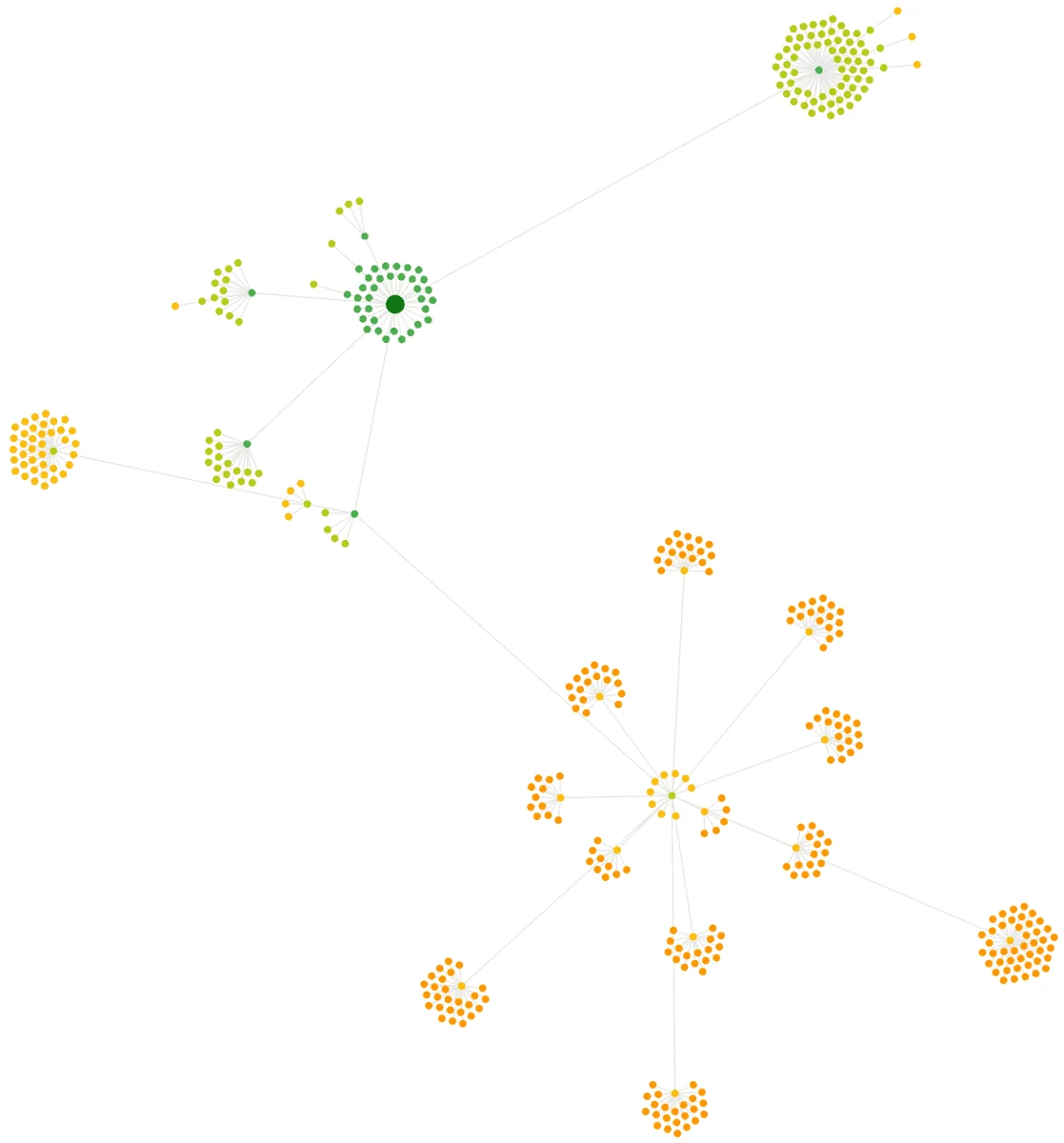
From a professional view, Sitebulb is excellent for diagnosis.
It helps you understand why a website is hard for search engines to crawl, especially when internal links and page depth are messy.
The downside is simple: Sitebulb still mostly finds problems. It does not fix them for you.
You will still need someone to write the new title, rewrite the weak copy, or create the developer ticket.
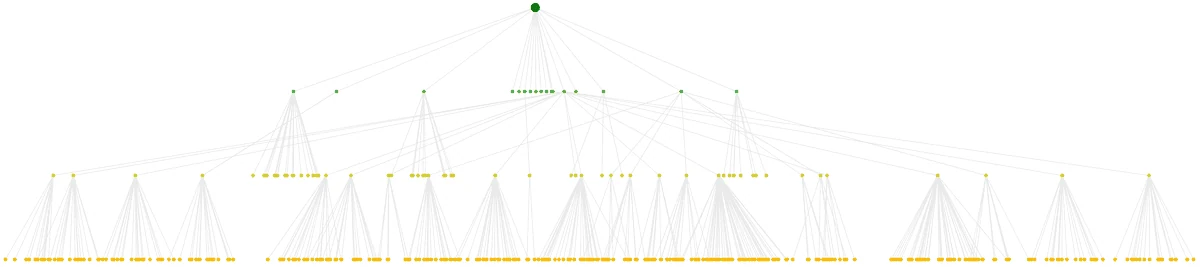
La versión en la nube ayuda a compartir. Eso es una gran mejora frente a un flujo de trabajo solo de escritorio.
Aun así, si quieres sugerencias de corrección escritas por IA, UNmiss es más fácil para el trabajo diario de marketing.
Lectura profesional: elige Sitebulb cuando quieras una auditoría técnica más clara, visuales fuertes y explicaciones fáciles de entender.
Mejor para: SEOs técnicos que necesitan auditorías visuales fuertes y explicaciones claras.
No es ideal para: equipos que quieran que la herramienta sugiera o prepare correcciones automáticamente.
Precios: Sitebulb Desktop es la opción más barata para usuarios en solitario. Sitebulb Cloud es mejor para equipos y crawls más grandes.
3. Revisión de Ahrefs: ¿Ya pagas por esto? Úsalo.
Ahrefs es mejor conocido por backlinks y investigación de palabras clave.
Pero si ya pagas por Ahrefs, su Site Audit vale la pena usar. No necesitas otro inicio de sesión solo para encontrar problemas comunes del sitio.
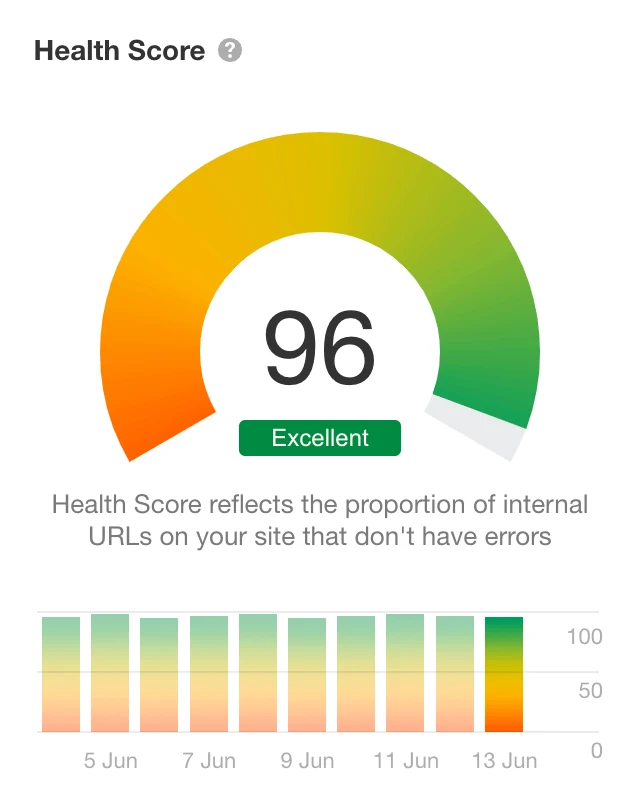
The health score is easy to understand.
That helps when you need to show progress to a client, boss, or founder who does not want to read a long technical report.
| Useful feature | Why it matters | Best use |
|---|---|---|
| Health Score | One simple number shows whether the site is improving. | Founder, client, and management reporting. |
| 170+ SEO issue checks | It catches common crawl, content, link, and technical problems. | General site health reviews. |
| All Issues report | Issues are grouped by importance and affected pages. | Prioritizing a cleanup sprint. |
| Issue explanations | Each problem includes help on what it means and how to fix it. | Teams that need guidance without leaving the tool. |
| Crawl history and alerts | You can compare audits and see when problems appeared. | Redesigns, migrations, and weekly monitoring. |
| Backlink context | Audit decisions can be checked against link value. | Protecting old URLs with strong backlinks. |
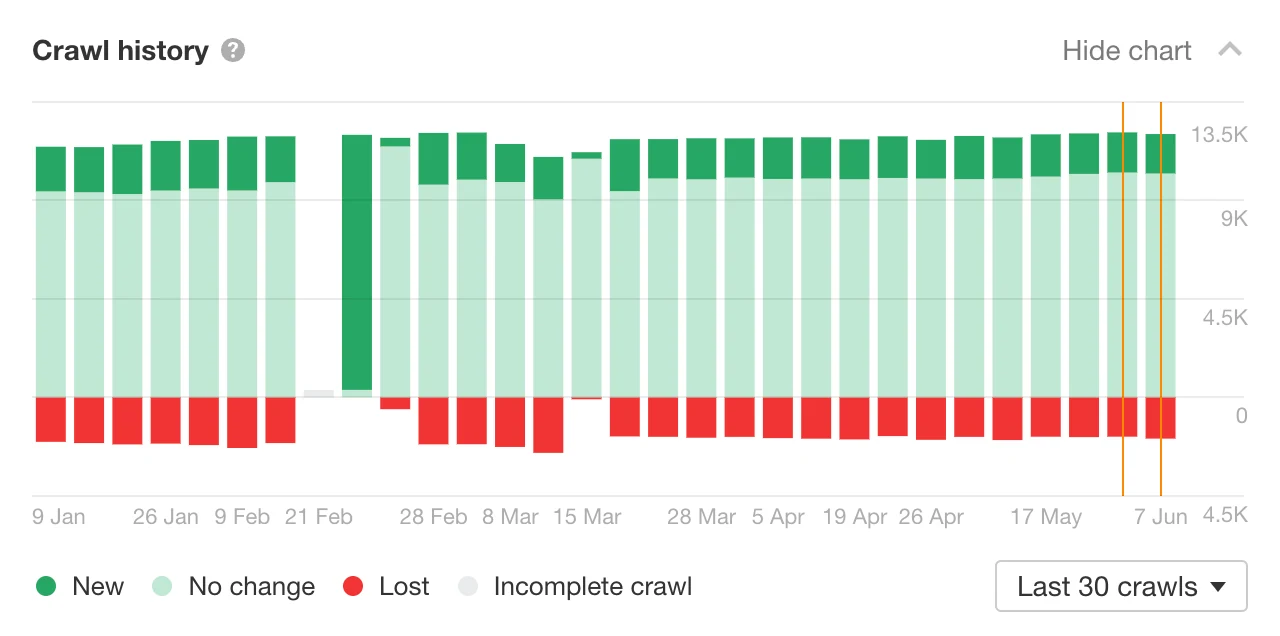
Ahrefs keeps crawl history.
That means you can see if the website is getting healthier over time. This is helpful after a redesign, migration, or big content update.
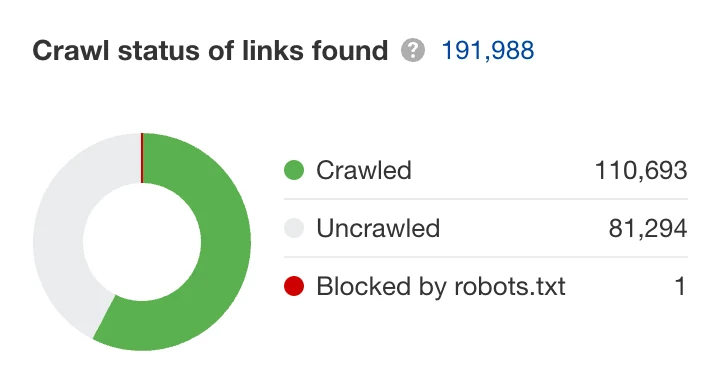
The link reports are useful because Ahrefs understands backlinks well.
If an old page has valuable links pointing to it, Ahrefs can help you notice that before you delete or ignore it.
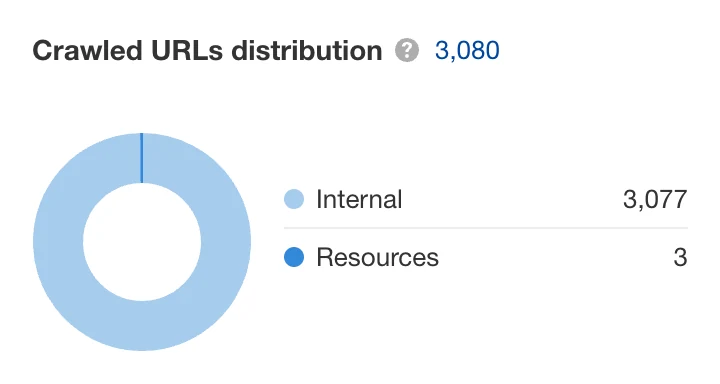
Ahrefs has also been moving toward more active monitoring.
Its always-on audit mode can keep checking important pages between scheduled crawls, so new problems do not sit unnoticed for a week.
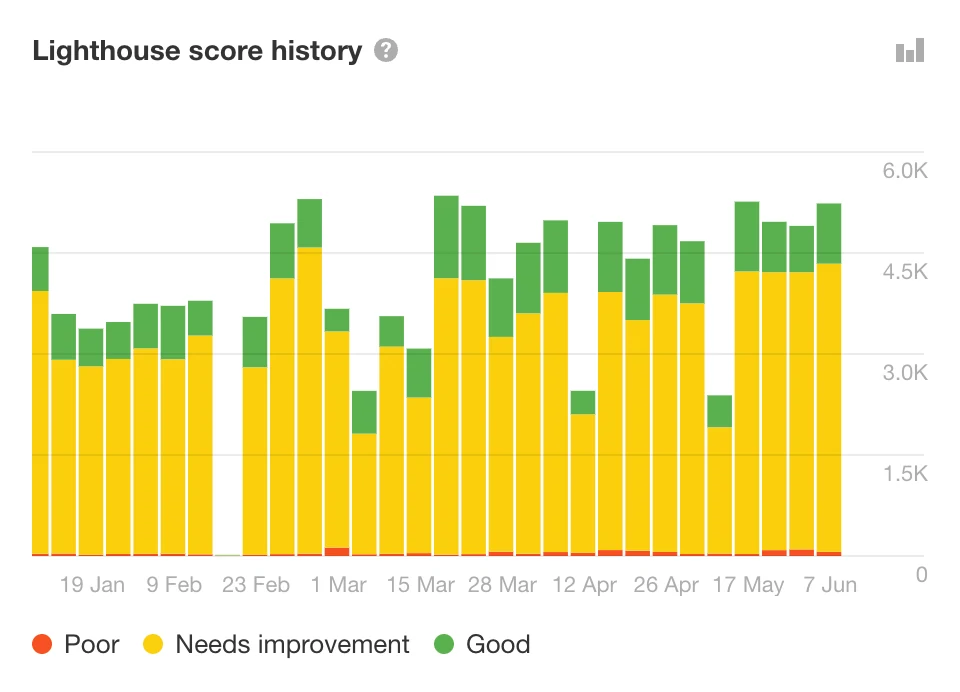
The weak point is action.
Ahrefs puede mostrar el problema y explicarlo, pero usualmente no prepara la reescritura exacta, la nota de corrección o un plan de acción listo para el cliente.
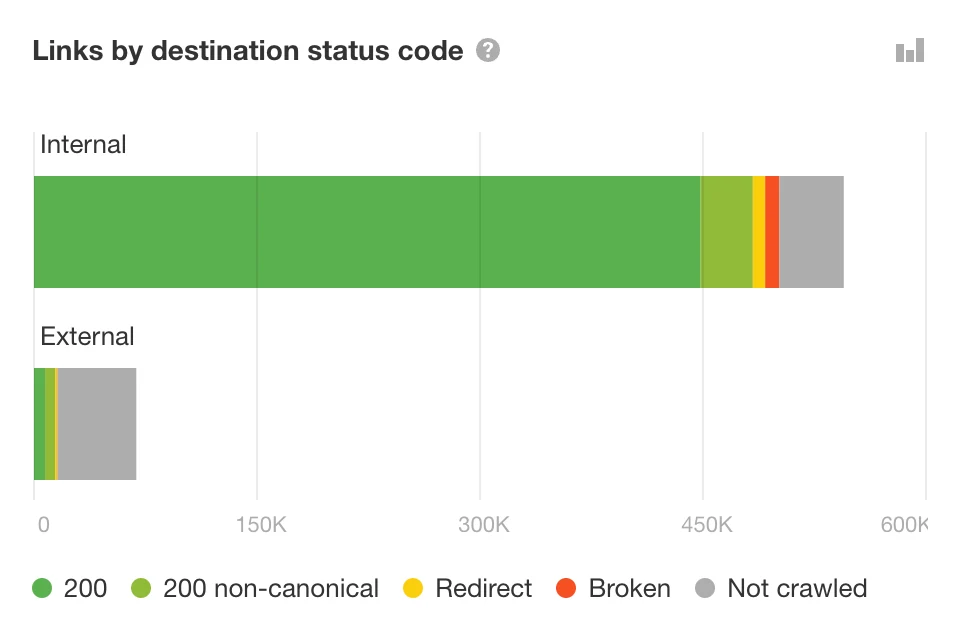
Ahrefs también es caro si solo necesitas auditorías.
Tiene más sentido cuando también usas las herramientas de investigación de palabras clave, backlinks y competidores.
Lectura profesional: elige Site Audit de Ahrefs cuando el valor de los enlaces importa y tu equipo ya usa Ahrefs.
Mejor para: equipos que ya pagan por Ahrefs.
No es lo mejor para: personas que solo necesitan una herramienta de auditoría simple a un precio menor.
Precios: Los planes de Ahrefs son mucho más altos que las herramientas de auditoría centradas. Si ya necesitas la suite completa de SEO, Site Audit es un bono útil.
4. Semrush Site Audit: La Herramienta de la Agencia
Semrush es popular entre las agencias porque realiza muchas tareas de SEO en un solo lugar.
Puedes rastrear rankings, investigar palabras clave, auditar un sitio y crear informes para clientes desde la misma cuenta.
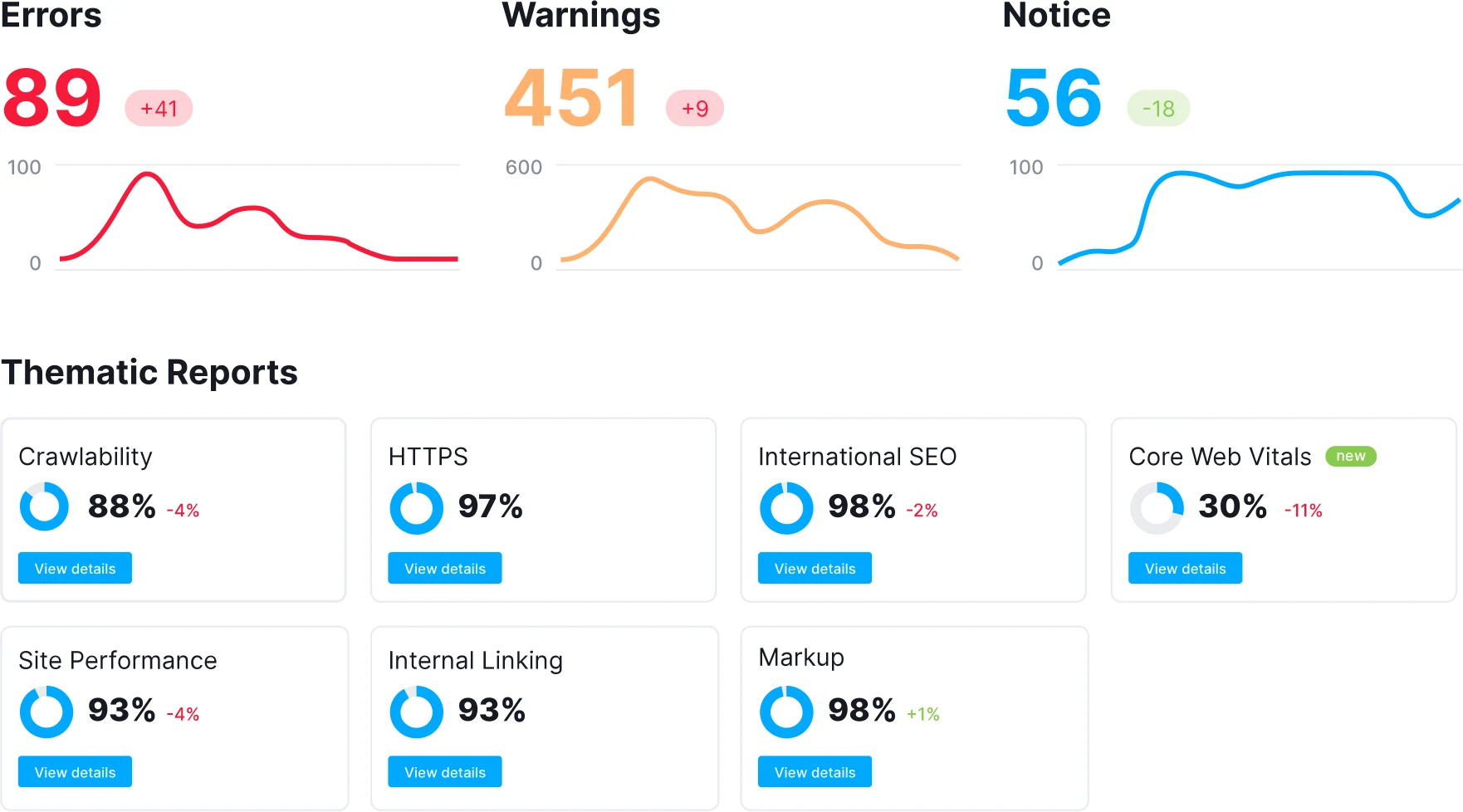
El panel de Site Audit es fácil de presentar.
Ofrece un puntaje de salud, problemas principales y vistas de progreso que los clientes pueden entender rápidamente.
| Función útil | Por qué importa | Mejor uso |
|---|---|---|
| 140+ comprobaciones de auditoría | Cubre problemas comunes y más profundos de SEO técnico. | Auditorías estándar de agencias y revisiones mensuales de la salud del sitio. |
| Errores, advertencias y avisos | Los problemas se separan por urgencia. | Decidir qué arreglar ahora y qué puede esperar. |
| Informes temáticos | Los informes agrupan áreas como rastreabilidad, HTTPS, enlaces internos, marcado y Core Web Vitals. | Explicando una parte de la salud del sitio a la vez. |
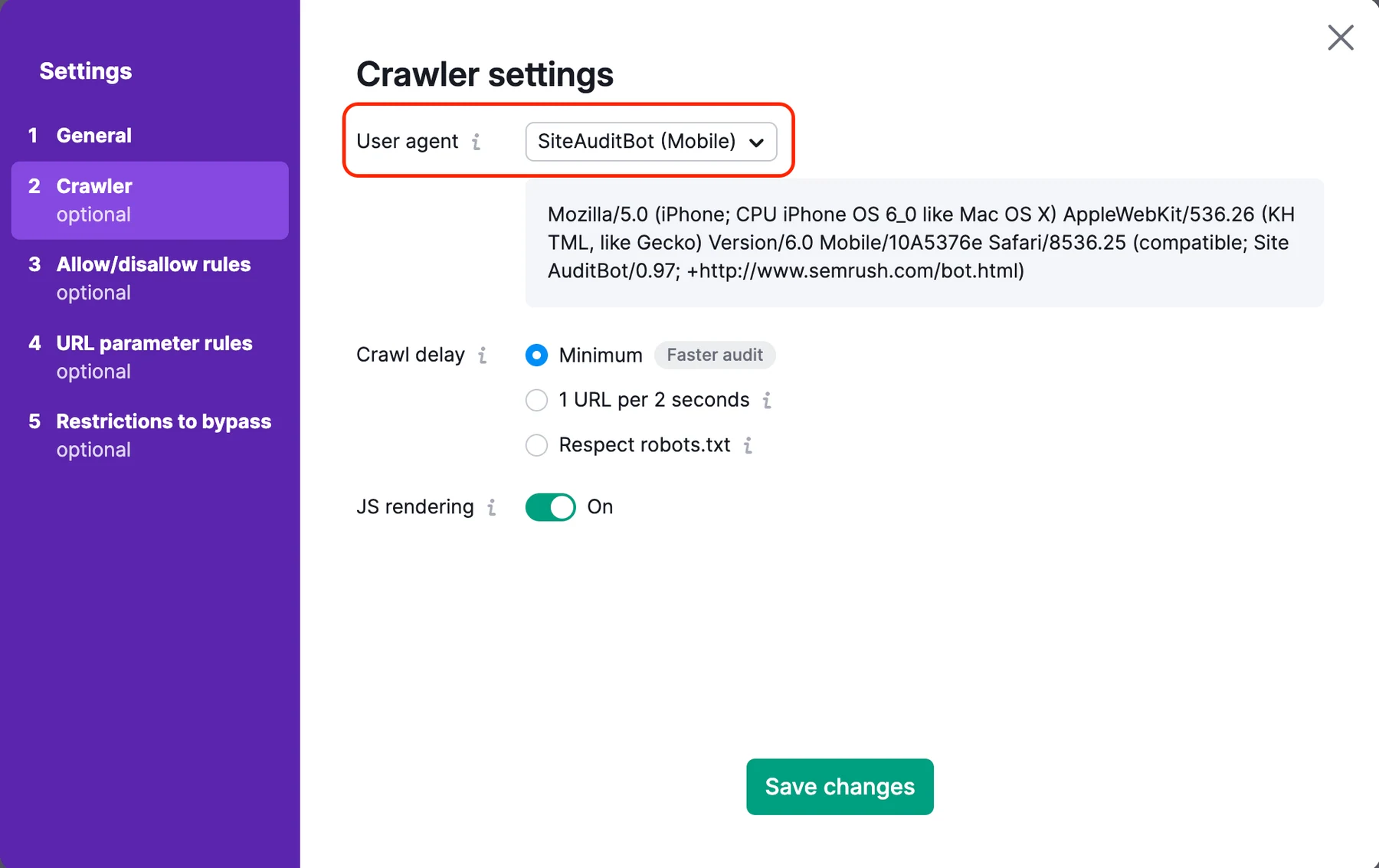
| Ajustes de rastreo flexibles | Puedes rastrear dominios, subdominios, carpetas, escritorio, móvil y páginas de JavaScript. | Sitios complejos con reglas de rastreo especiales. |
| Rastreo programado | Compras diarias o semanales mantienen el proyecto en movimiento. | Honorarios y campañas de SEO continuas. |
| Exportaciones en PDF, CSV y Excel | Los informes pueden compartirse con clientes y equipos. | Informes de agencia y actualizaciones para las partes interesadas. |
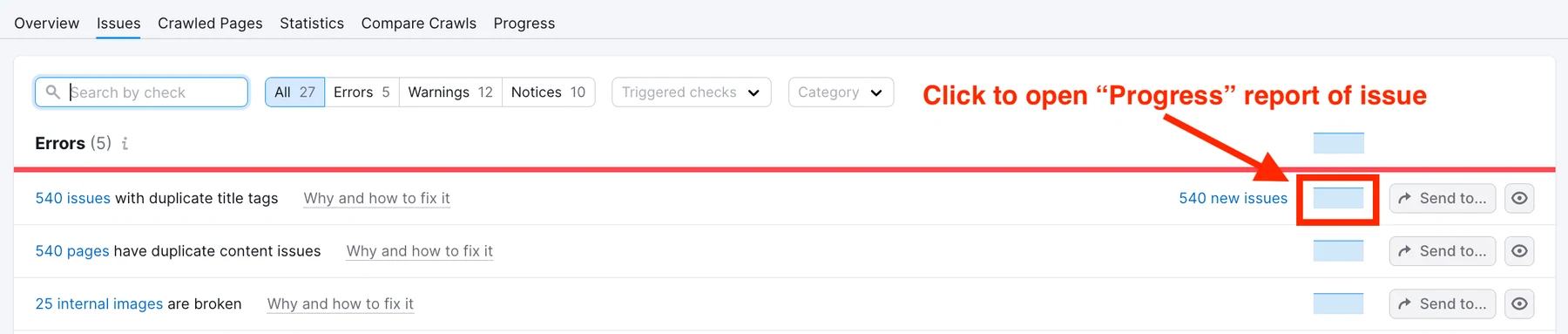
Semrush divide los problemas en errores, advertencias y avisos.
Eso te ayuda a decidir qué necesita atención ahora y qué puede esperar.
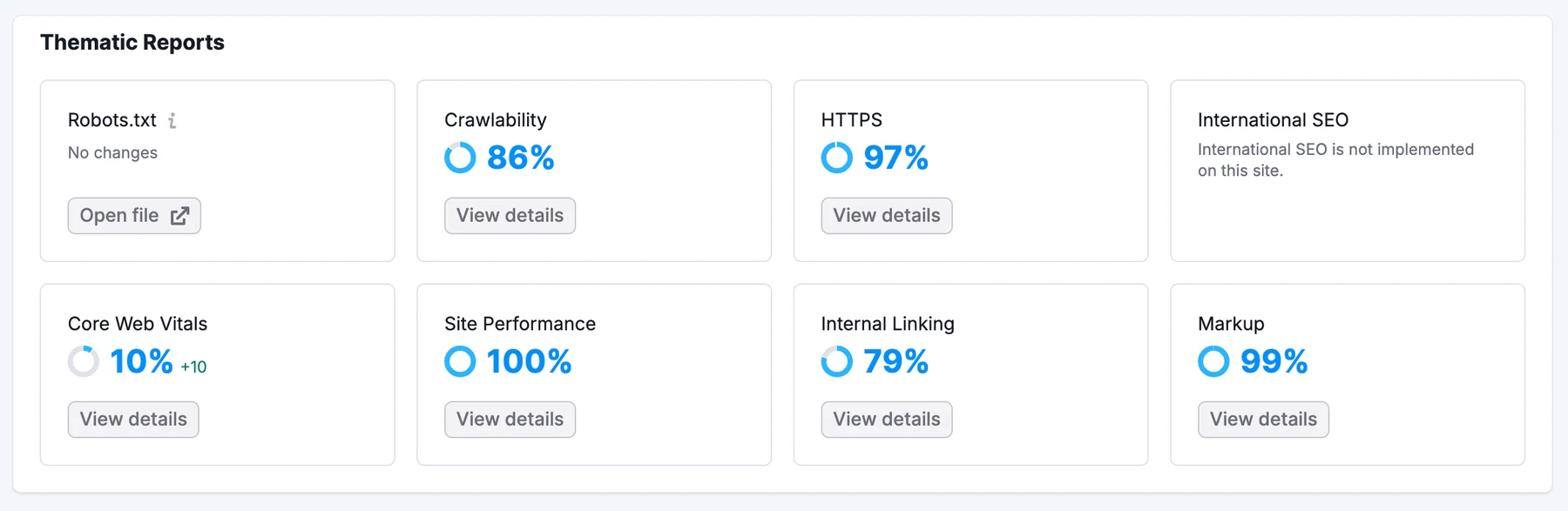
Los informes temáticos son útiles para áreas comunes como robots.txt, rastreabilidad, HTTPS, enlaces internos, rendimiento, marcado y Core Web Vitals.
Para un equipo general de marketing, estas vistas agrupadas son más fáciles que una lista gigante.
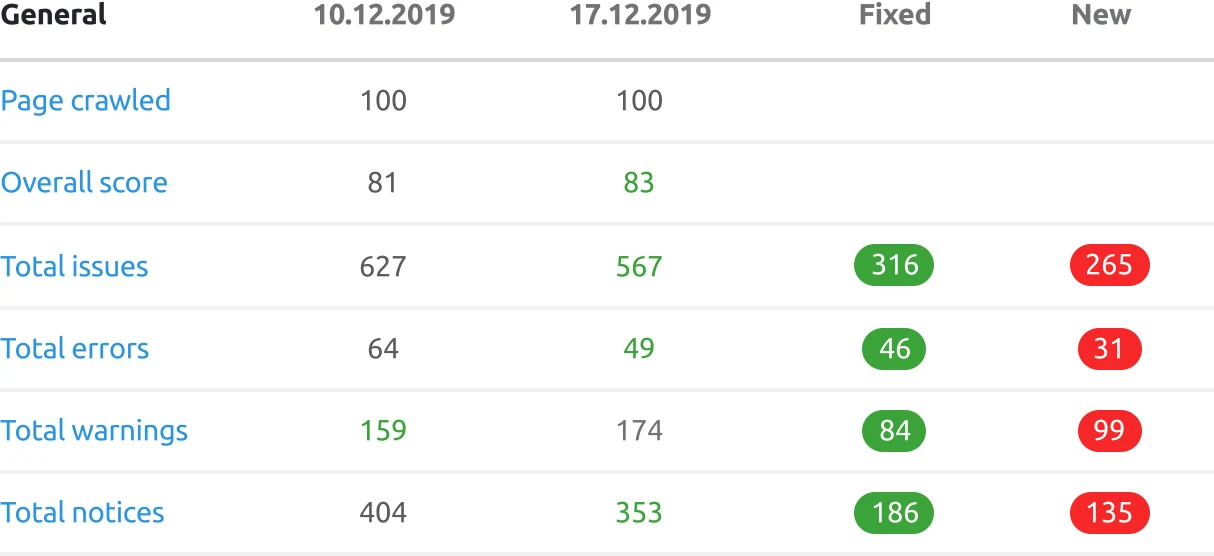
Semrush es fuerte para informes.
Si gestionas muchos clientes, los gráficos de progreso y las exportaciones pueden ahorrar tiempo cada mes.
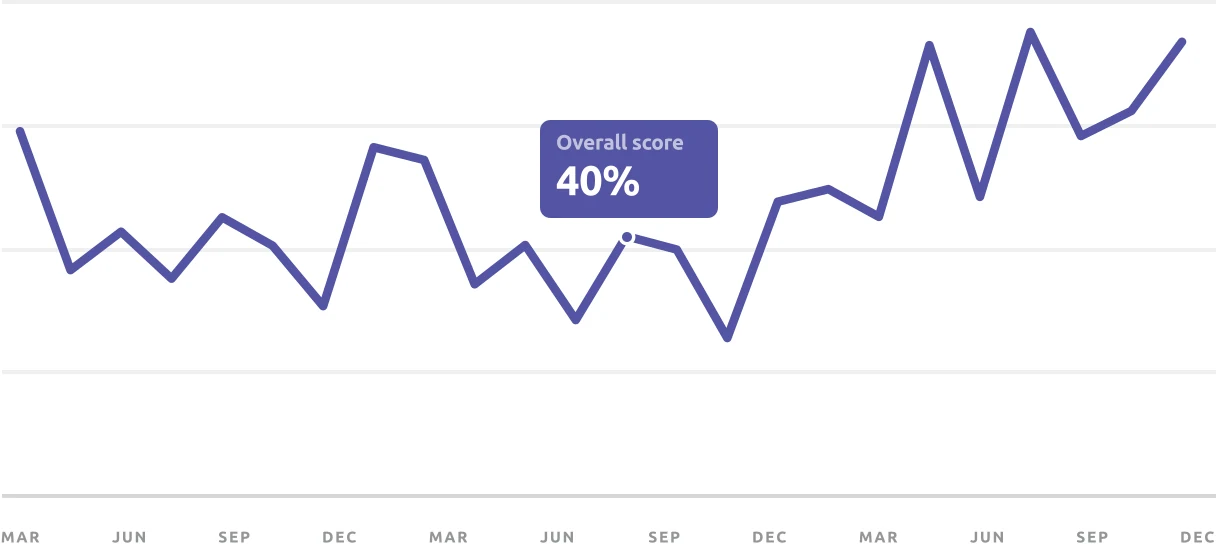
Desde un punto de vista profesional, Semrush es útil cuando los datos de auditoría deben estar junto a datos de palabras clave, competencia, backlinks y reportes.
Ese todo-en-uno es la razón por la que a las agencias les gusta.
La configuración de rastreo te da control, pero puede parecer compleja para los principiantes.
Ese es el compromiso con las plataformas grandes. Hacen mucho, pero la interfaz puede volverse crowded.
Semrush is also moving into AI search visibility. That helps, but the platform can feel like several products inside one account.
Professional read: choose Semrush when your agency wants audit, keyword, competitor, and reporting workflows together.
Best for: agencias que ya usan Semrush para otros trabajos de SEO.
Not best for: small teams that want a cheaper, simpler audit workflow.
Pricing: Semrush is a full SEO suite, so the price is much higher than a focused tool like UNmiss.
5. JetOctopus: When Crawl Budget Is the Whole Game
JetOctopus is for big websites.
If your site has thousands or millions of pages, you need to know how search engines move through it. JetOctopus is built for that job.
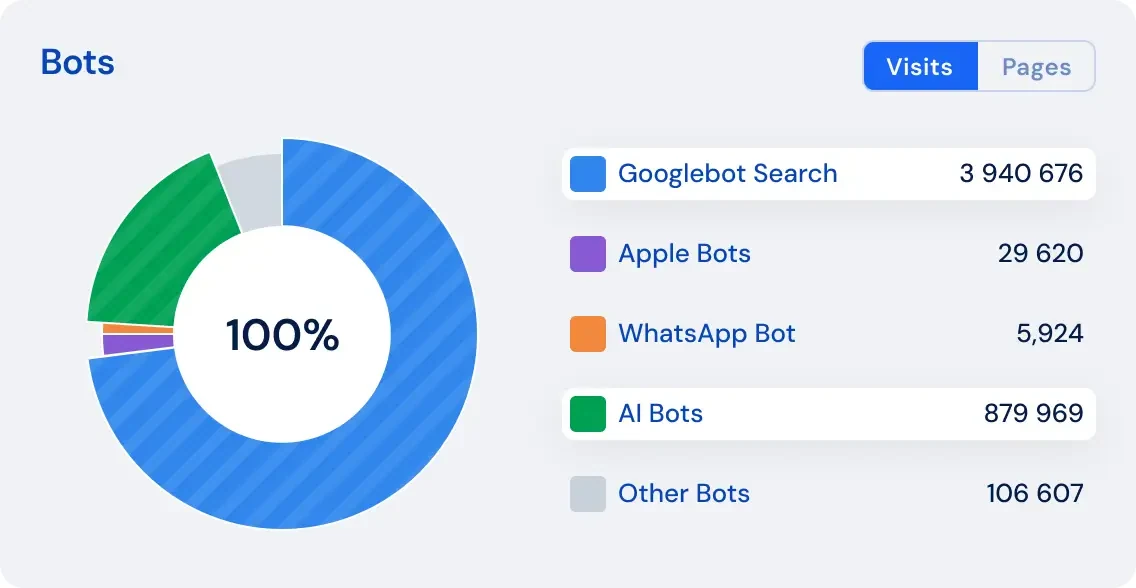
It is especially strong with log files.
A log file is a record of visits to your website. JetOctopus uses that data to show how Google and other bots spend their time on your pages.
| Useful feature | Why it matters | Best use |
|---|---|---|
| Large cloud crawling | The crawl does not depend on your laptop. | Large ecommerce, publisher, and marketplace sites. |
| Log analysis | You can see how Googlebot, Bingbot, and other bots visit the site. | Finding wasted crawl activity. |
| Crawl budget insights | The tool shows whether bots spend time on the wrong pages. | Sites with many filters, tags, parameters, or duplicate paths. |
| GSC and GA integrations | Crawl data can be compared with clicks, impressions, and traffic. | Finding pages that are crawled but not performing. |
| No project/user/simultaneous crawl limits on listed modules | Teams can analyze more without fighting account limits. | Agencies and enterprise SEO teams. |
| Bot and fake bot checks | Not every bot visit is valuable or real. | Log-file cleanup and security-aware SEO analysis. |
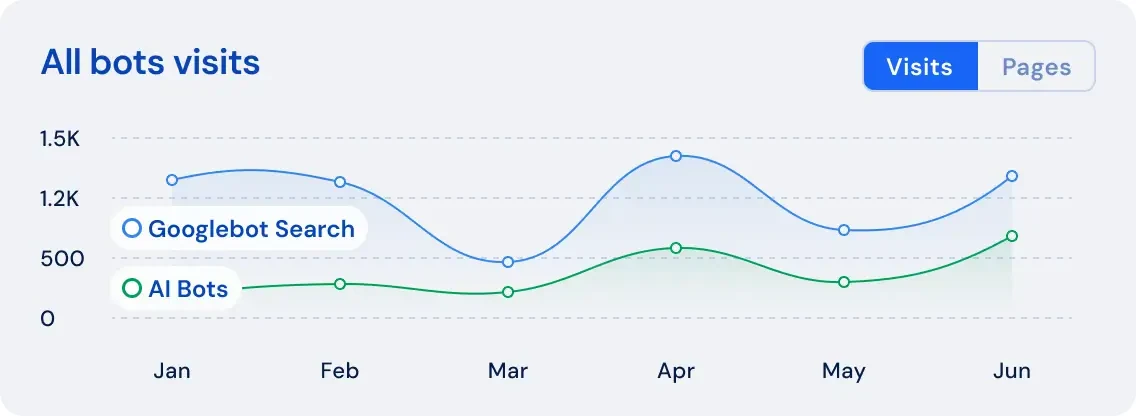
This matters for large sites because search engines do not always visit every page often.
If Google spends too much time on weak pages, important pages may be missed or updated slowly.
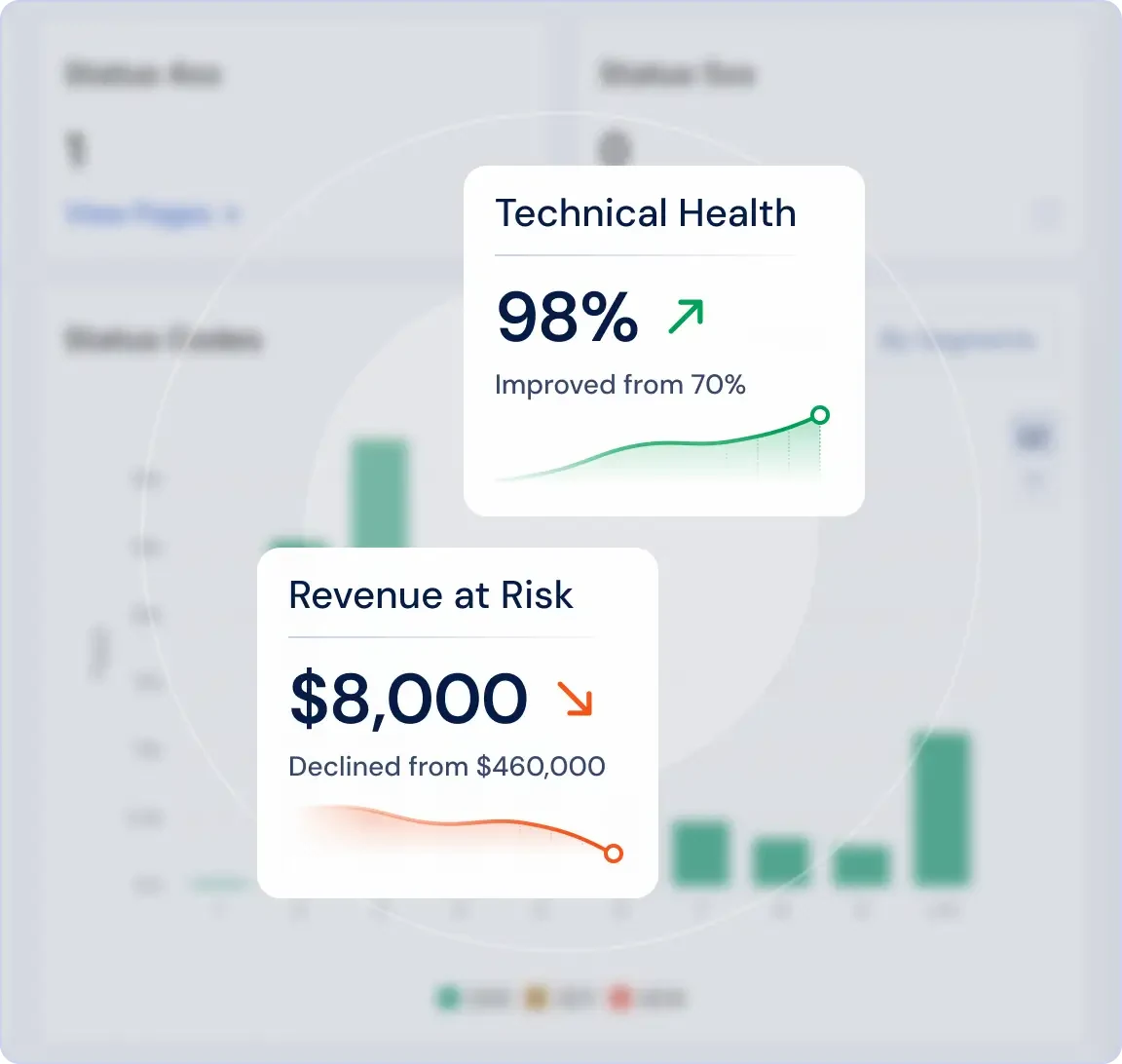
JetOctopus can connect technical problems to business impact.
That is useful when you need to explain why developers should fix something now instead of next quarter.
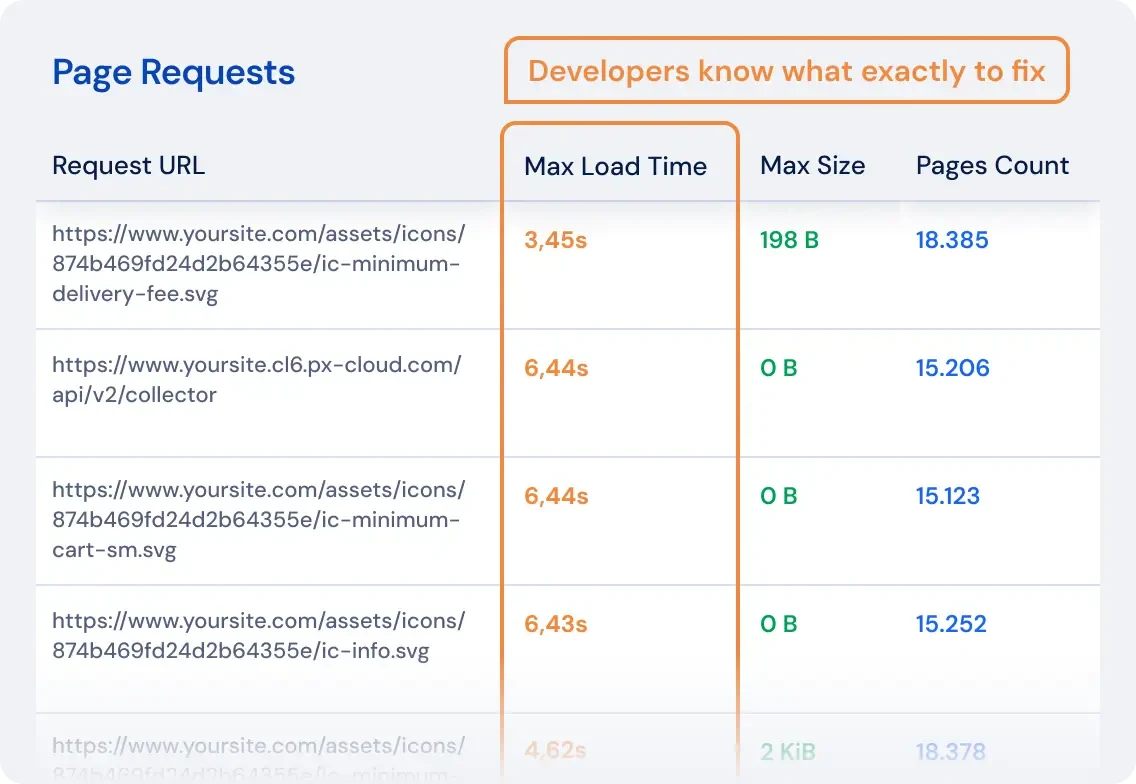
The Google Search Console views add another layer.
You can compare what the crawler finds with what Google shows in search performance data.
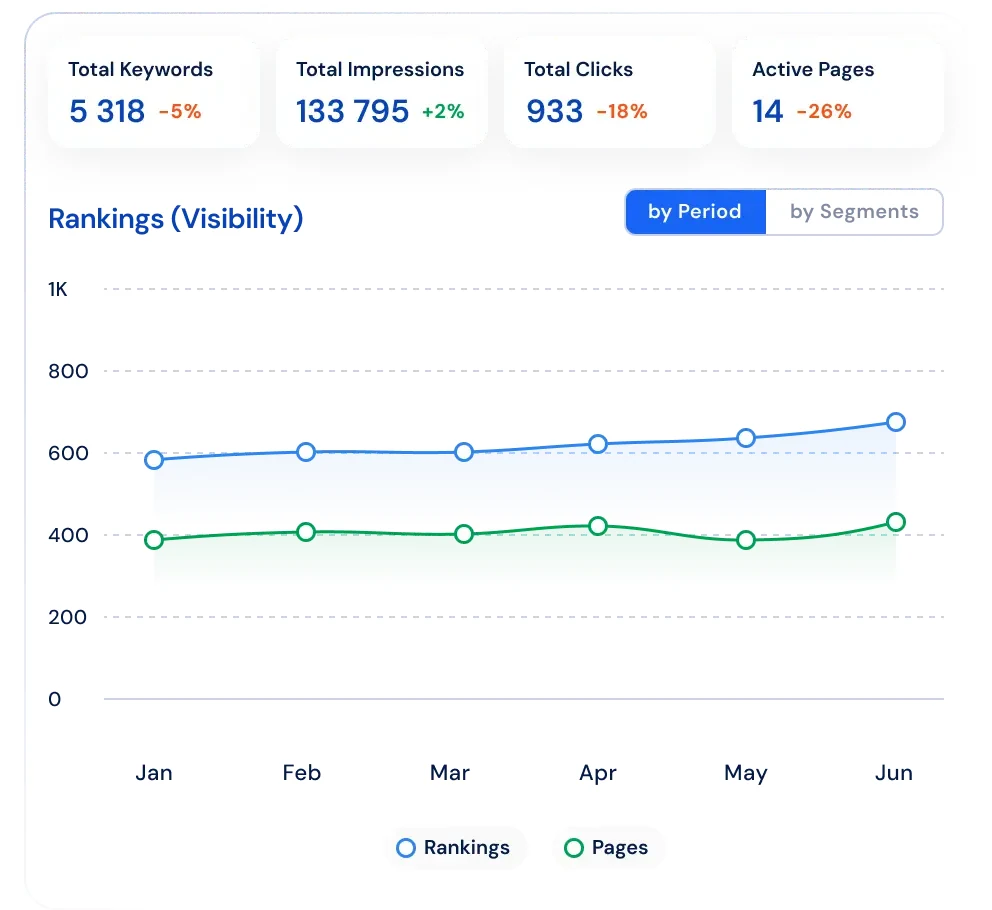
From a professional view, JetOctopus is strongest when the question is not, "Do we have broken links?"
The better question is, "Is Google spending its time on the pages that make us money?"
JetOctopus is powerful, but it is not the first tool I would give to a beginner.
It is best when someone on the team already understands large-site SEO.
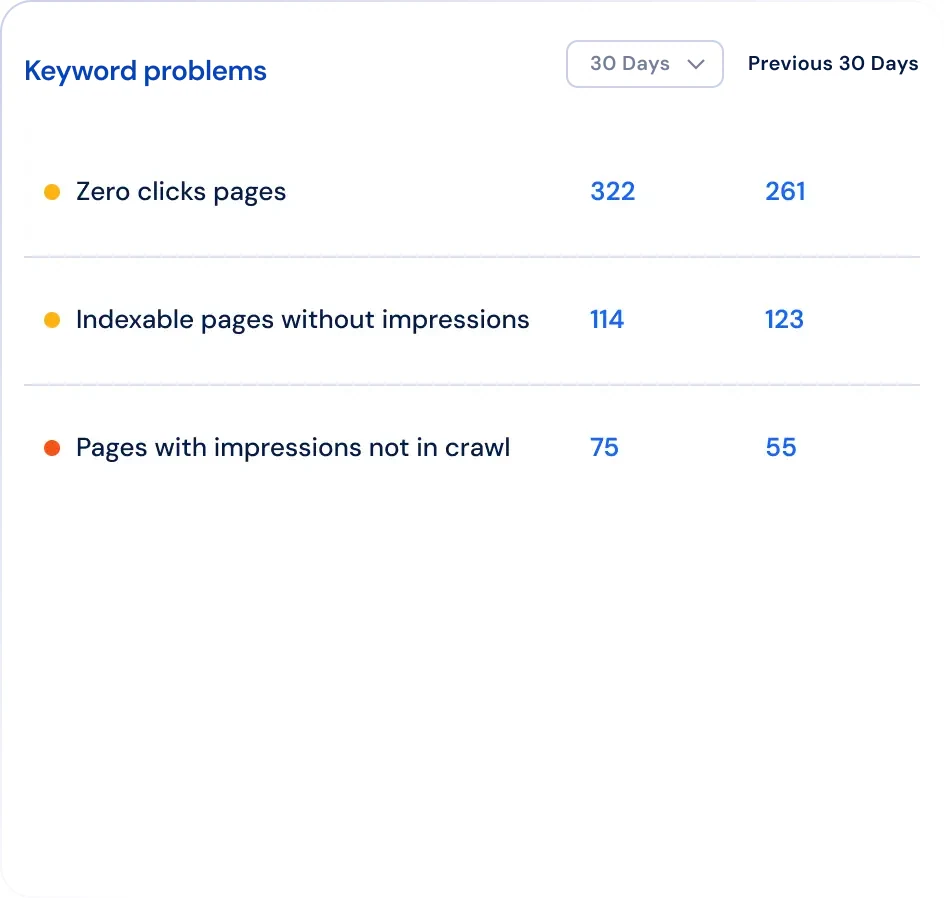
Professional read: choose JetOctopus when crawl budget, logs, and indexation patterns matter more than simple page-by-page fixes.
Best for: ecommerce, marketplaces, publishers, and large websites.
Not best for: small websites or teams that mainly need clear audit fixes.
Pricing: JetOctopus pricing depends on crawl volume and data needs. It is usually bought by teams with serious technical SEO work.
6. OnCrawl: For Teams That Live in the Data
Oncrawl is also made for serious technical SEO teams.
It is less about a quick audit and more about understanding how many signals connect across a large website.
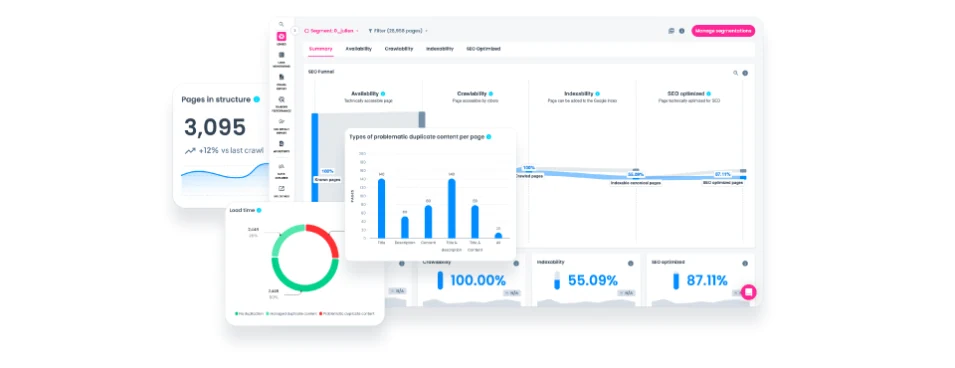
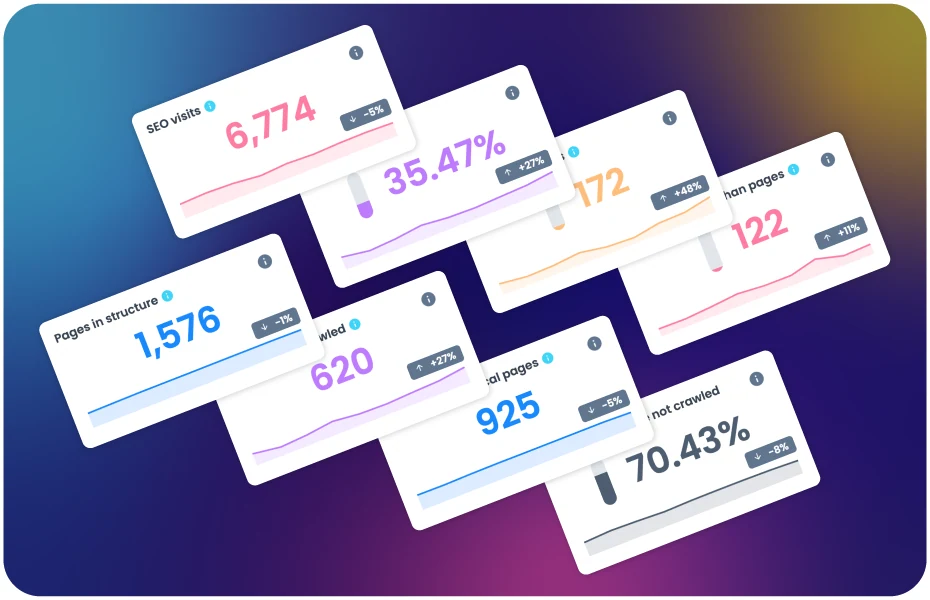
Oncrawl is strong when you need to compare many page groups.
For example, you can compare product pages, category pages, blog pages, and pages that get traffic from Google.
| Useful feature | Why it matters | Best use |
|---|---|---|
| Unsampled crawl and log data | Large decisions are based on full data, not a small sample. | Enterprise sites with many page types. |
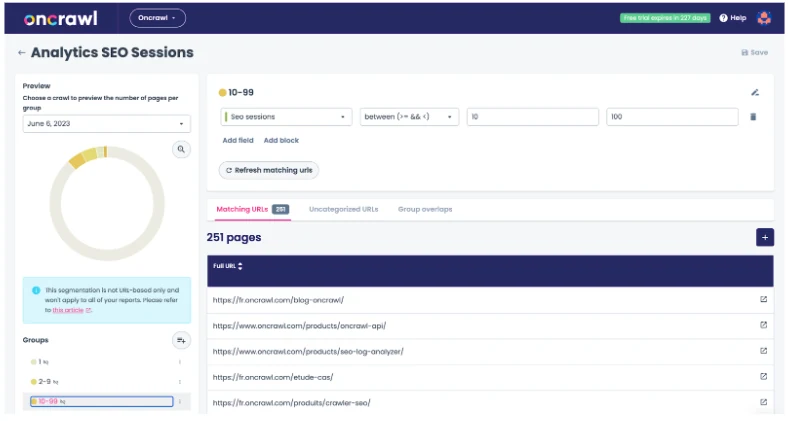
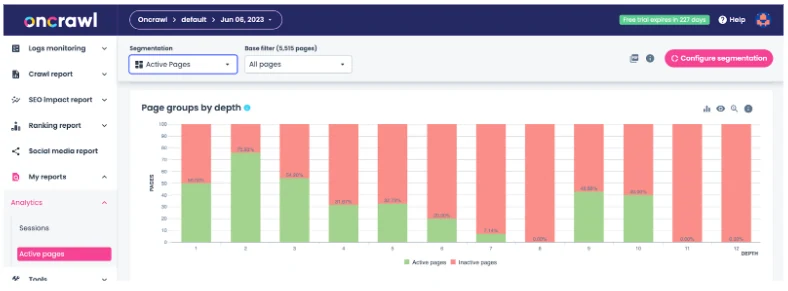
| Segmentation | You can compare groups like products, categories, guides, or locations. | Finding which site section causes the problem. |
| SEO funnel views | You can see where pages drop out from crawl to traffic. | Diagnosing indexation and visibility gaps. |
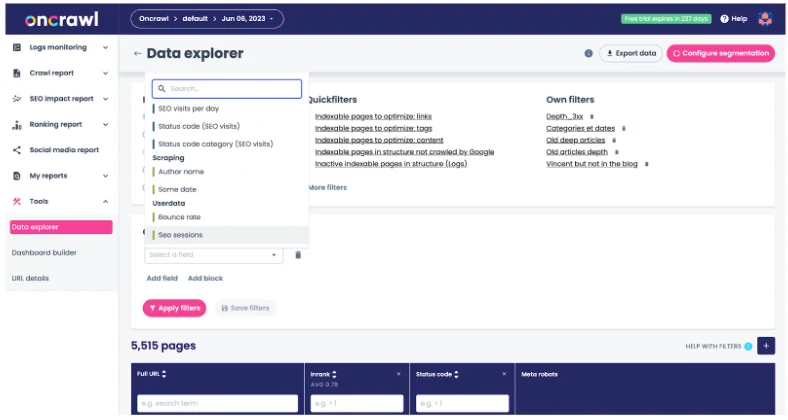
| Data Explorer | Analysts can filter and combine crawl, log, and performance data. | Deep investigations beyond standard reports. |
| Log monitoring | Bot behavior can be reviewed over days, weeks, and months. | Tracking Googlebot, Bingbot, and AI bot activity. |
| Cross-analysis with ranking and traffic data | Technical issues can be connected to business impact. | Prioritizing fixes that should move results. |
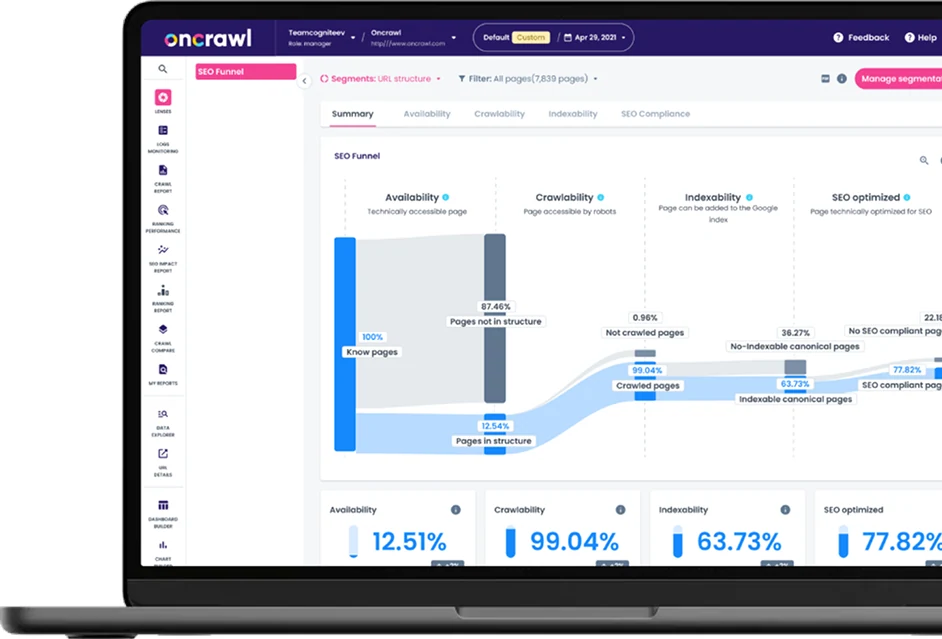
The funnel views are helpful because they show where pages drop out.
A page may be crawlable, but not indexed. Or indexed, but not getting visits. Oncrawl helps you find where the problem starts.
The Data Explorer lets analysts filter large sites into smaller groups.
This is useful, but it also means the tool expects you to know what you are looking for.
Log monitoring is another strength.
It helps teams see how bots and users move through the site, especially after technical changes.
From a professional view, Oncrawl is a strong investigation platform.
It is the kind of tool you use when a normal audit says the site is fine, but traffic still does not make sense.
Oncrawl is not the simplest tool on this list.
But for teams that love data and have the time to study it, it can answer questions smaller tools cannot.
Professional read: choose Oncrawl when your team needs to connect technical SEO, logs, ranking data, and site sections into one analysis.
Best for: enterprise SEO teams, analysts, and large websites with complex data.
Not best for: small teams that need fast, plain recommendations.
Pricing: Oncrawl is usually sold as an enterprise platform. Expect custom pricing or higher-tier plans.
7. Lumar (formerly Deepcrawl): SEO as an Engineering Discipline
Lumar is built for companies where website health is an ongoing engineering process.
It is not just for the SEO person. Product, engineering, QA, and compliance teams can all use it.
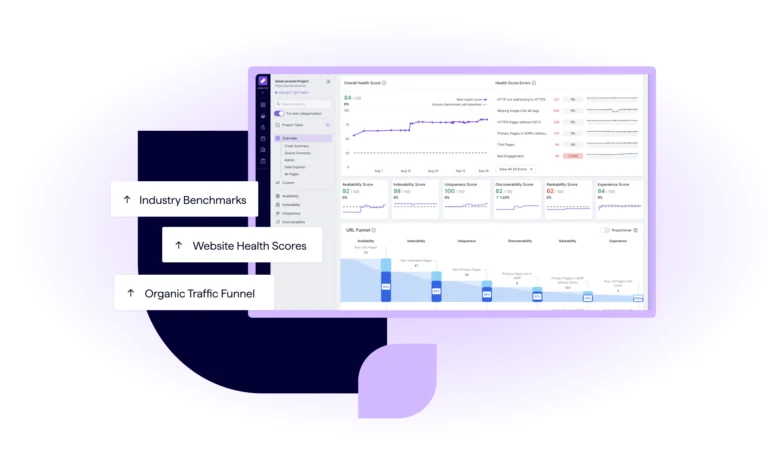
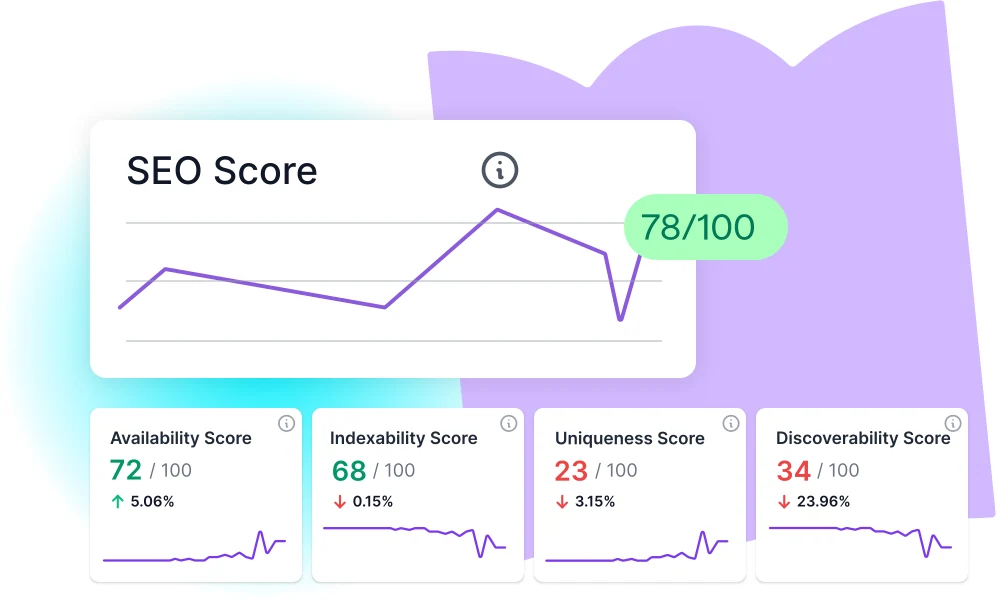
The health dashboards are clean and serious.
They make it easier to show leadership where the website is improving and where risk remains.
| Useful feature | Why it matters | Best use |
|---|---|---|
| Analyze | Crawl large sites and find SEO, GEO, accessibility, and speed issues. | Deep technical audits at scale. |
| Monitor | Track health across domains, sections, and markets over time. | Ongoing governance for large sites. |
| Protect | Catch SEO and accessibility problems before code goes live. | Engineering teams with CI/CD workflows. |
| Impact | Connect fixes to commercial value and benchmarks. | Leadership reporting and prioritization. |
| 500+ built-in reports | Teams can start with ready-made views instead of building everything. | Enterprise SEO and web operations teams. |
| Custom dashboards and alerts | Different teams can track the metrics they own. | Product, SEO, content, and engineering collaboration. |
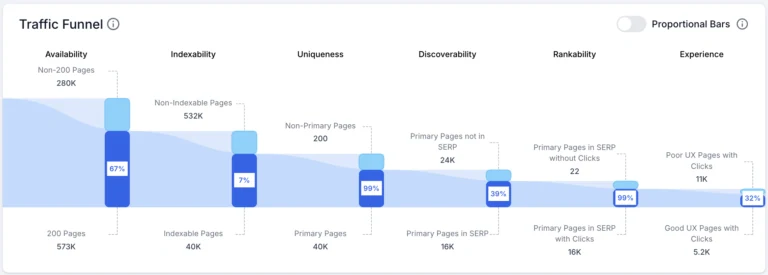
Lumar connects technical issues to traffic impact.
That helps teams decide what matters most instead of treating every issue as equal.
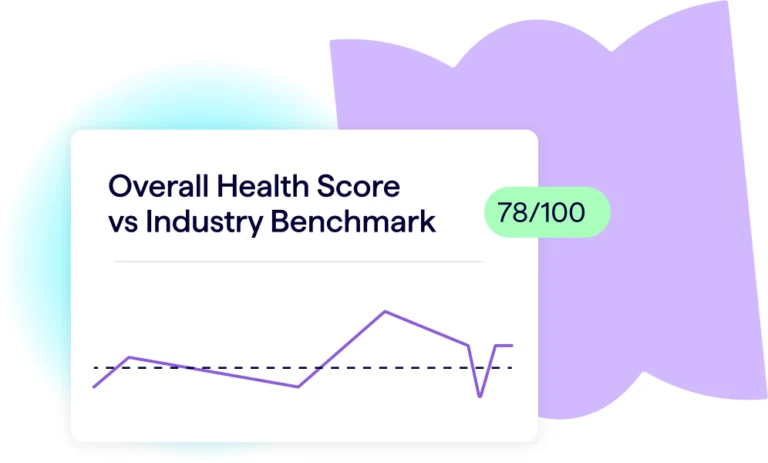
Benchmarking is useful for bigger companies.
It helps teams compare performance over time and across different parts of the website.
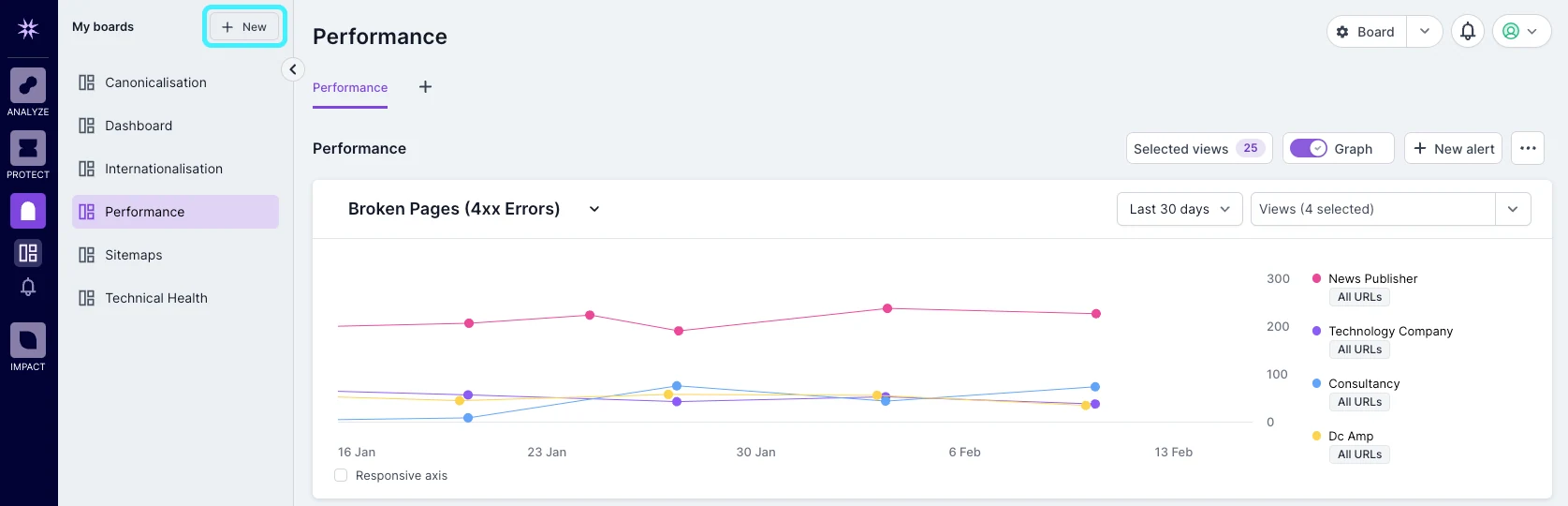
The monitor boards are made for ongoing checks.
If something breaks after a release, the team can catch it before it becomes a long-term SEO problem.
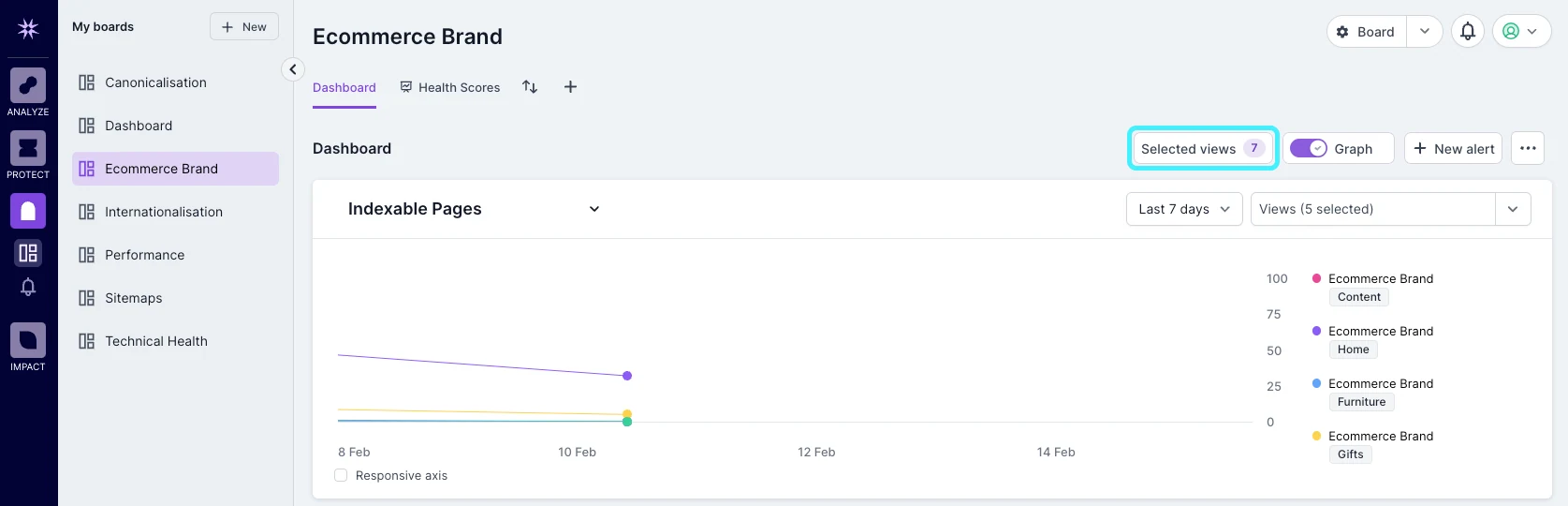
From a professional view, Lumar is about governance.
That means it helps a company keep website quality under control even when many teams are changing the site.
Lumar is strong, but it is not casual software.
It works best when a company has process, owners, and a team ready to act on the findings.
Lectura profesional: elige Lumar cuando los problemas de SEO deben formar parte de los flujos de producto, QA, accesibilidad y ingeniería.
Mejor para: sitios empresariales con equipos de producto e ingeniería.
No es ideal para: freelancers, pequeñas empresas o equipos que quieren una auditoría rápida y de bajo costo.
Precios: Lumar es un producto empresarial, por lo que los precios suelen ser personalizados y más altos que las herramientas para PYMEs.
Comparación de funciones: Cómo se comparan las 7 principales
Aquí está la versión simple.
Si quieres una herramienta de auditoría diaria limpia, elige UNmiss. Si quieres las mejores visualizaciones de rastreo, elige Sitebulb. Si ya pagas por Ahrefs o Semrush, usa la herramienta de auditoría dentro de tu suite.
| Herramienta | Mejor para | Fuerza principal | Debilidad principal |
|---|---|---|---|
| UNmiss | La mayoría de los especialistas y agencias | Auditorías simples, correcciones con IA, visibilidad IA | No adecuado para grandes proyectos con registros |
| Sitebulb | Consultores de SEO técnico | Explicaciones y visuales claros | Sin redacción de correcciones integrada |
| Ahrefs | Usuarios de Ahrefs | Datos de backlinks y auditoría juntos | Caros si sólo necesitas auditorías |
| Semrush | Agencias | Informes para clientes y suite SEO todo en uno | Puede sentirse abarrotado |
| JetOctopus | Grandes sitios web | Análisis de bots y registros | Demasiado avanzado para equipos pequeños |
| Oncrawl | Equipos de SEO con datos pesados | Segmentación profunda y embudos | Necesita un usuario experto |
| Lumar | Equipos empresariales | Gobernanza y monitoreo | Precio y configuración empresarial |
Cobertura de Visibilidad IA: Qué Significa
La visibilidad IA significa esto: cuando alguien solicita consejo a una herramienta de IA, ¿tu marca aparece en la respuesta?
Esto es diferente de la clasificación normal de Google. Una página puede posicionarse en Google y aún ser invisible en respuestas IA.
UNmiss es la opción más fuerte aquí porque se diseñó pensando en la búsqueda con IA. Verifica dónde aparece tu marca, dónde aparecen los competidores y qué huecos de contenido pueden estar causando el problema.
Ahrefs y Semrush están empezando a moverse en esa dirección. Sitebulb, JetOctopus, Oncrawl y Lumar siguen estando más centrados en el rastreo tradicional del sitio.
Infografía de precios: Costo vs. Valor
Para la mayoría de equipos pequeños y medianos, el precio importa.
Una herramienta no es mejor solo porque cueste más. Es mejor si ayuda a tu equipo a tomar decisiones más rápido.
UNmiss es la opción de menor costo en esta lista para auditorías diarias. Ahrefs y Semrush cuestan más porque son suites completas de SEO. JetOctopus, Oncrawl y Lumar tienen sentido cuando el sitio es lo suficientemente grande para justificar software empresarial.
| Nivel de presupuesto | Ajuste ideal | Por qué |
|---|---|---|
| Bajo | UNmiss Lite | Buen límite de auditoría, correcciones con IA y reportes simples |
| Medio | UNmiss Pro o Sitio bulbo en la nube | Mejor para agencias y trabajo de auditoría regular |
| Alto | Ahrefs o Semrush | Valen la pena si necesitas la suite completa |
| Empresarial | JetOctopus, Oncrawl o Lumar | Concebido para sitios grandes y datos más profundos |
Mejor herramienta para cada caso de uso
Mejor en general: UNmiss.
Mejor para mapas de rastreo visual: Sitebulb.
Mejor si ya pagas por backlinks: Ahrefs.
Mejor suite para agencias: Semrush.
Mejor para rastreo masivo y datos de bots: JetOctopus.
Mejor para análisis profundo de datos SEO: Oncrawl.
Mejor para monitoreo de salud de sitios empresariales: Lumar.
Por qué los mercadólogos están reemplazando Screaming Frog en 2026
El flujo de trabajo antiguo es doloroso.
Ejecutas un rastreo en tu ordenador. Esperas. Tu portátil se ralentiza. Luego exportas un archivo y pasas horas explicándolo a alguien más.
Eso era aceptable hace años porque había menos opciones.
Ahora los equipos quieren herramientas en la nube que funcionen en el navegador, guarden historial, compartan informes y expliquen qué arreglar.
También quieren herramientas que entiendan la búsqueda con IA. Screaming Frog sigue siendo útil, pero no fue diseñado para ese mundo.
Auditoría manual vs. Auditoría impulsada por IA: un mini estudio de caso
Imagina una pequeña agencia preparando una revisión para un cliente.
Con una auditoría manual, las exportaciones de SEO enumeran problemas, limpian la hoja de cálculo, escriben notas, piden ayuda a un desarrollador y elaboran un informe a mano.
Eso puede tomar un día completo.
Con una auditoría impulsada por IA, la herramienta agrupa los problemas, los explica, sugiere soluciones y crea un informe para compartir.
El SEO aún revisa todo. Pero el trabajo aburrido se vuelve mucho más rápido.
Ese es el valor real. La IA no reemplaza el juicio. Elimina los pasos lentos entre encontrar un problema y explicar la siguiente acción.
La brecha de visibilidad IA que la mayoría de herramientas SEO están perdiendo
La mayoría de las herramientas SEO fueron diseñadas para los resultados de búsqueda de Google.
Eso sigue siendo importante, pero ya no es toda la historia.
Ahora la gente pregunta a ChatGPT, Perplexity, Gemini y Google AI por consejos de producto. Si esas herramientas mencionan a tu competidor en lugar de a ti, eso es un problema de visibilidad.
Por eso la visibilidad IA pertenece junto a las auditorías técnicas.
Un sitio web saludable no es suficiente si los motores de IA no entienden o confían en tu marca.
Gratis vs. Pago: Qué puedes obtener realmente sin gastar
Las herramientas gratuitas son útiles para comprobaciones rápidas.
Puedes probar una página, encontrar un enlace roto o comprobar un título. Eso es suficiente para una tarea pequeña.
Las herramientas gratuitas no son suficientes cuando necesitas historial, proyectos, informes, acceso al equipo o muchas páginas escaneadas cada mes.
Si el sitio genera dinero, una herramienta de pago normalmente se amortiza ahorrando tiempo y evitando problemas pasados por alto.
Preguntas Frecuentes
¿Cuál es la alternativa más fácil a Screaming Frog?
UNmiss es la más fácil para la mayoría de las personas porque funciona en el navegador y explica qué arreglar.
¿Cuál es la mejor alternativa para expertos en SEO técnico?
Sitebulb es excelente para técnicos de SEO que aman los mapas de rastreo visual y explicaciones detalladas.
¿Debería usar Ahrefs o Semrush en su lugar?
Sí, si ya los pagas y solo necesitas auditorías estándar. Si necesitas correcciones de IA o visibilidad IA, agrega UNmiss o úsalo en su lugar.
¿Qué herramienta es la mejor para sitios web muy grandes?
JetOctopus, Oncrawl y Lumar son mejores para sitios muy grandes porque manejan datos más profundos y flujos de trabajo más grandes.
¿Sigue siendo útil Screaming Frog?
Sí. Sigue siendo útil para muchos SEOs técnicos. Pero es más difícil para usuarios generales porque se ejecuta en tu computadora y a menudo requiere trabajo adicional para explicar los datos.
Veredicto final: ¿Qué alternativa de Screaming Frog debes elegir?
Elige la herramienta que coincida con la forma en que trabaja tu equipo.
Si quieres la mejor reemplazo simple para Screaming Frog, elige UNmiss. Ofrece auditorías, sugerencias de corrección, visibilidad de IA y informes compartibles sin una configuración pesada.
Si te encantan las visualizaciones técnicas de rastreo, elige Sitebulb.
Si ya pagas por una gran suite de SEO, usa Ahrefs o Semrush antes de comprar algo más.
Si tu sitio es enorme y tu equipo estudia datos de bots, mira JetOctopus, Oncrawl, o Lumar.
Para la mayoría de equipos normales, la respuesta es más simple: deja de pelear contra fallas de escritorio y exportaciones en crudo. Usa una herramienta en la nube que te dé un paso siguiente claro.